How to Get More Views on YouTube: Top Strategies
YouTube remains one of the most powerful platforms for reaching an audience, but getting views takes more than uploading a video and hoping for the best. The creators and brands that grow consistently usually do three things well: they publish content people actually want, package it with strong titles and thumbnails, and use YouTube Analytics to improve over time.
With over 3 billion monthly active users, it’s one of the most promising platforms available. In this blog, Josh Rohr, our Senior Social Media Strategist, will share tips on how to find success on YouTube by increasing your impressions and views.
What You’ll Learn:
TL;DR
YouTube growth depends on strong content, effective packaging, and continuous optimization.
- Create videos around proven audience needs and your unique expertise.
- Use accurate, compelling titles and thumbnails to earn clicks.
- Hook viewers quickly and maintain retention with focused, valuable content.
- Improve discovery through keywords, descriptions, chapters, playlists, and Shorts.
- Use cards, end screens, CTAs, and cross-promotion to drive continued engagement.
- Review impressions, CTR, retention, traffic sources, and conversions to improve future videos.
Why YouTube Traffic Matters for Marketers
YouTube is one of the most creator-friendly platforms out there. As a YouTube Creator, you’ll have access to a plethora of information and support, ranging from vlogs and tutorials to in-depth reviews and entertainment designed to help you succeed.
With the massive, global reach the platform has, it’s a great way to monetize your content while also finding new ways to reach broader audiences.
YouTube’s audience is among the largest, with over 3 billion users. As such, it’s an immensely popular channel among marketers, with around 51% of them using the platform to connect with audiences. These and other statistics show why it’s crucial to know how to get more views on YouTube with a solid video marketing strategy.
A critical part of cashing in on YouTube’s reach? Increasing visibility, engagement, and conversion across the board. With YouTube, engagement is more than a comment. It takes into account everything – likes, shares, comments, and subscriptions.
The higher your engagement is, the more opportunities you’ll have to monetize your content and expand your reach. The best way to increase your engagement is to increase your YouTube traffic and get your content in front of as many interested parties as possible.
Turning Traffic into Conversions
Increasing your YouTube traffic is one thing, but turning that traffic into conversions is another. Let’s talk about how to increase your click-through rates (CTRs).
Generally, you should aim to produce a 2-10% CTR. However, a good YouTube impressions click-through rate depends on a variety of factors, most importantly the industry that you’re in.
There are a number of things you can do to increase your CTR, including:
- Matching the conversion path to the video
- Using a relevant landing page, a clear verbal and on-screen CTA, and tagged links for attribution
- For sponsorships or affiliate relationships, disclose the material connection clearly in the video and accompanying text, and select YouTube’s paid-promotion field when applicable
- Do not assume that every view is monetized or assign a fixed value per view.
As you work hard to convince YouTube users to watch your videos by optimizing your thumbnails, titles, and other content, don’t forget to monitor your video’s performance. Keeping up with YouTube Analytics will help you see if your strategy works or if you need to tweak your attempts a bit.
The Impact of Watching Commercials on YouTube Content Providers
Does watching commercials help YouTube content providers? Yes, absolutely!
Just how do YouTube views increase a creator’s revenue, exactly? Whenever people watch a YouTube video with ads, YouTube shares a certain percentage of the ad revenue with the creator.
This means that the more people watch ads on your videos, the more money you get.
Keep in mind that user behavior can also impact your video’s performance in multiple ways. For instance, viewers could install an ad blocker that works on YouTube, preventing them from seeing an ad and contributing to monetization.
Also, the better your videos perform and engage audiences, the more popular they’ll be to attract more advertisers, which means even more potential pay for you. So, knowing how to get more impressions on YouTube could really help your monetization efforts succeed.
However, you can also monetize videos by incorporating organic sponsor mentions and including a dedicated link to the sponsor’s site. For example, a vlogger might have a food delivery subscription service as a sponsor and include a link that gives people 10% off their first delivery.
My Expert Insights on Increasing YouTube Views and Traffic
If you’re thinking about adding YouTube to your strategy or want to increase impressions and views on your existing account, try these three things:
Create High-Quality, Relevant Content: Focus on content that resonates with your audience’s interests and needs. Videos that provide real value are more likely to attract views and shares.
Optimize with SEO Best Practices: Use targeted keywords in titles, descriptions, and tags. SEO-friendly content will help your videos gain traction both within YouTube and on external search engines like Google.
Engage Your Audience: Encourage viewers to interact through comments, likes, and shares. Audience engagement signals help boost impressions and make your videos more visible on the platform.

Key YouTube Metrics Explained
Before you capitalize on YouTube traffic, you need to understand the difference between impressions and views and their impact.
YouTube Impressions
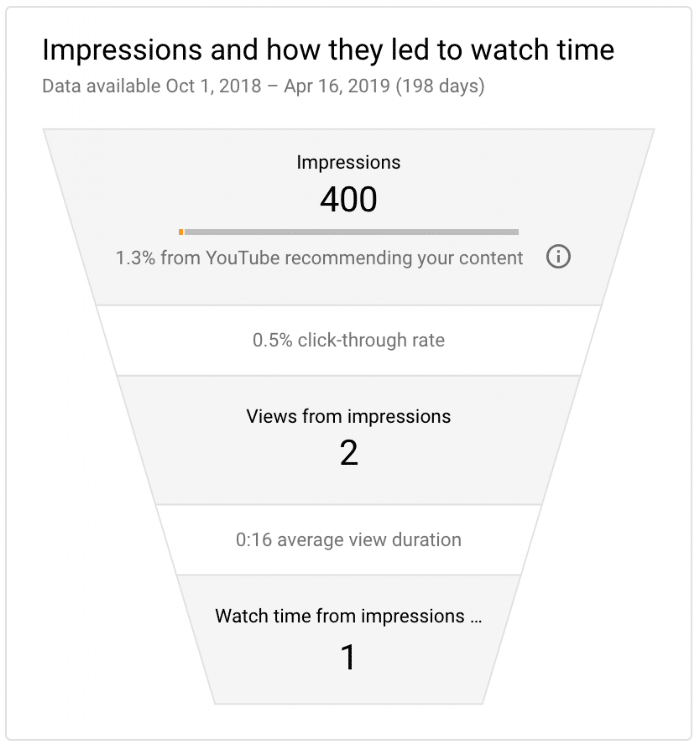
Impressions account for how often viewers see your thumbnail. YouTube counts an impression when the thumbnail is shown for more than one second and at least 50% of it is visible. The more YouTube recommends your video, the higher your impressions will be.
However, it doesn’t count as an impression if:
- Content appears as embeds on other websites
- Videos play in the background
- Content includes end screens or cards in the video player
- Ads don’t lead to a YouTube watch page
- People don’t see thumbnails for longer than one second or see at least 50% of the thumbnail
Action Item: If you want to know how to get more impressions on YouTube, it’s important to create engaging titles and thumbnails and get more people to watch your videos most or all of the way through.
YouTube Views
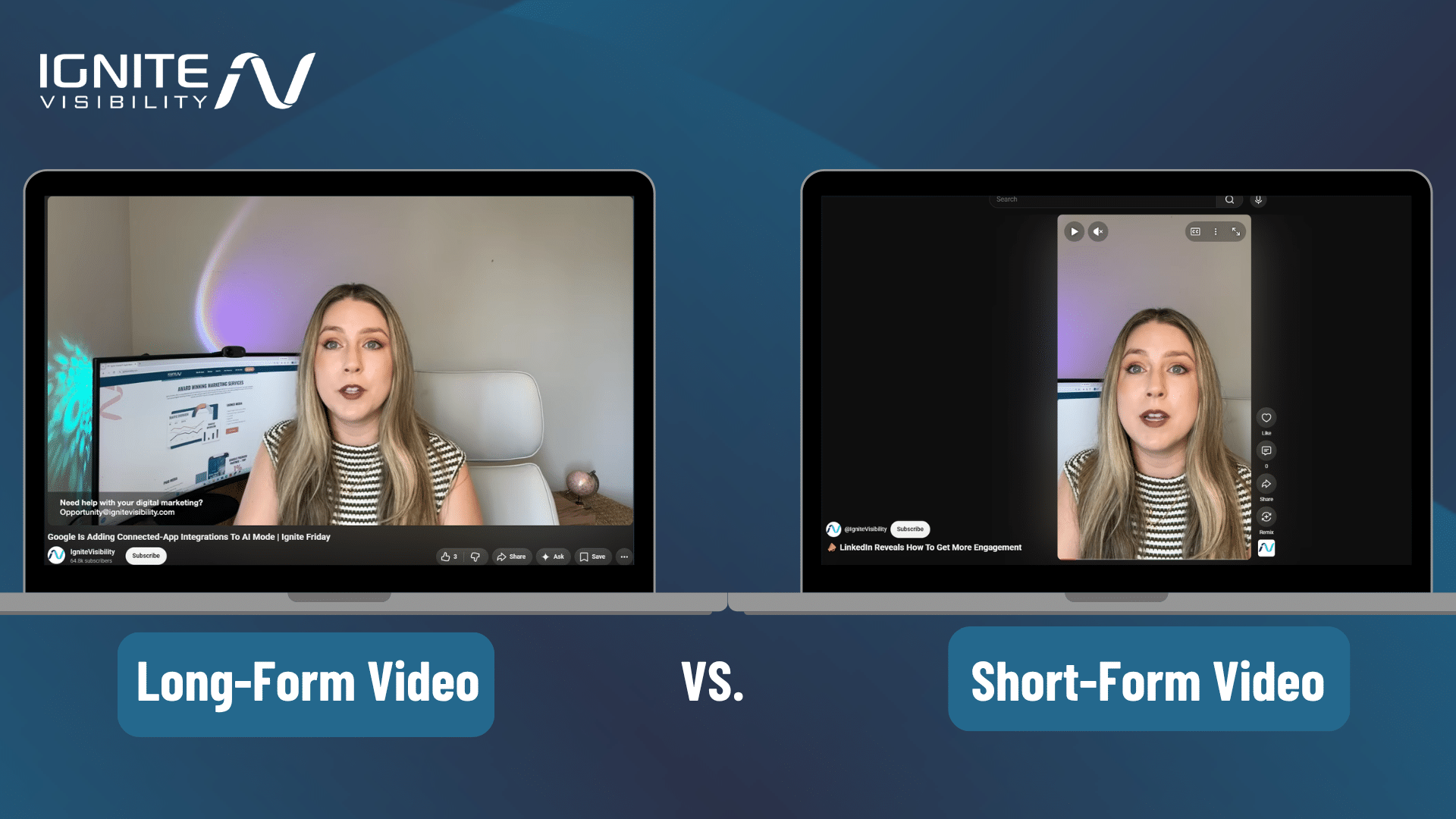
Views on YouTube are very different from impressions. For standard videos, YouTube counts legitimate views based on viewer behavior, while Shorts views now count the number of times a Short starts or replays, with no minimum watch-time requirement as of 3/31/2025.
Watch Time
Watch time refers to the amount of time people actually watch your videos.Watch time and retention help YouTube understand whether viewers found the video satisfying, but there is no public “session time hierarchy” that creators should memorize. The longer people watch your video, the more this signals to Google that your video is worth ranking in the algorithm.
Higher audience retention and watch time can increase the likelihood that YouTube recommends a video, particularly when retention outperforms competing videos of similar length. However, YouTube does not publish a specific retention percentage threshold that guarantees higher rankings.
Click-Through Rate
Click-through rate (CTR) is the rate at which people click through your video thumbnails or links to view the video.
Although you want a high CTR, you also want it combined with plenty of views and long watch times. Otherwise, YouTube might consider your videos low-quality clickbait if people aren’t sticking around after clicking.
How YouTube Discovery Works in 2026
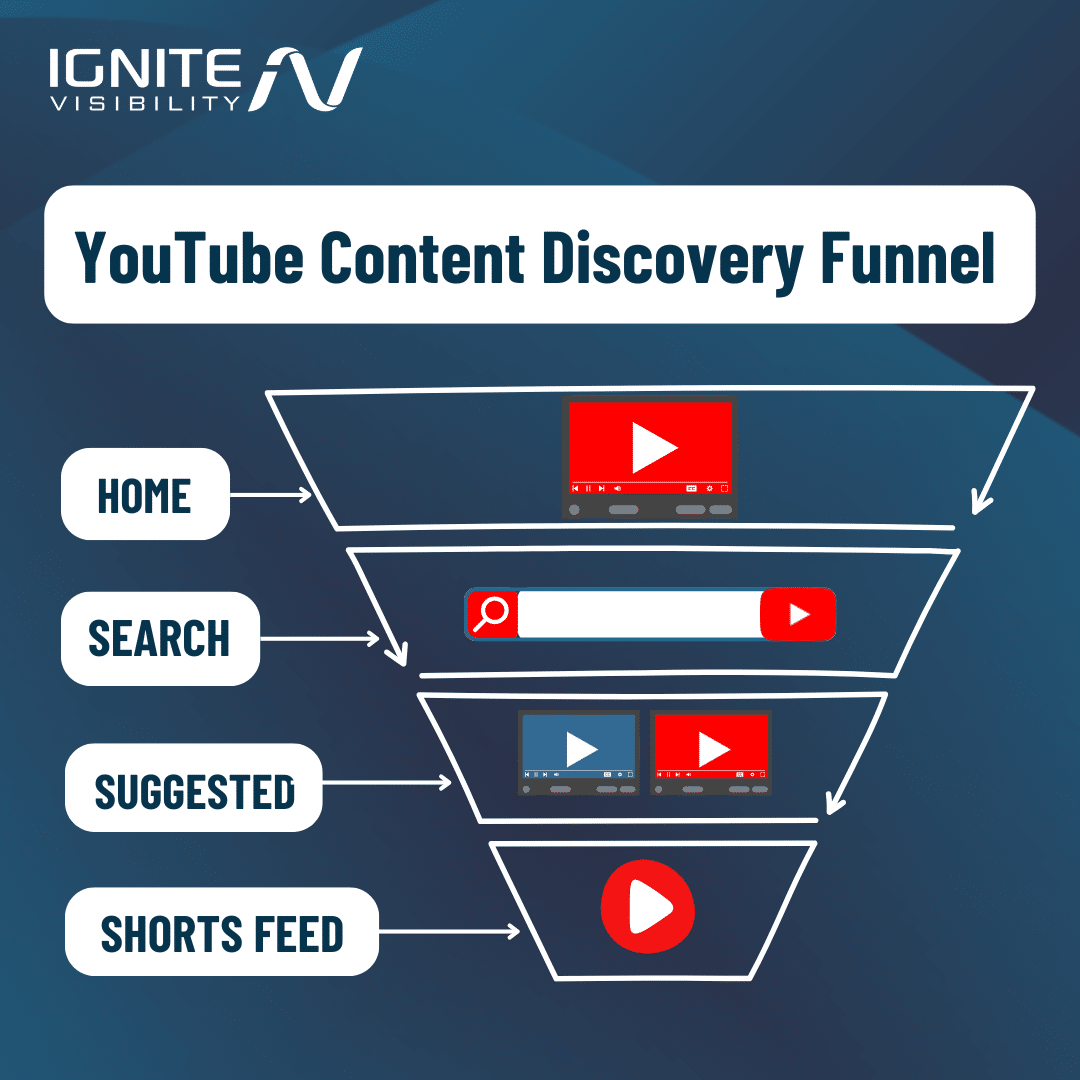
It’s important to keep in mind that YouTube does not rely on a single ranking signal. Its recommendation system is built to match viewers with the most relevant content based on watch history, search history, personalization, and how viewers respond when a video is shown.
That means the best way to grow is to make videos that are useful, engaging, and clearly packaged. Strong titles and thumbnails help earn the click; strong intros and pacing help keep the view. YouTube Help also says creators can A/B test up to three titles or thumbnails in supported accounts, which makes experimentation easier than guessing.
However, if you want to know how to get more views on YouTube in 2026, there are some critical elements to keep in mind, including Google’s ranking signals and certain updates to implement.
The signal hierarchy today takes the following into account, in order of importance:
- Session Time: This is the most important metric informing how to become popular on YouTube, as the platform prioritizes videos that keep people using the app; conversely, videos can get penalized if users close the app after watching them.
- Relative Watch Time: The percentage of the video watched will also help dictate video prioritization. For instance, if people watch a 30-second Short 90% of the way through, the video will likely perform better than a 60-second video with 40% retention.
- Click-Through Rate (CTR): This metric’s importance will depend on the way viewers engage with your videos after that initial click. Even if you have a high CTR, YouTube might penalize your videos if they subsequently see minimal relative watch time, as it perceives these videos as clickbait.
- Likes and Comments: To supplement viewing behavior, YouTube might take into account these engagement metrics.
YouTube Studio’s native A/B Testing feature allows eligible creators to test up to three titles, thumbnails, or title-and-thumbnail combinations for a long-form video. YouTube compares the variations concurrently and selects a winner based primarily on watch-time share.
YouTube gives Shorts a dedicated vertical feed, while also distributing them through Search, Home, subscriptions, notifications, and creators’ channel pages. On channel pages, Shorts and long-form videos may both appear on the Home tab, but they are organized into separate Shorts and Videos tabs.
31 Strategies to Create Content to Increase YouTube Traffic
Now that you understand how YouTube measures impressions, views, engagement, and retention, the next step is improving each stage of the viewer journey.
The following strategies cover content planning, YouTube SEO, creative execution, distribution, and performance analysis.
Content Strategy and Series
1. Create Better Content
All the promoting in the world won’t save a channel with lackluster content. You need to give the people something worth watching.
A strong YouTube content strategy should connect three elements:
- What your target audience wants to learn, solve, or experience
- What your company or creator has credible expertise in
- What makes your perspective, evidence, or presentation distinctive
Pro-Tip: If you want some help with content development as you learn how to boost YouTube views, consider a tool like VidIQ, which you can use to help create every element of content, from YouTube titles and descriptions to video scripts to inform your video’s actual content.
Also, if you really want to know how to get more views on YouTube, you should consider implementing topic clusters. Creating multiple videos covering a particular topic and its related subtopics extensively will help you establish topical authority that further sets you apart from other channels.
2. Use Livestreaming When the Format Adds Value
Who doesn’t love a live stream?! Instagram and TikTok have made this popular, but YouTube also offers something similar. Livestreaming is a great way to connect with your viewers on a real-time basis and is perfect for spur-of-the-moment announcements or big industry news.
According to Restream, 27% of all internet users will watch at least one live-streamed video weekly.
Here’s some tips:
- Schedule your livestream on certain dates to integrate it into your marketing strategy
- Promote your livestream as an “upcoming event”
- Have a loose script that you can follow to help you stay on track
- Engage with your viewers in the moment
There are plenty of types of live streams that can increase YouTube views, including:
- Educational content like tutorials and demonstrations
- Event live streams, such as industry expos and webinars
- Behind-the-scenes looks into your company and employees
- Product launches
- Expert interviews
- Charity streams
- Q&A
- And more
For example, you could put up a live Q&A video that encourages viewers to submit questions for an expert in your industry to answer. This kind of real-time engagement is a great way to boost YouTube views and keep people watching.
3. Draw Inspiration From Your Favorite Creators
Finding it hard to come up with content ideas? Don’t worry, we’ve all been there.
One great way to get over YouTube creators’ block is by visiting some of your favorite channels. Check out what kinds of content they’ve created recently.
Pro-Tip: Be sure to visit channels that promote businesses similar to yours. For example, if you’re running a SaaS company, view the YouTube channels of other SaaS brands. Also, subscribe to channels that routinely crank out quality content. Then, browse through your subscriptions daily to get inspiration.
4. Try Different Content Formats
Try experimenting with different content formats! YouTube has different formats, including:
- Regular Videos — Traditional videos can be short- and long-form videos that cover a range of topics. This is typically how most creators capture traffic.
- Shorts — YouTube also now has Shorts that garner billions of views on a daily basis. Considerably shorter than traditional videos, they are uploaded vertically and intended for mobile devices.
- Community Posts — In addition to videos, you can engage with audiences through Community posts outside of video content using quizzes, polls, images, and more. This will build your audience and drive that traffic to your YouTube videos.
4. Upload 360-Degree Videos
Have you tried uploading 360-degree videos? If not, you should. That’s because 360-degree videos have a 14% higher return on investment (ROI) than regular videos.
Pro-Tip: This strategy does exceptionally well in the travel space. They also work well when promoting sporting events or live entertainment.
5. Optimize Your End Screens
After your video ends, your end screen will guide your viewer to take the next step. Include subscribe buttons or CTAs to drive action or encourage them to stay engaged with your content.
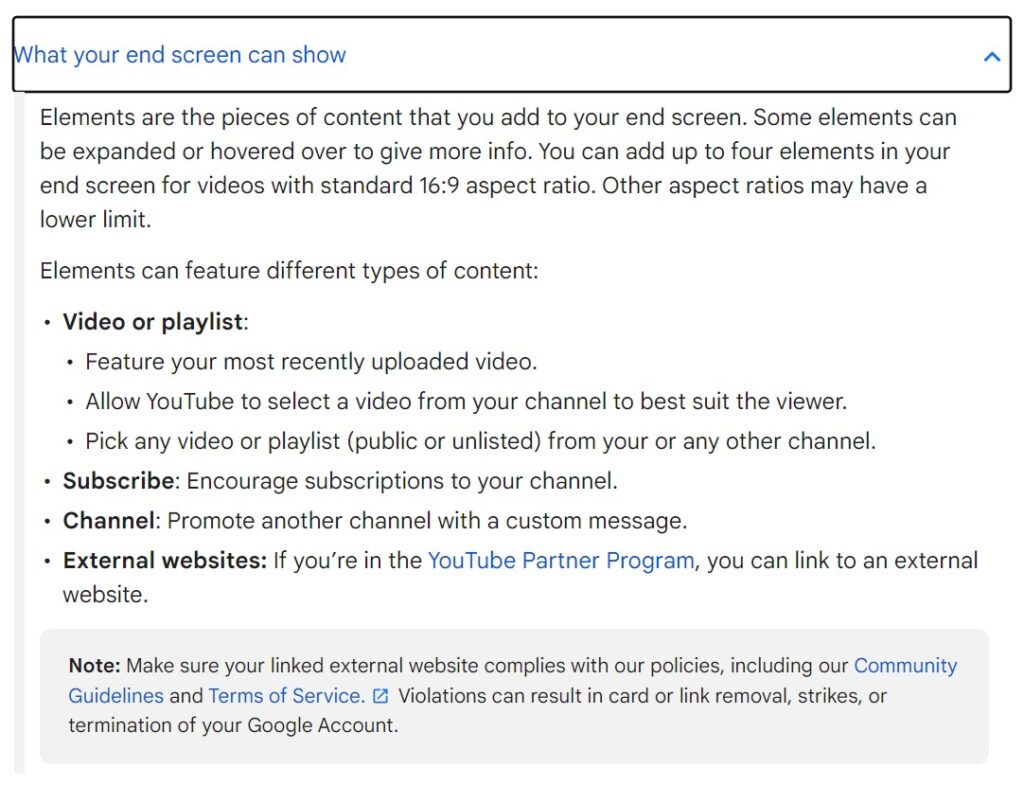
Pay attention to the types of content on your end screens that get people to perform the desired action. Does your subscribe button work well? Maybe people are hooked on your content and want to continue, eventually subscribing further down the line.
Test what works and what doesn’t, which will help you better figure out how to boost YouTube views.
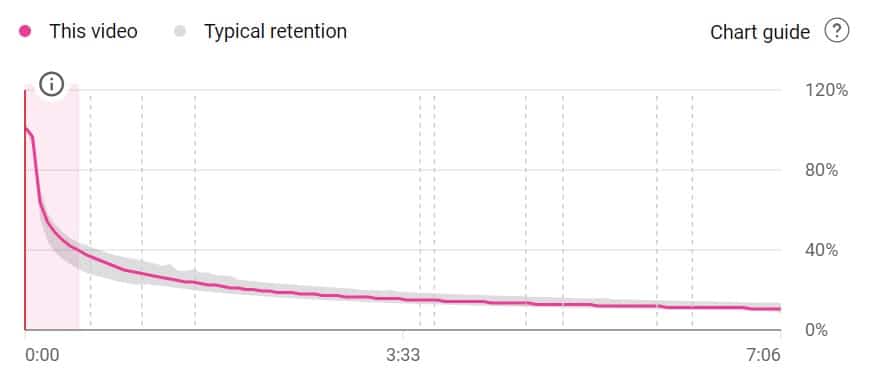
6. Use the “Card Bridge” Technique
Using the “Card Bridge” technique, you can keep people watching your videos when they would normally drop off at certain points. Specifically, you would keep viewers’ attention by directing them to another video of yours using a “card” that appears on the screen when viewers often drop off the current video.
For instance, you might discover that people are stopping your videos at around the two-minute mark. At this point, you might use a card to get users’ attention and entice them to hop to another relevant video to engage them.
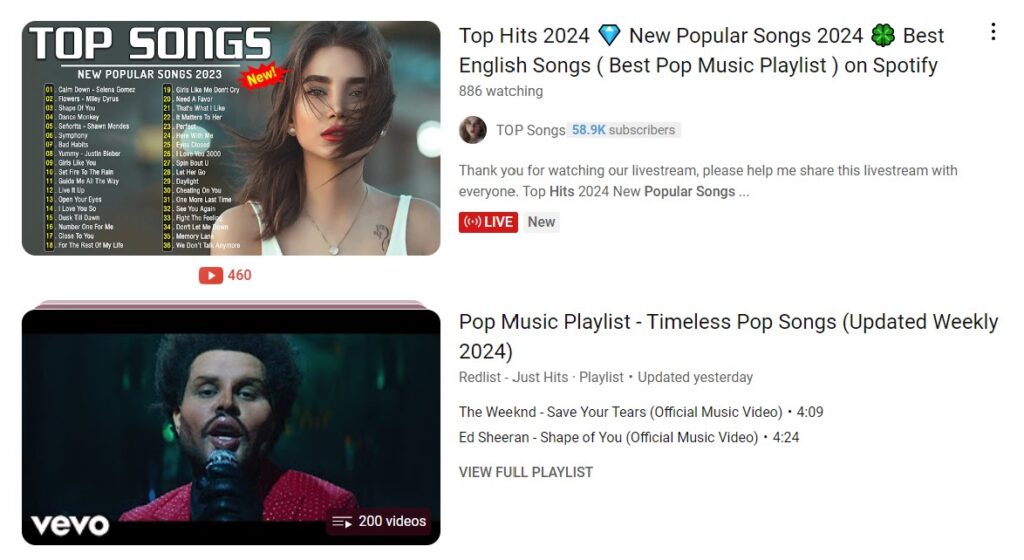
7. Create Playlists (And Optimize Them)
Creating playlists will help push your viewers from one video to the next. Separate your videos by subject or popularity,
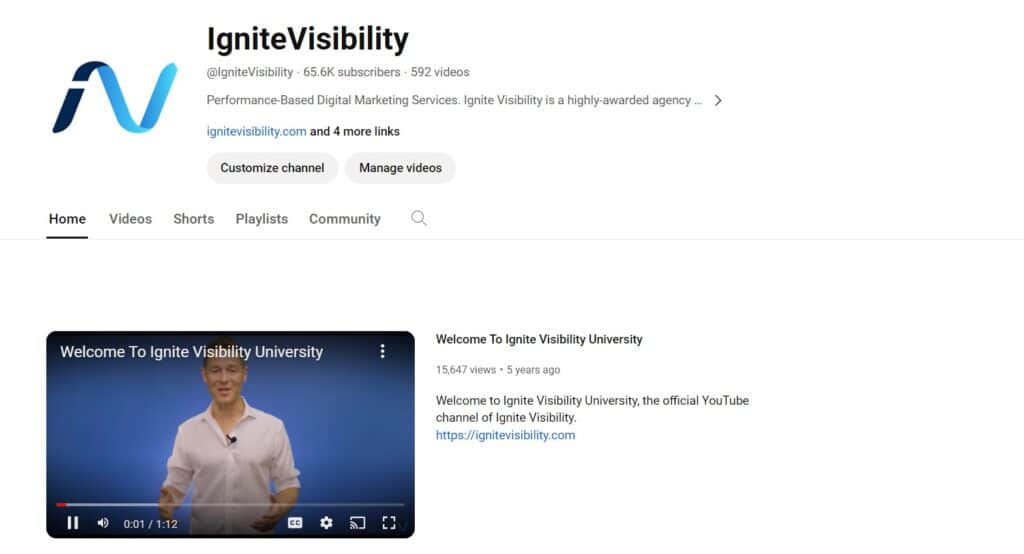
8. Include an Intro Video to Increase YouTube Views and Subscribers
People don’t necessarily know what kind of channel they’re getting when they come across your video.
On your channel homepage, YouTube allows you to set a channel trailer. This should serve as your channel’s “about me,” and tell your viewers who you are, what they can expect from your videos, and why they should be listening to you.
9. Collaborate with Other Creators
Looking for how to increase views on YouTube? Tap into another creator’s audience through collaboration!
Embrace the idea of collaboration and jump into the world of influencer marketing by following these steps:
- Identify the top players in your niche (who gets the most views and engagement) and reach out.
- Ask them to work with you on a project for the chance to expose yourself to a new audience. Similarly, contact popular bloggers to see if they would consider featuring your video in a related post or on their social media channels.
- Make an offer in return to make it worthwhile, whether that’s a free product, a discount, or promotional content for the creator or blogger.
- Foster a long-term relationship to get consistently great results with your new partner.
10. Optimize Your Content for Mobile Viewing
You know mobile optimization is good for your website, but did you know it also works for your YouTube channel?
After all, 79% of viewers ages 18-34, 70% of viewers ages 35-54, and 43% of viewers ages 55+ watch video content daily on their smartphone. Make it easy for them to consume your content by
- Capture their attention with a strong opening.
- Keep it short and sweet.
- Create clear thumbnails with bold colors, simple graphics, and limited text.
- Use subtitles and captions to make your content more accessible.
- Ensure all of your additional elements are responsive to mobile screen viewing.
11. Engage With Trends
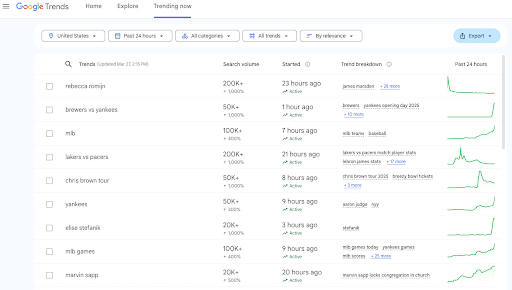
You can also boost YouTube views by keeping up with the latest topic trends. Specifically, you can look for trending topics on platforms like Google Trends and potentially create a video discussing them, as long as they’re relevant to your brand and industry.
Another approach is to take part in certain innocuous trending challenges. There are many challenges across various categories that you could participate in and create a video around.
YouTube SEO
12. YouTube SEO (Yes, It is A Thing)
YouTube is the world’s second-largest search engine by volume, second only to Google.
SEO alone is one of the easiest and most reliable ways of increasing your traffic and overall ROI. Along with the rest of this guide, here are a few elements to keep top of mind when crafting an SEO strategy for your YouTube channel.
- Optimize your titles and descriptions with relevant keywords.
- Use eye-catching thumbnails.
- Make sure it shows up in YouTube auto-suggest.
- Do keyword research in Google Keyword Planner.
- Double up on keyword research with Keywordtool.io or TubeBuddy.
- Add proper tags.
- Craft unique and descriptive descriptions.
- Add a link inside of the content to a webpage.
- Optimize your end screen with a clear call-to-action.
- Include at least one card on each video linking to another video.
- Ensure video settings are correct.
- Update and optimize your playlists.
13. Optimize Your Tags
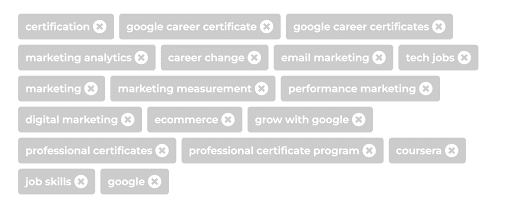
YouTube Tags help viewers, YouTube, and other search engines understand what your video is about. This can go a long way in attracting more impressions and views.
Additionally, if you explore YouTube moderator job opportunities, you can gain valuable insights into how tags and other metadata are managed and optimized from the platform’s perspective.
Optimizing your tags with relevant terms (but without going overboard) can help you steal competitors’ thunder on the platform and drive more traffic and engagement.
14. Don’t Just Optimize Your Videos, Optimize Your Channel
Optimization doesn’t stop at your video content. You need to optimize your entire channel.
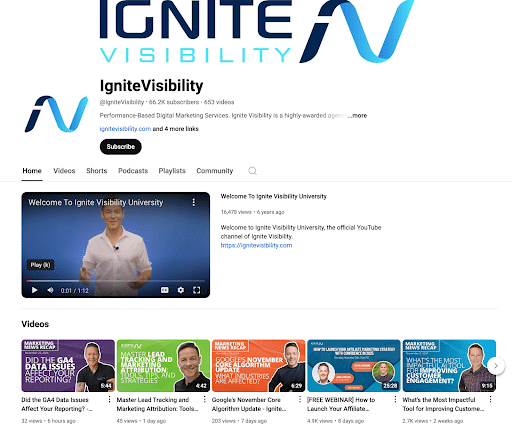
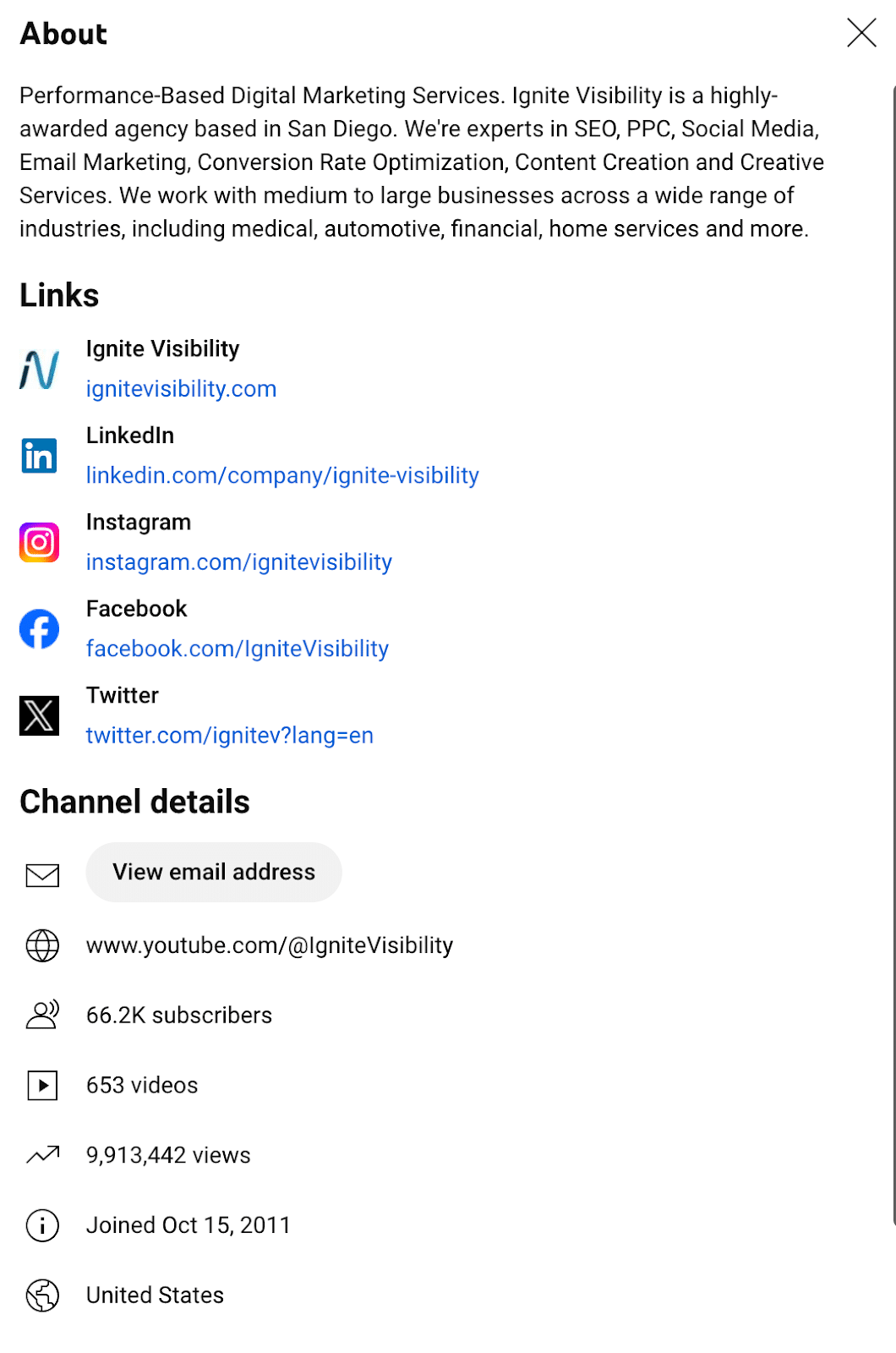
- Create a Keyword-Rich Biography: Did you know channels and videos appear in YouTube search results? Add keywords to your bio to increase your chances of showing up in the search.
- Use an Eye-Catching Banner: Too many marketers ignore the YouTube banner. Put some effort into creating a professional image that grabs people’s attention in your target market. Remember, for many folks, that banner will be their first impression of your brand.
- Add Location and Contact Info: Let people know where you’re at and how they can reach you.
- Organize Your Videos Into Playlists: When you create playlists, people will sometimes watch whole sets of your videos instead of just watching a single video, keeping them engaged with your brand for a longer period.
15. Add Timestamps to Video Descriptions
Make it even easier for viewers to navigate your content with timestamps for each video in the description.
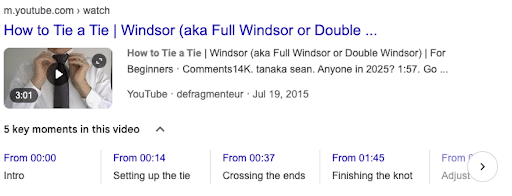
Timestamps are clickable links in descriptions that viewers can use to navigate to various sections of a video. This feature is great for longer videos that you can divide into “chapters.” In fact, in addition to timestamps, you can actually add Chapters to your timeline that clearly label each section.
If you want to find out how to improve SEO on YouTube, this strategy could also assist with that. Google now displays timestamps in search results for many videos, listing each subtopic accordingly.
Creative
16. Focus on Quality
To be clear: high-quality video doesn’t necessarily mean high-quality production.
So don’t worry if you don’t have all the top-of-the-line video equipment or thousands to pour into your video strategy, especially when you’re just starting out.
You do, however, need to make sure your videos are professional. That means clean, well-lit, and well-scripted.
So start simple. For example, the classic “floating head” video, which features one person on screen, is an easy and effective strategy. You will want to make sure your on-screen personality is well-rehearsed and engaging with a clean background.
17. Use Strong Titles
In learning both how to get more views on YouTube and how to get more impressions on YouTube, you should create high-quality titles that best represent your videos.
You can incorporate the following title formulas to supercharge your videos:
- How-tos and tutorials like “How to Get Subs on YouTube in 10 Easy Steps”
- Listicles, such as “Top 10 Mistakes That Homeowners Make With DIY Projects”
- Problem/solution titles, e.g. “Not Getting Enough Views? Here’s the Ultimate Fix!”
- Challenge/achievement like “How I Doubled My Click-Through Rate in 1 Week”
18. Create Eye-Catching Thumbnails
First impressions are everything. Capture your audience’s attention with a quality thumbnail. Use clear pictures with bright colors and easy-to-read fonts.

YouTube lets you choose from three intervals — the ¼ mark, ½ mark, and ¾ mark — so you can choose the one that works best, or customize your own using a design site like Canva.
Add an annotation to your video. An annotation is a text box that appears in your video or thumbnail and allows you to add further detail and improve your click-through rate with a CTA.
Look at these videos below. Which stands out the most?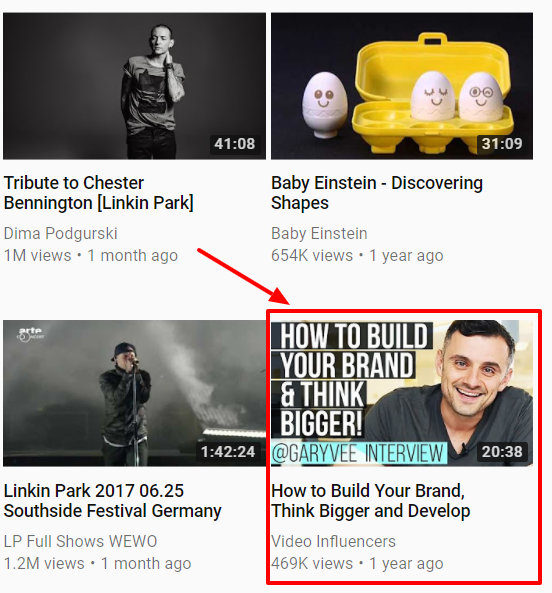
Pro-Tip: Split-test your thumbnails, which entails using an A/B split test to run two different versions of your thumbnail to see which performs best. You can then determine which to use based on which attracts the most clicks. The best part? You can do it right inside the platform.
If you want to find out how to get more views on your YouTube videos with effective thumbnails, incorporate the following best practices:
- Keep your thumbnail around 1280 x 720 pixels
- Use PNG images for thumbnails with a lot of graphics or text to maintain sharpness
- Keep text minimal at around three to five words
- When applicable, show expressive human faces in your thumbnail to establish an emotional connection
- Use bright and saturated colors like green and orange that contrast with YouTube’s white and grey interface
19. Add a Compelling Hook in the Beginning
If you want to know how to become popular on YouTube and keep people watching each of your videos, it helps to consistently use great hooks.
Hooks should reel your audiences in within the first 10 seconds of your videos, encouraging them to keep watching to the end.
Here are some steps to craft a strong hook:
- Define the promise or outcome as soon as the video starts.
- Trigger an emotional response by appealing to specific emotions, such as curiosity (“Why is nobody talking about…”) or fear of missing out (“You’ll want to watch this before you ever…”).
- Keep your video openings dynamic to stimulate viewers from the start.
- Get to the point and avoid any “fluff” like long animated logos or generic openings.
- Clearly explain what the video will cover, including why the topic matters and what viewers will learn.
20. Use a Call-to-Action (CTA)
Make it easy for your viewers to know what’s next. A great CTA will have a big impact on your overall growth and help turn viewers into loyal fans.
Here is a list of CTAs often used on YouTube:
- Subscribe to our channel now!
- Register for our course today.
- Join our email list here!
- Explore our website today!
- Learn more on our website.
- Watch [this video] next.
- Follow us on [insert social media platform here]!
- Share this video with your friends!
- Comment below if this video resonates with you.
Anything that drives action and tells your viewers exactly how to take action will help them understand where to go next.
21. Build a Personal Brand
If you’re looking for some clear-cut ways to increase YouTube views, one effective means is to build a personal brand with a unique identity and voice that defines it.
Your YouTube channel should accurately reflect your company, with consistent and recognizable brand messaging, personalities, and even thumbnails that stand out as your own.
Include items like your logo and a unique color scheme that people can easily associate with your brand over others.
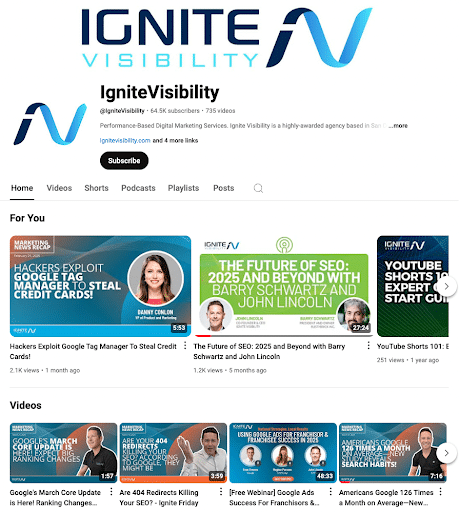
Shorts and Repurposing Strategy
22. Leverage YouTube Shorts
With the introduction of YouTube Shorts in 2020, the channel jumped onto the bite-sized content wagon to join platforms like Instagram and TikTok. You should also use this content if you want to significantly boost YouTube traffic.
Short-form video content is essential for capturing attention quickly, and YouTube prominently features them in people’s feeds.
People often opt for Shorts over regular YouTube videos that consume a lot less of their time while often highlighting key points from longer videos.
You don’t even necessarily need to produce content specifically for YouTube Shorts. Instead, consider chopping down and repurposing your longer videos, turning them into Shorts that, in many cases, may actually encourage more people to watch the original video.
So, if you want to know how to generate traffic on YouTube, this is one of the easier ways to boost YouTube views and reach a broader audience.
23. Video Length Can Help Increase YouTube Traffic
With the average attention span on the decline, it’s more important than ever to deliver your content quickly. Depending on your audience, that is typically between 2 and 5 minutes.
The more meaningful information you can provide in a bite-sized format, the more you’ll be able to resonate with your audiences. Even though short-form video statistically performs better, that doesn’t mean your specific audience won’t enjoy longer-form content. Experiment with different video lengths to see how long your audience will stay tuned in.
Generally speaking, you’ll want to hook viewers in with a shorter video and present them with more information-heavy, longer videos once they begin exploring your channel.
Distribution and Promotion
24. Use Editing Tools to Drive Traffic to Your YouTube Channel
The editing process takes time, but don’t worry. There are tools to help you eliminate fluff and keep your videos engaging and easy to watch!
Try popular editing tools like Adobe, YouTube Editor, and iMovie.
For additional help, you can use tools designed specifically to help you grow your channel, like Tubebuddy.
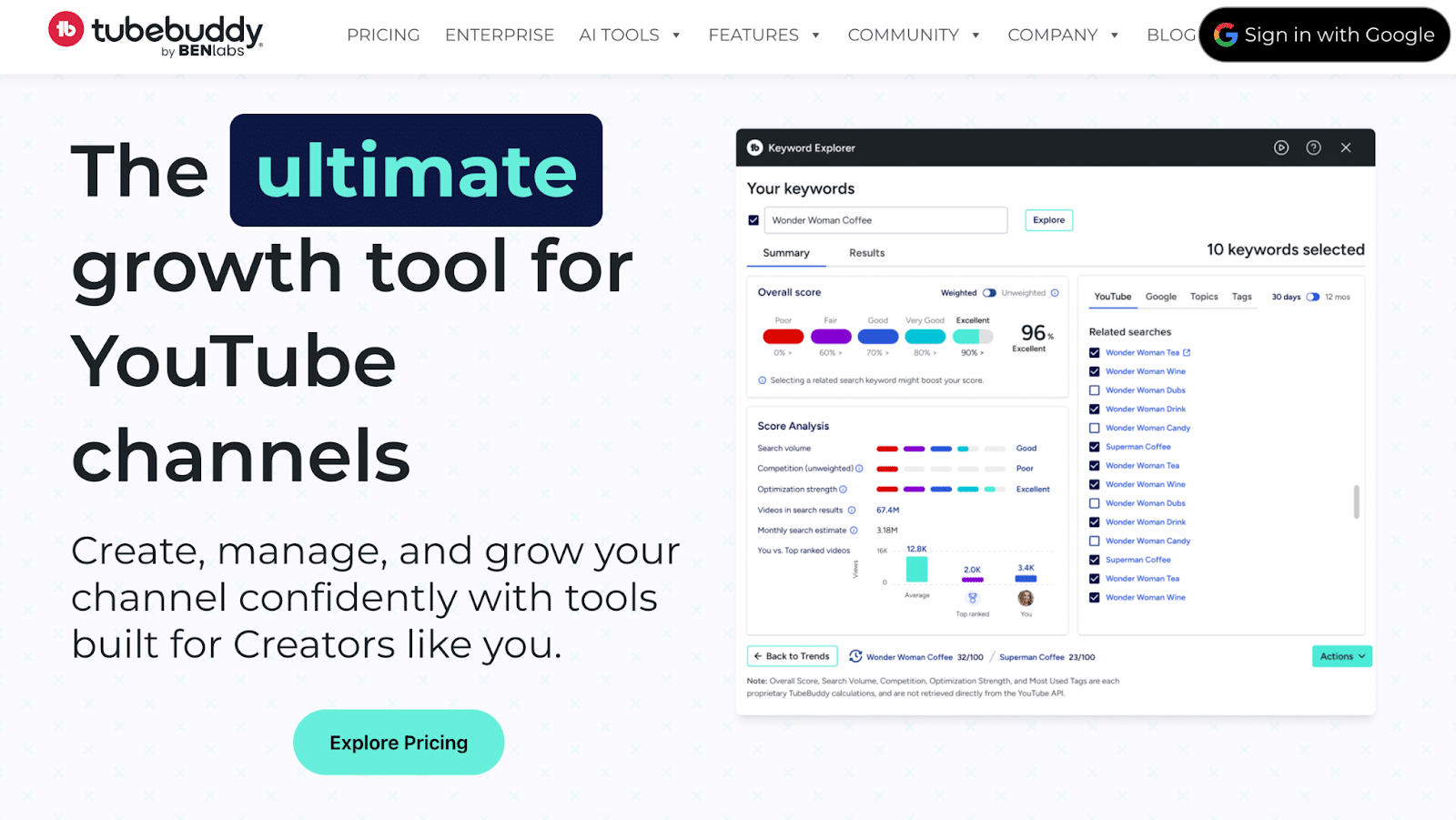
It breaks its tools into five categories:
- Productivity Tools
- Bulk Processing Tools
- Video SEO Tools
- Promotion Tools
- Data and Research Tools
25. Choose the Right Upload Times and Frequency
More videos = more views, right?
Right… to an extent. You want to post as frequently as possible without sacrificing quality.
You should also upload your video at times when your viewers are on YouTube. This will help to push your content to the people who want to see it the most.
To see when your viewers are most likely on the platform, take a look at your YouTube Analytics dashboard. Simply go onto your dashboard and click on Analytics, and choose the Audience tab. In this tab, you’ll see the following details, including when your viewers are on the platform and the channels they watch most:
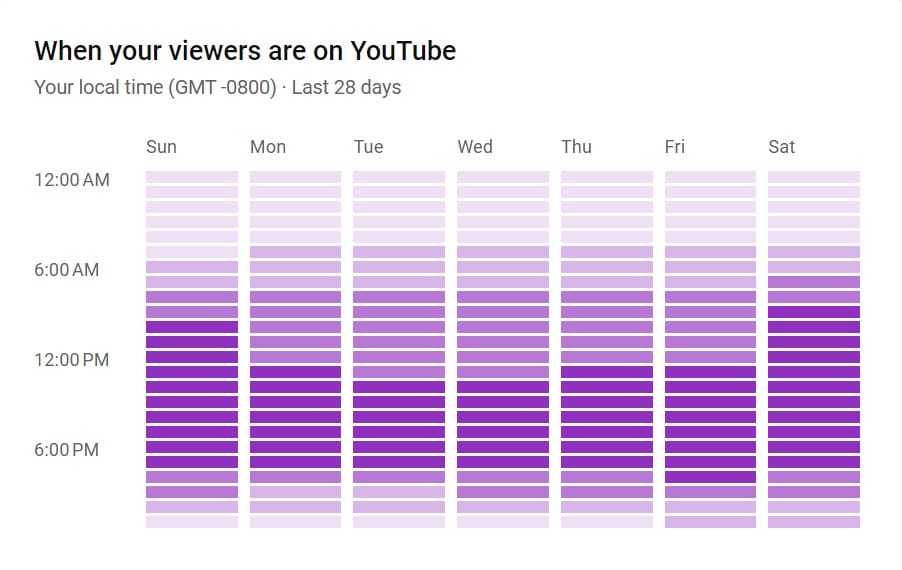
Use these analytics to set a schedule. Start by choosing whether you want to upload once a week, every other week, or once a month, and stick to it.
Pro-Tip: If you want to effectively schedule your YouTube videos, Hootsuite also offers its own YouTube scheduling tool.
26. Interact With Others to Increase YouTube Channel Traffic
Social media is called social media for a reason. You have to engage with people!
Foster community by subscribing to similar channels, commenting on other people’s videos, and replying to the comments left on your videos.
Another way to boost engagement is to encourage your viewers to leave recommendations in the comments.
27. Cross-Promotion
When it comes to YouTube, promotion is just as important as production.
Make sure you are cross-promoting each video through every channel at your disposal:
- Share them across your social media
- Embed them in your blog
- Share them with newsletters
- Add them across your website
Just like a blog post or other piece of original content, you should spend as much time promoting it as you do creating it.
Two popular platforms for video sharing include Quora and Reddit. On Quora, you could post videos that help answer people’s questions on the Q&A platform. Meanwhile, you can find your audiences in your niche on Reddit, sharing your videos as posts or comments and initiating discussions.
Additionally, if you want to know how to get traffic from YouTube and maximize coverage, you should use a combination of paid and organic marketing. Paid advertising can help supplement SEO efforts to ensure people find both your videos and your website.
28. Engage With Your Audience
We already mentioned engaging with other creators, but don’t forget about your audience!
Here’s how to increase engagement on YouTube:
-
- Respond to comments that people post. That lets folks in your target market know that you’re not a hit-and-run content creator.
- Subscribe to other people’s YouTube channels.
- Create response videos. It’s best to use them to enhance points that people make in other videos rather than start an argument.
- Run contests. Bring some fun to your channel by letting people win a prize. You can do that in one of several ways, but one of the easiest is to choose a commenter at random and give that person an Amazon gift card.
- Pin comments that are meaningful. Doing so could help show that you value what your commenters have to say and put people in the spotlight for a particular idea or observation.
- Improve accessibility with captions and subtitles to make it easier for your audience to consume your content and engage with you.
Remember: if you stay engaged with your audience, they’ll stay engaged with your brand. That’s good for business.
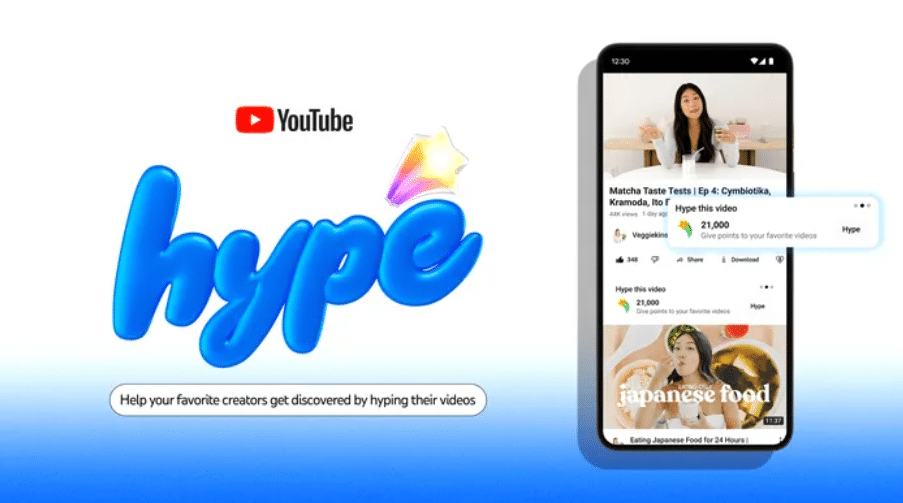
29. Utilize the “Hype” Feature
Another effective way to increase YouTube views is to implement the Hype feature, which promotes smaller channels to increase their visibility.
Hype makes it easy to learn how to get more impressions on YouTube and get your channel out there in front of the ideal audience.
But how do YouTube views increase with Hype, exactly?
Well, it works like this:
- A Hype Button: Videos from new creators can include a “Hype” button that viewers can click, as long as the channel has less than 500,000 subscribers and the video has been out for less than a week. Each viewer can use this button for three videos every week.
- Leaderboard System: The more “hypes” a video gets, the more points it will earn to contribute to its placement on a weekly leaderboard, which lists the top 100 hyped videos by country. This can further increase YouTube traffic.
- Creator Bonuses: Small channels also benefit from a point multiplier to further extend their reach.
If you want to learn more about how to generate traffic on YouTube with Hype, Google provides some guidance for new creators.
Analytics, Experimentation, and Scaling
30. Experiment with Ads
YouTube ads are extremely beneficial for business!
In fact, over 70% of viewers say that they have discovered new brands through YouTube! Viewers are also more likely to use YouTube to discover new brands, products, and services – 4x more!
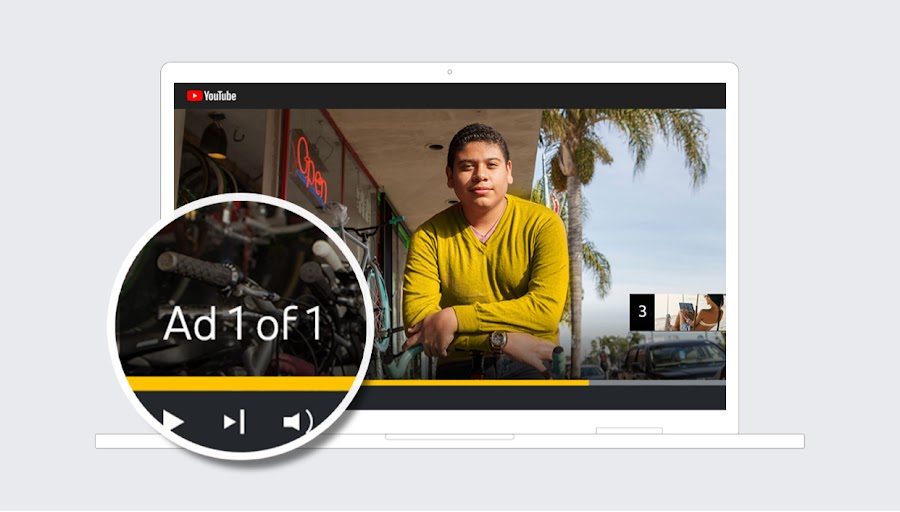
There are five types of YouTube ads to pick from. Your options include:
- Skippable In-Stream Ads: Since the viewer can skip these ads, you only pay for actual views. They run on YouTube and Google video partners, so there is even more opportunity to expand your reach.
- In-Feed Ads: These ads are shown to engaged viewers through YouTube Search and YouTube Homefeed. There is no maximum length, but YouTube recommends staying below 3 minutes.
- Non-Skippable In-Stream Ads: These ads are shown on YouTube videos and Google video partners. Since users cannot skip them, they must be short and sweet – only 15 seconds long.
- Bumper Ads: These ads are quick messages (6 seconds or less!) that cannot be skipped. Great to raise awareness or reinforce other ads, they are shown on YouTube videos and Google video partners.
- YouTube Shorts Ads: You can also display ads in YouTube Shorts as either videos or images that viewers can skip. They appear in between Shorts in users’ feeds.
To learn more about YouTube ads and how they work, check out this in-depth guide.
31. Review Your Analytics
You don’t want to keep doing the same thing if it’s not working. That’s why it’s important to take the time to review your YouTube analytics each month. Be sure to use YouTube Analytics for channel behavior and GA4 for a tagged website, and add this diagnostic:
| Observed pattern | Most likely questions |
| Low impressions, solid CTR and retention | Is the topic too narrow, highly competitive, seasonal, or reaching a small addressable audience? |
| High impressions, low CTR | Is the topic-audience match weak, or is the title-thumbnail promise unclear? Compare by traffic source. |
| High CTR, weak early retention | Does the opening fulfill the title-thumbnail promise quickly and accurately? |
| Strong retention, weak conversion | Is the CTA relevant, visible, credible, and connected to the landing-page offer? |
| High views, weak returning audience | Does the channel have a coherent promise and a useful next video or series? |
Tools and Templates to Boost YouTube Views
If you want to learn how to get more views on YouTube, here is a comparison of some of the best YouTube creator tools that can help:
| Feature | VidIQ | TubeBuddy | YouTube Studio | Descript |
| Primary Focus | Ideal for data-driven strategy and detecting trends | Helps with channel management and bulk optimization tasks | Enables core hosting and analytics and distribution | Facilitates text-based video and audio editing with AI capabilities |
| Best for | Competitive analysis and identifying viral trends for opportunities | Video SEO and automating menial creation tasks | Free YouTube channel management | Producing spoken-word videos, social media clips, and podcasts |
| Key Capability | Real-time views per hour (VPH) and idea generation using AI | A/B testing titles and thumbnails; metadata updates in bulk | Native audience retention and tracking revenue | Streamlining videos and allowing for text-based editing |
| Integration | Standalone web dashboard and browser extension | Deep integration into YouTube Studio UI | Native to the YouTube platform | Cloud-based tool and desktop application |
Workflow Templates
For more guidance on how to get more YouTube views through your creation process, implement the following workflows, depending on your goals:
The “Viral Growth” Workflow
If you want to boost YouTube views with a potentially viral long-form video, take these steps:
- Research the latest trends using a tool like VidIQ to see which topics are popular in your niche.
- Draft a script for your video using a writing tool like Notion.
- Record your video using Descript, including features like “Remove Filler Words” to remove those unnecessary “umms” and “Studio Sound” to remove background noise.
- Implement TubeBuddy to optimize your video for SEO, including the description and thumbnail, and conduct A/B tests to see which version works best.
- Schedule your video for publishing with YouTube Studio, setting up End Screens and Info Cards to maximize engagement with your channel.
The “Short-Form Repurposing” Workflow
Once you’ve created a long-form video for your channel, you can further increase your YouTube views for free by repurposing it into a short-form video by taking the following steps:
- Upload your completed video to Descript.
- Use Descript’s “Underlord” AI feature to search for bite-sized clips from your video to include in a short-form vid.
- Apply a 9:16 vertical template with dynamic captions within Descript.
- Export your finished video to YouTube Shorts.
The Monthly “Channel Management” Checklist
Keep updating your videos to get the most from them with these key steps:
- Update video descriptions in bulk with TubeBuddy to incorporate a new link, such as a link to a newsletter or product.
- Check the Competitors tab monthly within VidIQ to find out which of your competitors’ videos are trending based on audience interests.
- Use YouTube Studio’s “Retention Analysis” feature to see where your videos are underperforming.
FAQs About Increasing YouTube Traffic
1. How can I increase views on YouTube?
Choose a topic with demonstrated audience demand, make an accurate title-thumbnail promise, deliver that value without avoidable delay, connect the video to a relevant next step, and use YouTube Analytics to improve the next upload. Diagnose Search, Home, Up Next, Shorts, subscriptions, and external traffic separately because they do not behave identically.
2. What is a good YouTube click-through rate?
There is no universal target. YouTube says half of channels and videos have an impressions CTR between 2% and 10%, but the result varies by traffic source, audience, topic, placement, and video age. Compare videos with similar traffic-source mixes and evaluate CTR together with watch behavior.
3. What counts as a YouTube view?
YouTube counts legitimate playbacks and does not publish a universal 30-second minimum for ordinary long-form organic views. Paid ad views use format-specific rules. Since March 31, 2025, a Shorts view counts whenever a Short starts or replays, with no minimum watch time; use engaged views for a more meaningful comparison of Shorts behavior.
4. Can I use AI-generated content on YouTube?
Yes, subject to YouTube’s policies. Creators must disclose realistic, meaningfully altered or synthetic content when required. AI assistance does not remove obligations concerning copyright, privacy, misleading content, paid promotion, or advertiser-friendly standards.
5. How do I track my visibility on YouTube?
You can track your performance by setting up YouTube channel tracking in Google Analytics. It will give you insight into your YouTube videos, as well as any embedded videos across the web.
6. How important is YouTube to my content strategy?
That depends on your brand’s goals, but generally speaking, YouTube is one of the best social media platforms to build brand awareness, promote your business, and make sales. Billions of people watch YouTube daily, making it critical for maximizing your reach.
7. What do impressions mean on YouTube?
Impressions are the instances when people can see a video thumbnail on YouTube in recommended videos or other on-platform feeds. Specifically, an impression counts if users can see at least 50% of a thumbnail for longer than one second.
A high number of impressions means that your video is getting in front of many audiences.
8. Can you see who watched your YouTube video?
No, at this time YouTube doesn’t allow you to see specifically who watches your videos. However, you can see what kinds of audiences are watching your videos based on when they watch and what other types of content your viewers consume.
9. Should I follow YouTube trends?
Sure, if you want to! Creating content around viral trends, challenges, and viral topics is an excellent way to attract a wider audience. But trends fade quickly, so be quick!
10. How much does YouTube pay per view?
YouTube does not guarantee a fixed rate per view, and not every view is monetized. Use RPM to understand actual revenue per 1,000 views, or per 1,000 engaged Shorts views, across the channel’s revenue sources.
Boost YouTube Impressions and Views With Ignite Visibility
With over 500 hours of content uploaded to YouTube every MINUTE, it can be overwhelming, to say the least. However, by following the steps above and putting in the work, you will find your YouTube audience.
Once you find them, work hard to keep them engaged with your content while you actively work to increase your views and build your audience. And if you need some help, the Ignite team of experts is ready to assist!
When you reach out to us, we can help you optimize your video campaigns with:
- High-quality content that your audiences love
- Well-optimized SEO, including relevant keywords, descriptions, titles, tags, and other elements
- Collaborative efforts with YouTube creators
- Channel optimization
Are you ready to find YouTube success? Request a consultation today!