Crazy Egg vs. Contentsquare: Each Tool’s True Strengths
Trying to choose between Crazy Egg and Contentsquare for your enterprise business?
Crazy Egg is a better UX and conversion rate optimization platform if you want heatmaps, session recordings, A/B testing, surveys, and error tracking in one transparent subscription.
Contentsquare works better if you need journey analytics across web and mobile apps together, warehouse-grade data exports, and a five-six-figure budget to run them.
Crazy Egg vs. Contentsquare: A Quick Snapshot
Short on time? Here’s a quick overview of how these two analytics tools stack up on the features that matter most.
| Feature | Crazy Egg | Contentsquare |
|---|---|---|
| Heatmaps | ✅ 5 heatmap types (Click, Scroll, Confetti, Overlay, List) ✅ Instant Heatmaps ✅ 20+ audience filters |
✅ Click, scroll, and move maps on every tier ⚠️ Zone-based heatmaps from Growth up ⚠️ Limited per-click segmentation vs. Confetti Maps |
| Session Recordings | ✅ Auto-tagged with 13+ event types ✅ 6-month to 2-year retention by default ✅ Per-page sampling control ✅ Linked to errors and surveys |
✅ Filters, manual tagging, annotations, highlights ⚠️ Replay capture capped as a share of sessions, varying by plan and volume ⚠️ Default retention 1–3 months across tiers (24-month extension available on Pro/Enterprise, not retroactive) |
| Analytics & Funnels | ✅ Web Analytics, Conversion Analytics, and retroactive Funnels ✅ Six funnel trigger types, including ad pixels ✅ Two-way GA4 integration |
✅ Funnels on every tier ✅ Journey Analysis, Frustration Score, Page Comparator on Growth+ ⚠️ Form Analysis, Page Groups on Pro+ ⚠️ User Lifecycle Extension and Error Analysis sold as Pro add-ons (defaults on Enterprise) |
| A/B Testing | ✅ Native visual editor, split URL, multi-armed bandit ✅ Variants linked to heatmaps and recordings ✅ GA4 sync for each variant ⚠️ Included from Plus plan ($99/mo) |
❌ No native A/B testing ⚠️ Only A/B Test Analysis of third-party tools (Optimizely, AB Tasty, Kameleoon) |
| Surveys | ✅ Free on every plan with unlimited responses ✅ 50+ templates, behavioral triggers ✅ AI sentiment analysis on open-text answers ✅ Every response linked to the visitor’s session recording |
⚠️ Voice of Customer is a separate product subscription ⚠️ Free VoC capped at 100 responses/month and 3 surveys, no AI analysis ⚠️ Growth VoC starts at $79/month (on top of Experience Analytics) |
| Error Tracking | ✅ JS error capture with full stack trace, browser, device, app-version context ✅ Each error linked to a session recording ✅ Built-in triage workflow (status, notes, share links) ⚠️ Included from Plus plan ($99/mo) |
✅ Basic JS errors on Free and Growth ✅ Synthetic Performance Tests and Core Web Vitals included ⚠️ Full Error Analysis layer (steps-to-reproduce, missed-revenue Quantify, Jira tickets) gated to Enterprise — Pro can buy it as an add-on |
| AI Features | ✅ AI analysis on every paid plan (Top Insights, session flagging, sentiment) ✅ Export heatmaps and recordings to ChatGPT/Gemini/Grok from Pro ✅ MCP connector — query your data from Claude, ChatGPT, Cursor, or Copilot ⚠️Tasks (early access): automated optimization loop |
✅ MCP server on every tier (300 calls/month Free, more on paid tiers) ✅ Sense Chat and Session Replay Summaries on Growth+ ⚠️ Sense Analyst sold as a paid add-on even on Enterprise |
| Pricing | ✅ $29-599/mo, transparent ✅ 30-day free trial, no credit card |
✅ $0 Free → $39/mo Growth (promo pricing at the time of writing) ⚠️ Pro/Enterprise contact sales (Vendr: $30K-500K+/yr) ⚠️ Voice of Customer is a separate purchase |
Feature Breakdown: Crazy Egg vs. Contentsquare
Crazy Egg is a CRO and user behavior analytics platform that bundles heatmaps, A/B testing, surveys, error tracking, web analytics, funnels, and pop-up CTAs into one product subscription.
Contentsquare is a digital experience analytics platform that splits its capabilities across three products and four pricing tiers.
Free and Growth are essentially Hotjar (acquired in 2021) and rebranded under the parent. Pro and Enterprise are the original high-end Contentsquare platform. For product analytics, Contentsquare uses Heap, which it acquired in 2023.
1. Heatmaps
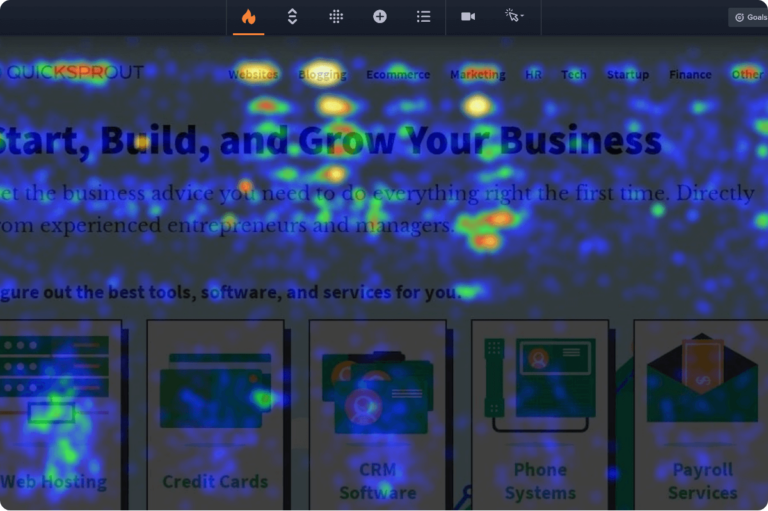
Crazy Egg has five heatmap types with deep per-click segmentation. Contentsquare’s signature is zone-based heatmaps with engagement and revenue metrics for specific page elements.
Crazy Egg
Crazy Egg gives you five heatmap types:
- Click Maps: click density across the page.
- Scroll Maps: how far down the page visitors actually go and how long they dwell on different sections.
- Confetti Maps: every individual click, color-coded by 17+ segmentation attributes — traffic source, OS, UTM parameters, device, conversion status, and more.
- Overlay Maps: click counts attached to every clickable element.
- List Maps: sortable list of every element by click volume.
The standout feature is the Confetti Map, which lets you compare click patterns across different segments on the same page. For example, mobile vs. tablet vs. desktop users or paid-social vs. organic. Contentsquare’s standard heatmaps don’t go that deep on per-click segmentation.
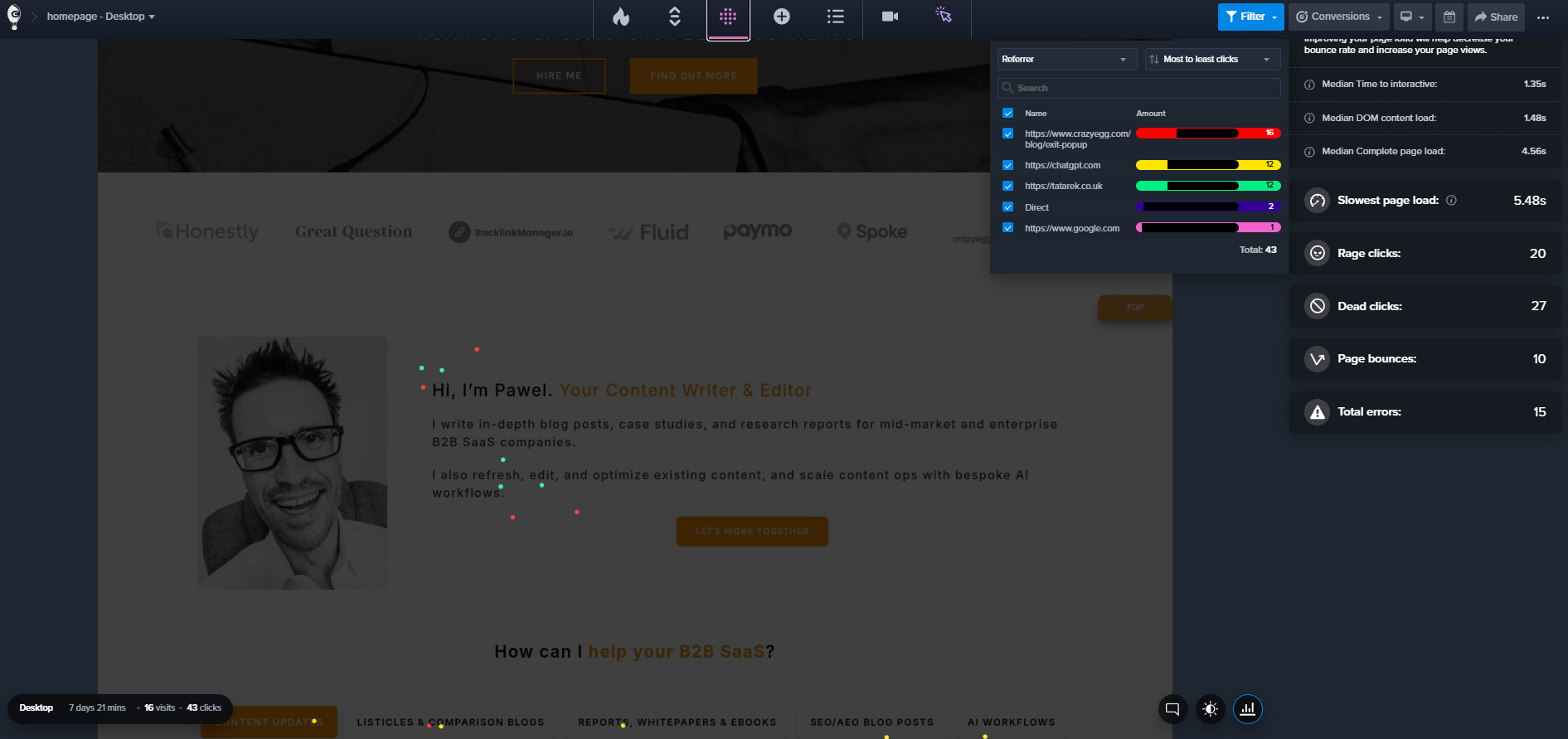
In addition to segments, you get 20+ other filters that work across every heatmap type.
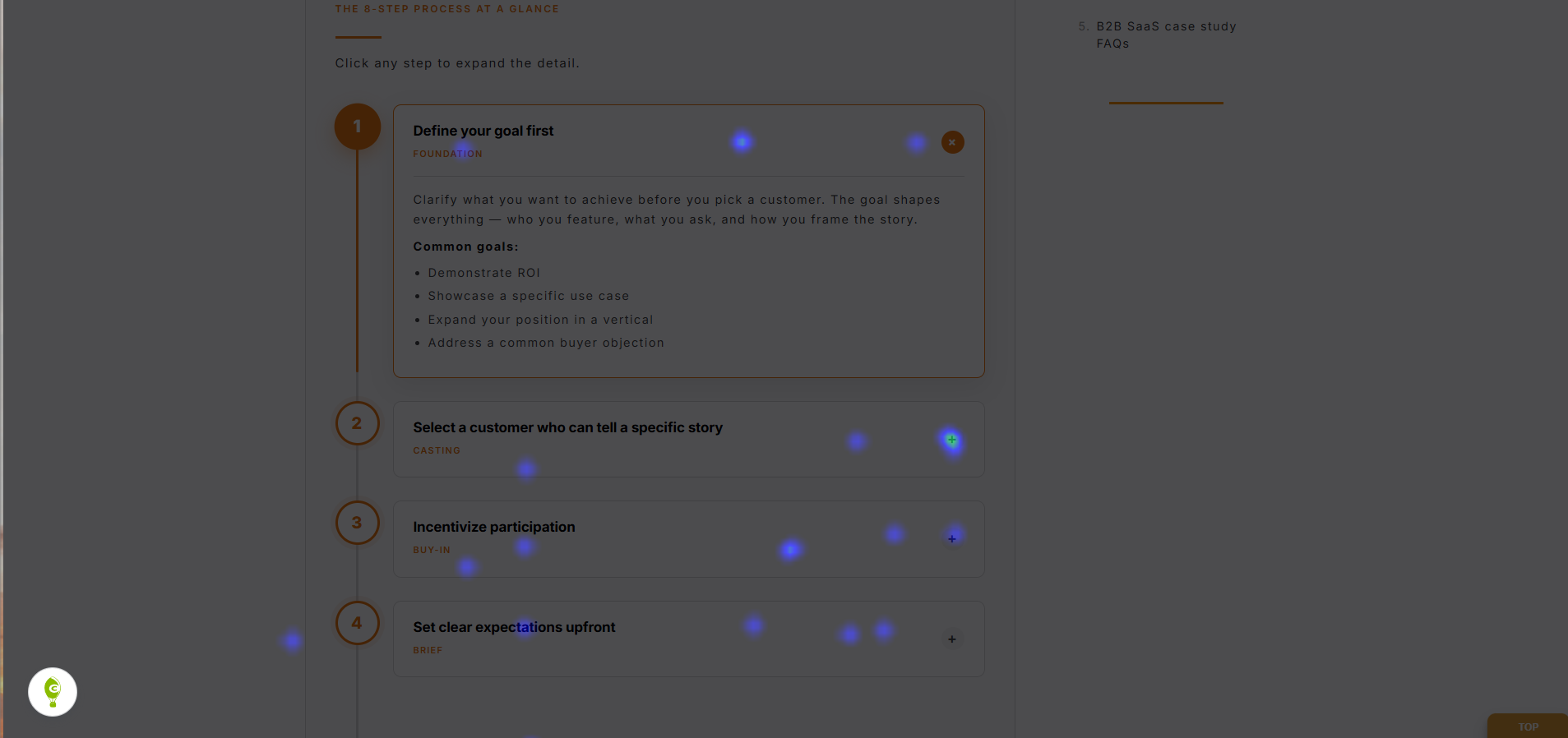
Crazy Egg also has Instant Heatmaps.
The free feature auto-generates heatmaps across the entire site when you install the tool. These appear as you browse your website, so you can quickly identify the pages that need more thorough analysis via other heatmaps or session recordings.
Contentsquare
Just like Crazy Egg, Contentsquare has click and scroll maps.
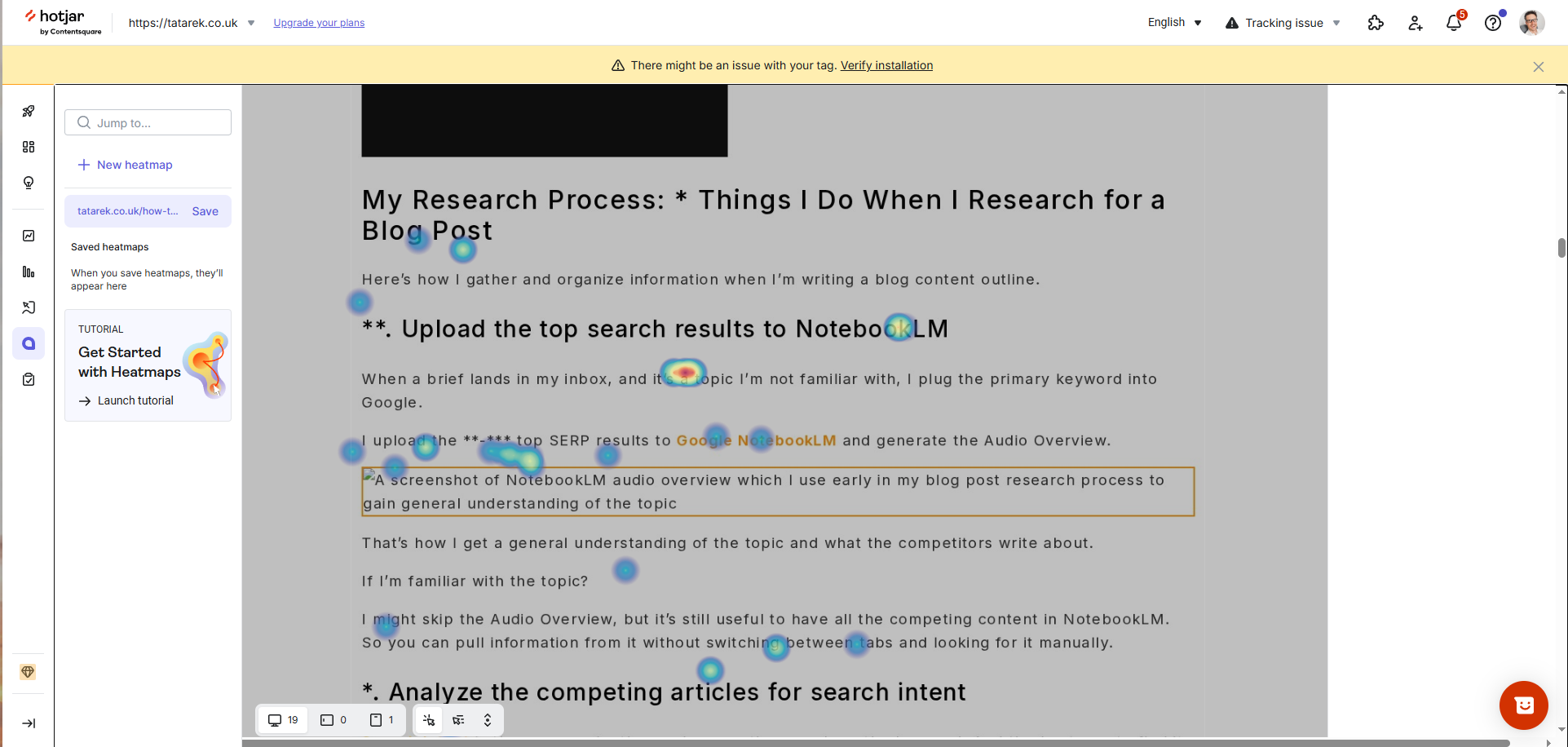
There are also move maps for tracking where customers move the cursor. A proxy for attention tracking, and helpful when detecting hesitation patterns.
However, Contentsquare’s main differentiator is zone-based heatmaps: you draw rectangles around page elements, and the tool attaches engagement, conversion, and revenue metrics to each zone. This is the original Clicktale capability that Contentsquare built its name on.
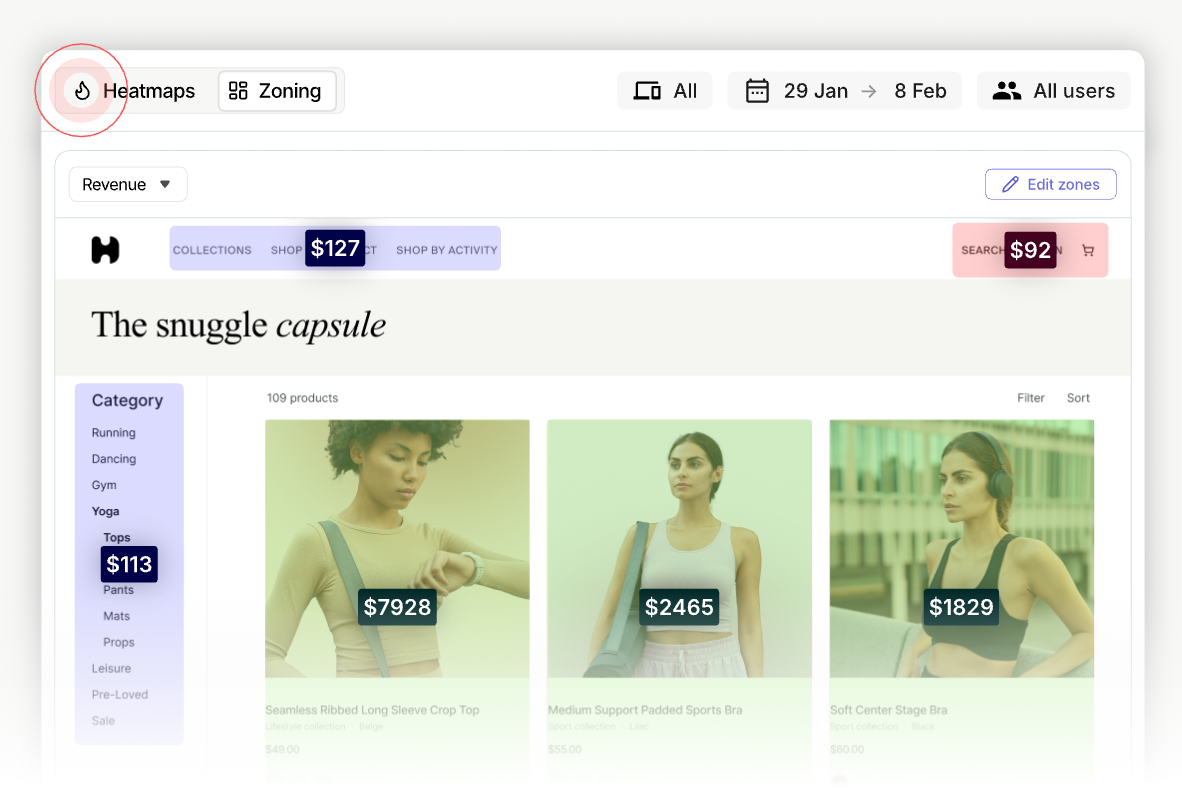
That works well for e-commerce sites tracking revenue by zone; content or service sites get less out of it.
Crazy Egg’s Overlay maps give you some of the functionality. You get engagement and conversion data for clickable page elements, but not the revenue metrics.
The catch is tier-gating. Zone-based heatmaps now start on the Growth plan, and the fuller metrics sit higher up the ladder.
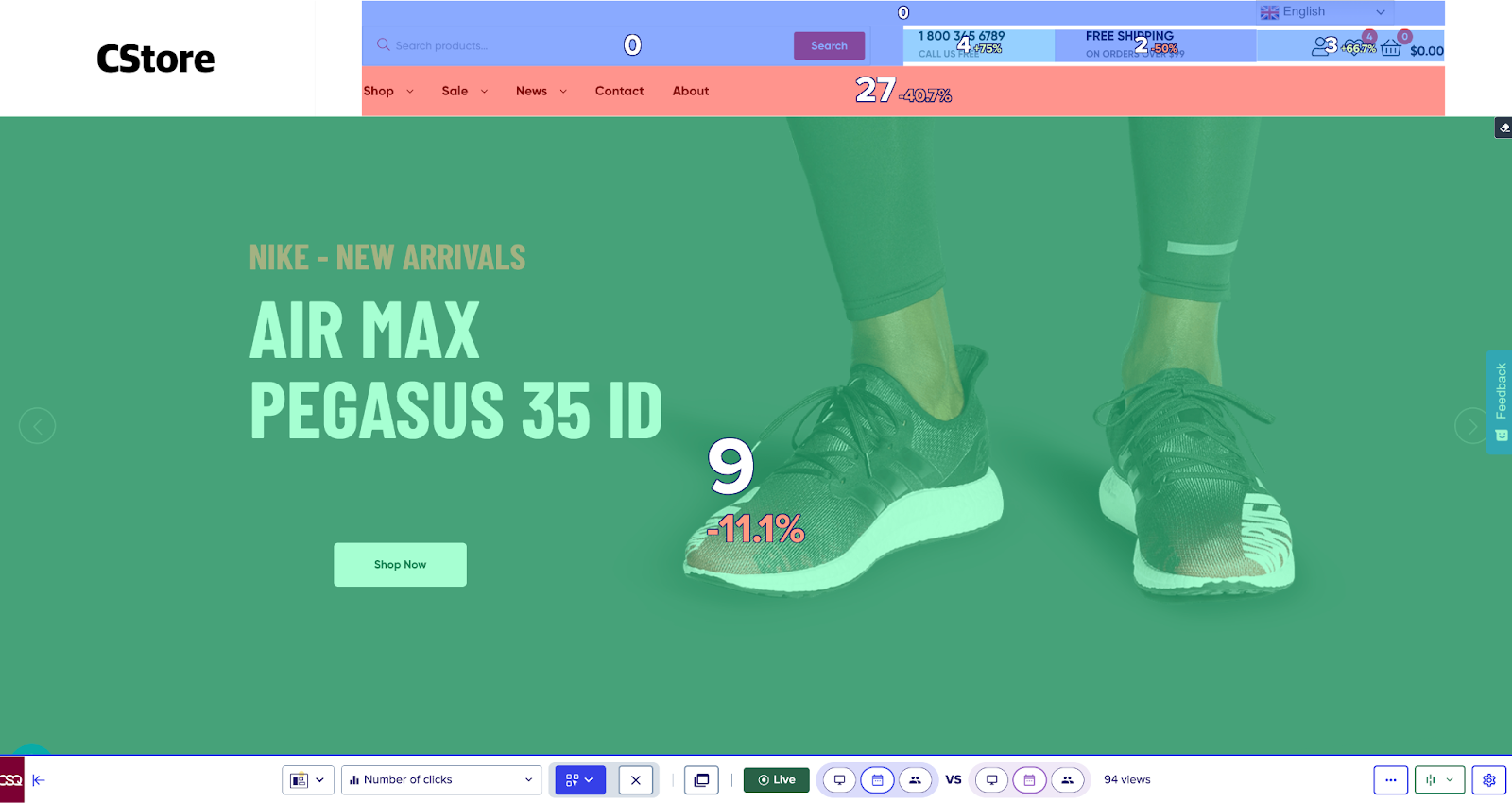
Contentsquare also has live browsing heatmaps. As you browse your website, you can bring up an overlay with key metrics for different UI elements.
These work like Crazy Egg’s Instant Heatmaps, but in Crazy Egg, you get a clickmap, not an overlay map.
2. Session Recordings
Crazy Egg auto-tags every recording, keeps them for up to two years, and helps you prioritise high-impact pages. Contentsquare splits sessions and replays into two different counters, then caps replays as a share of total sessions.
Crazy Egg
Crazy Egg Session Recordings come auto-tagged with 13+ event types (behavioral, ecommerce, form, account), so you can find the session you need without manual tagging.
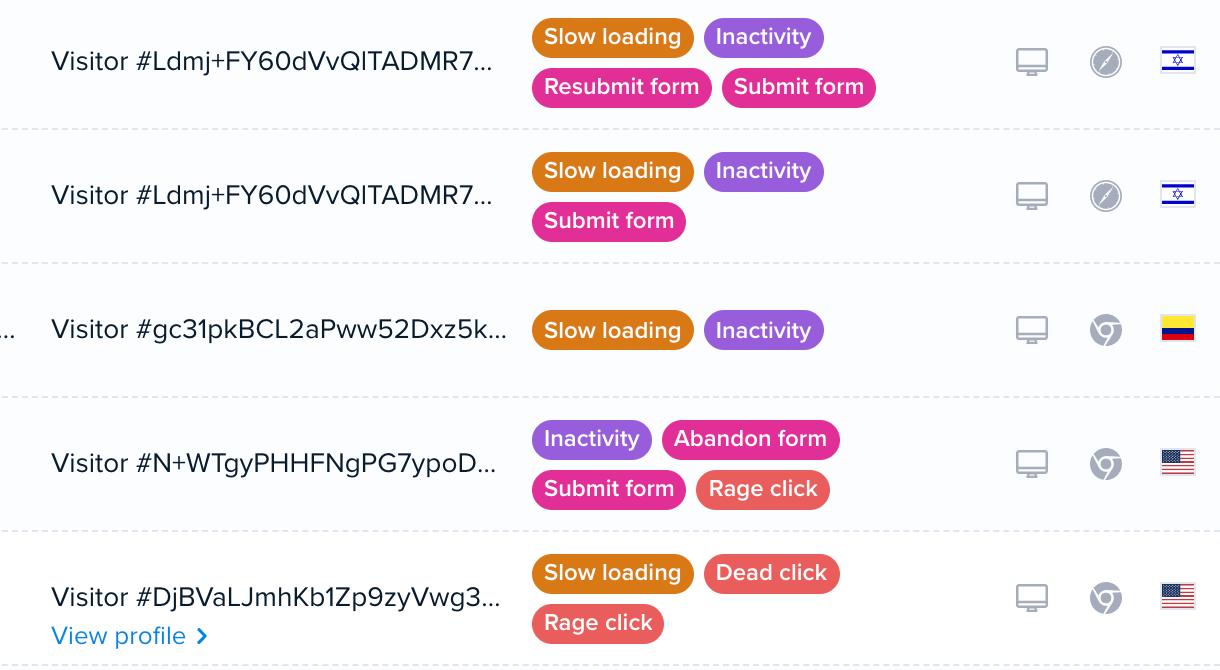
The user interface has everything you can expect from a session replay tool: video, timeline, playback control (skip inactivity, change speed), session information, time-stamped list of events, comments box, and AI analysis.
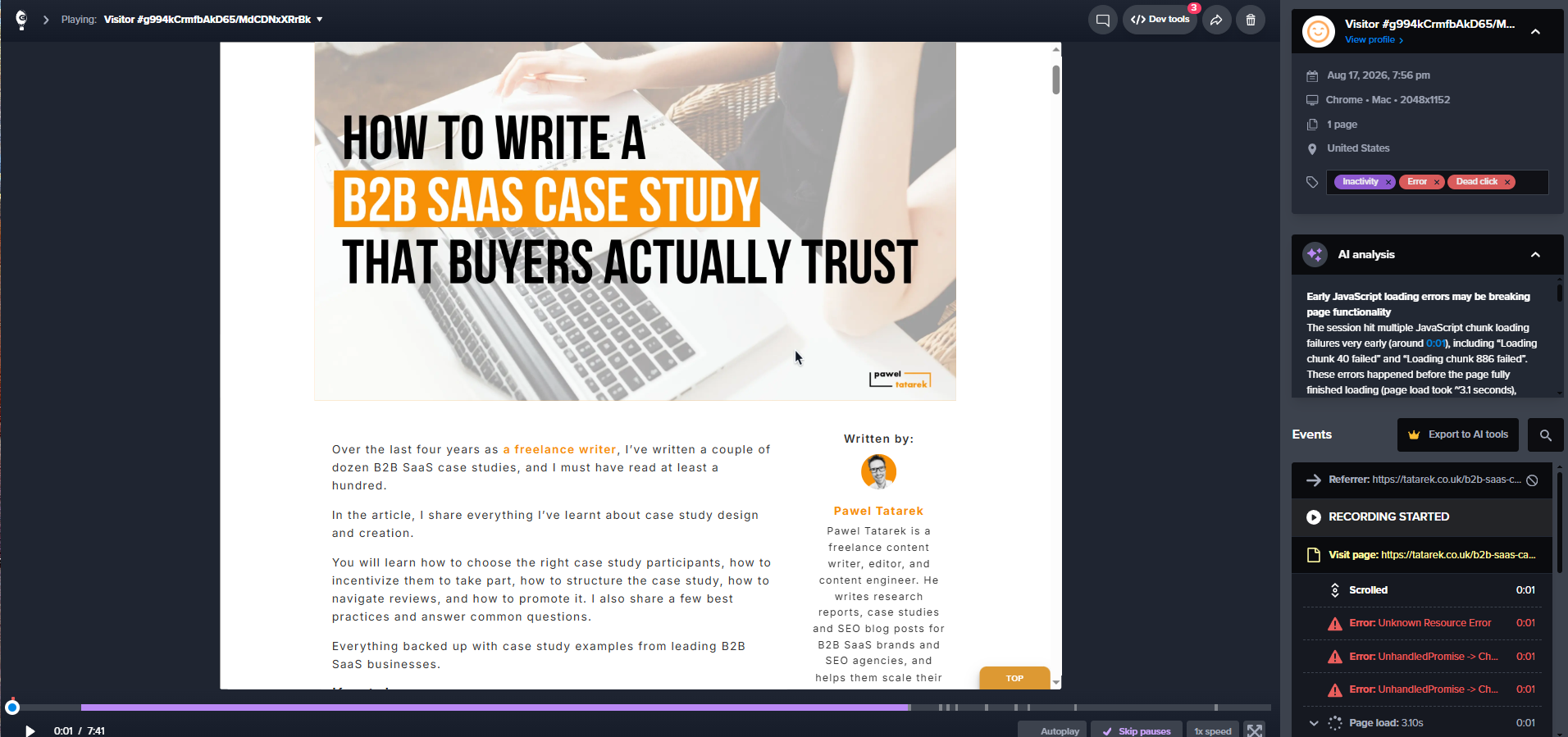
Retention is 6-24 months, depending on your plan. This is considerably more than Contentsquare’s default of 30-90 days.
Both Crazy Egg and Contentsquare have recording caps in each plan and use sampling, but Crazy Egg gives you more control over which pages get recorded, so you can better use your budget. For example, you can choose to record all sessions with the checkout flow and only 10% of blog visits.
Contentsquare
Similar to Crazy Egg, Contentsquare offers full session replay with filters and event tagging.
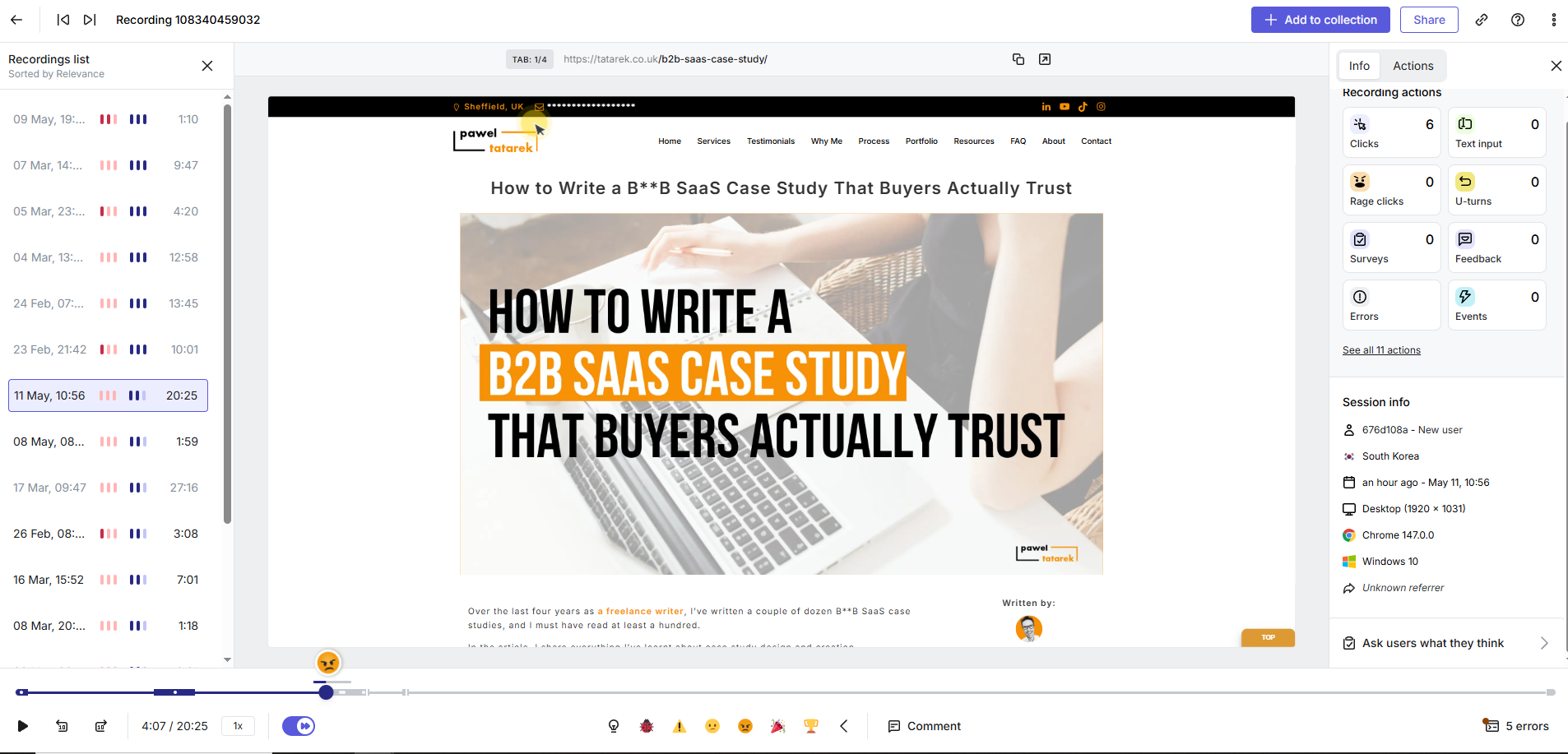
In addition to automatic tagging, you can tag relevant recording sections manually, annotate them, create highlights, and share with team members.
The Free plan captures 200K sessions a month but caps replays at 10,000. Still generous on volume, but limited filtering makes it a poor fit for methodical user behavior analysis.
3. Analytics and Funnels
Crazy Egg bundles Web Analytics, Conversion Analytics, and Funnels into one tool, and offers a two-way GA4 integration for seamless data sync. Contentsquare’s analytics goes further, but the most powerful pieces sit in the higher paid tiers.
Crazy Egg
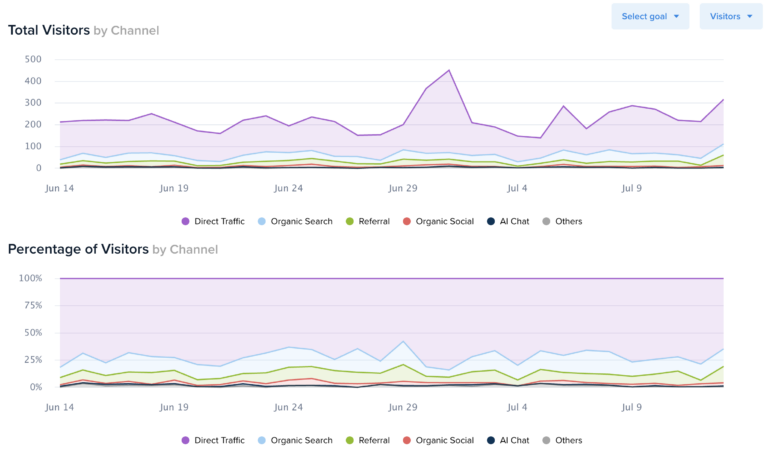
The Web Analytics dashboard gives you pageviews, traffic sources, engagement metrics, and audience breakdowns.
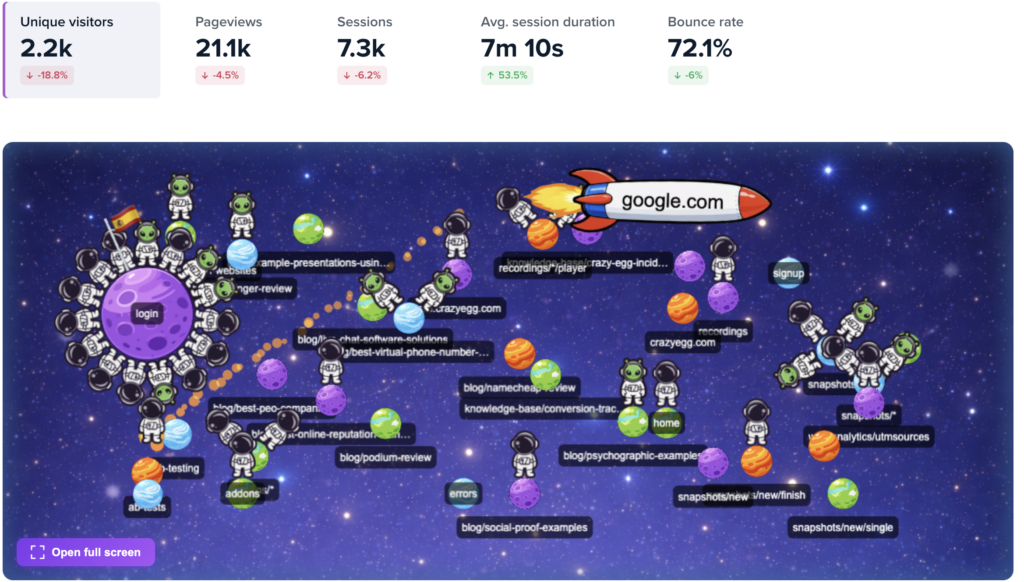
The dashboard also includes Astro Map, giving you a visual representation of what visitors are doing and where. Great for real-time monitoring of user interactions with your web pages.
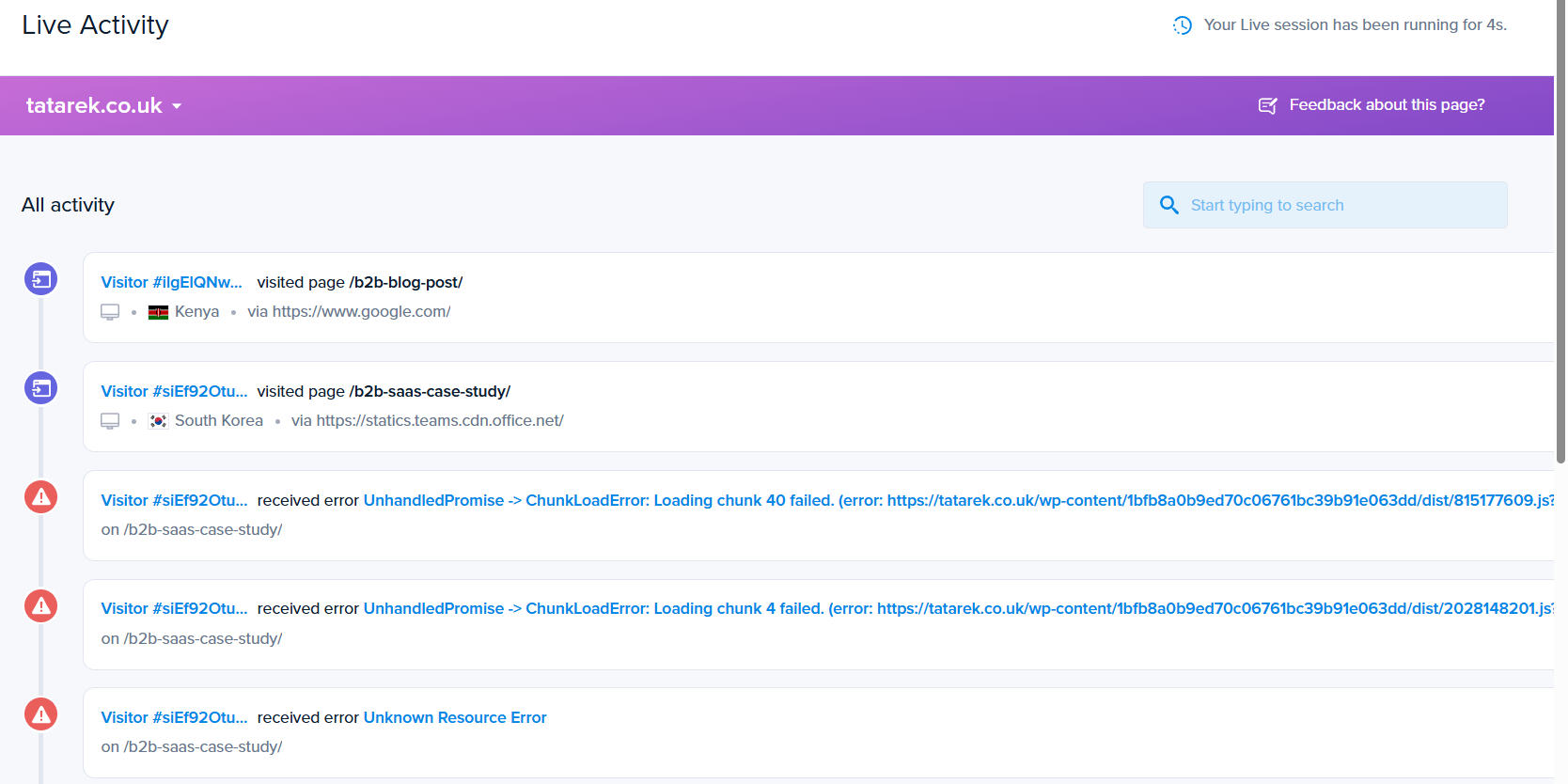
This is in addition to the Live Activity dashboard showing all events and errors as they occur.
When you install Crazy Egg, it starts tracking website traffic automatically.
Or you can connect it to Google Analytics to sync all your historical data, custom events, and user segments, which you can use for filtering or targeting.
Conversion Analytics tracks goal completions across the site. If you just want to know how many people completed an action, this is the tool for the job.
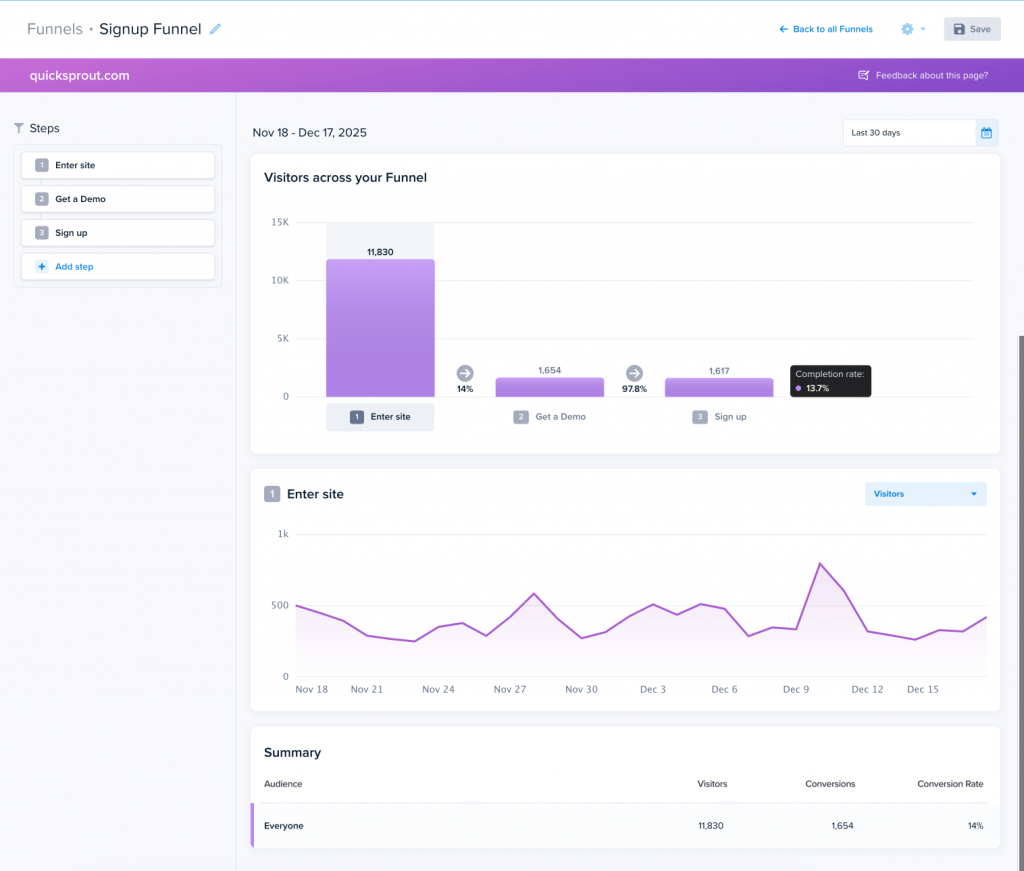
For more granular insights, use the Funnels. The feature comes with six trigger types, including ad pixels for Google, Meta, and TikTok. And every step links to session recordings and heatmaps, so you can dig deeper into the step where users left.
Contentsquare
Both Contentsquare and Crazy Egg automatically capture all events on the page — every click, scroll, and form fill. And you can analyze the data retroactively, even if your goals or events change later.
Other similarities include Funnels and GA4 integration (similar to Crazy Egg’s).
Contentsquare also offers:
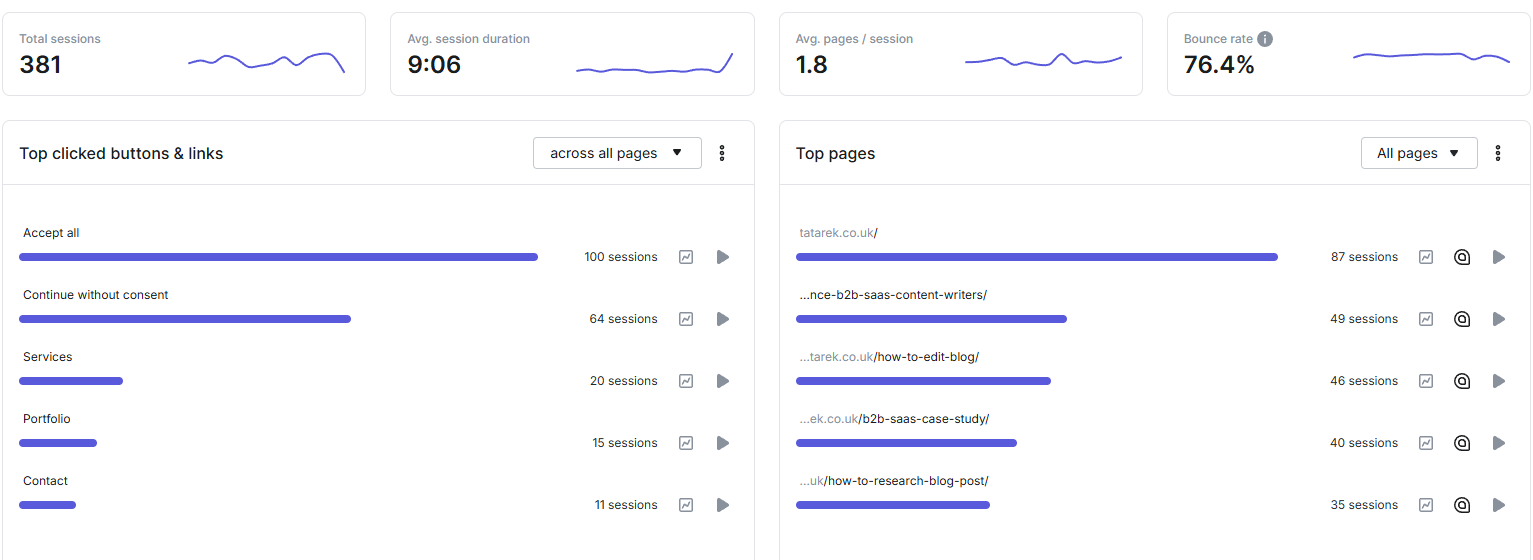
- Frustration Score (a per-page composite metric calculated from rage clicks, excessive hovers, hesitation, and loading time)
- Page Comparator and Side-by-Side Comparisons (in Crazy Egg, you can compare heatmaps side-by-side)
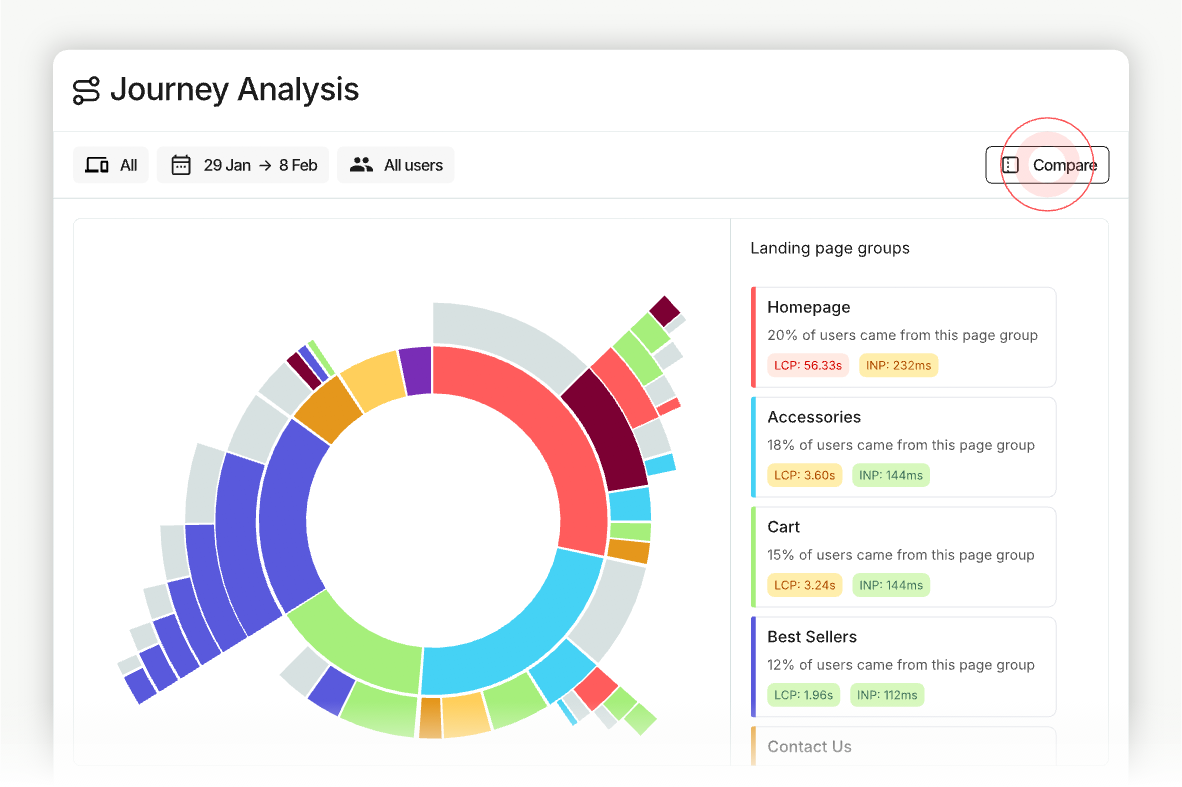
- Journey Analysis (multi-page user path visualization)
Pro and Enterprise unlock:
- Form Analysis: see field-by-field engagement metrics
- Page Groups: treat logical URL groupings, like all product pages as one analytics entity.
- Impact Quantification: quantify the impact of issues or behaviors on revenue
- User Lifecycle Extension: acquisition analysis, lifetime metrics, and user-level views. Treats the user as the unit of analysis.
4. A/B Testing
Crazy Egg has native A/B testing, which Contentsquare doesn’t offer, so you need a third-party tool like A/B Tasty.
Crazy Egg
Crazy Egg’s native A/B testing comes with a visual editor, allowing you to design different page versions if you don’t have a developer at hand to build them for you.
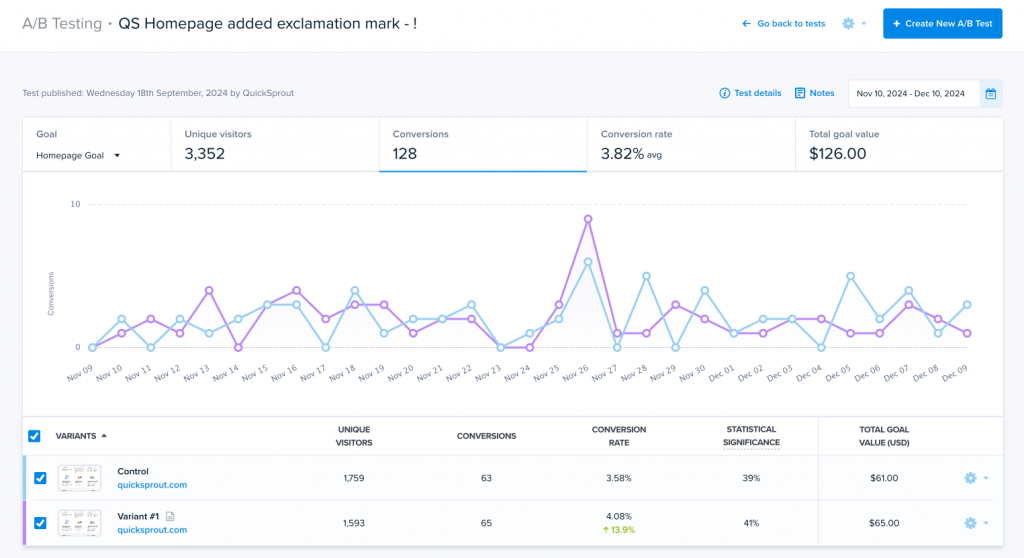
If you do, you can run the test on two different URLs (split-URL testing).
In addition to regular A/B tests, which split traffic equally, you get multi-armed bandit (MAB) testing. That’s where the algorithm automatically shifts traffic toward the winning variant as data comes in.
The test results are linked to heatmaps and recordings, so you see why one variant won. And each variant data gets synced to GA4, for in-depth analysis, for example, by dimension.
Contentsquare
Contentsquare doesn’t include A/B testing.
What you get instead is A/B Test Analysis, which pulls results from external testing tools like Optimizely, AB Tasty, and Kameleoon into Contentsquare’s analytics layer.
Useful if you have them in your stack. If you don’t, you need an additional subscription.
5. Surveys
Crazy Egg includes surveys free on every plan with unlimited responses. Contentsquare’s Voice of Customer is a separate module with its own pricing.
Crazy Egg
Crazy Egg’s Surveys are free on every plan, including the free plan, with unlimited responses. Essential when you’re serious about optimizing your website usability and user experience.
You get 50+ templates, behavioral triggers (exit intent, scroll depth, click, time-on-page), and AI sentiment analysis on open-text responses.
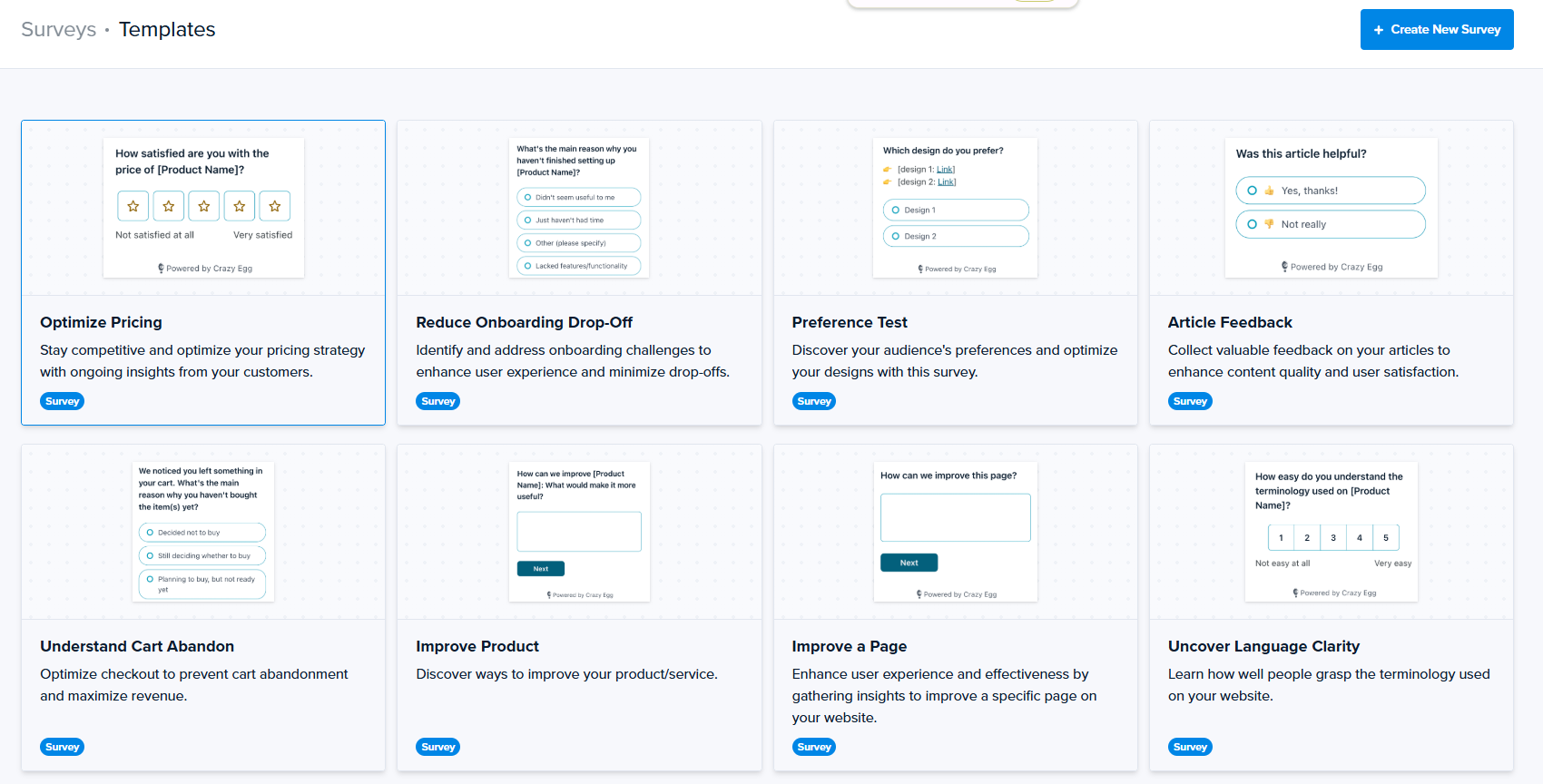
Every response links to the session recording from the same visitor — so you see what the respondent actually did before they answered.
Contentsquare
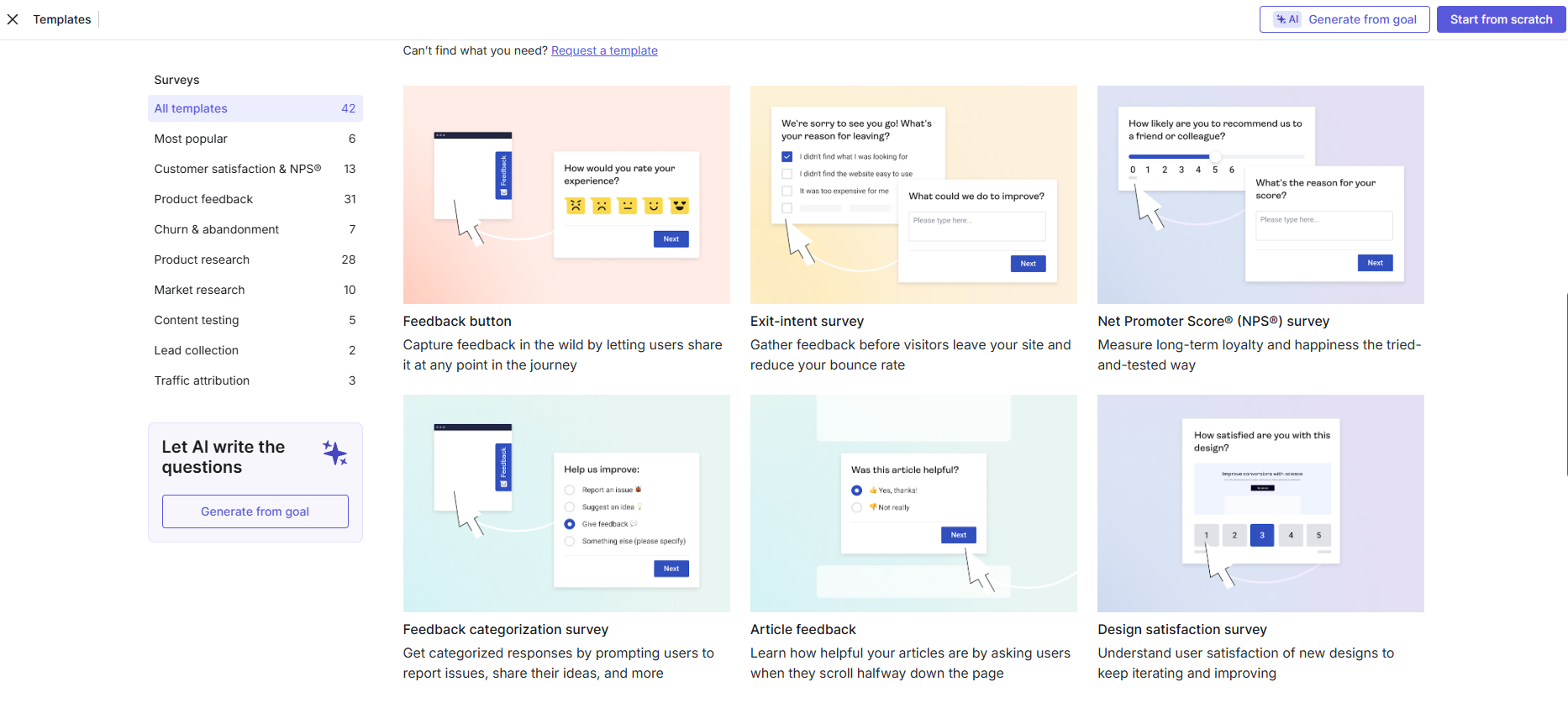
Contentsquare, just like Crazy Egg, offers fully customizable on-site surveys with a template library, AI generation, and recording integration.
Voice of Customer is a separate product from Experience Analytics. There’s a free plan, but it’s capped at 100 responses a month, 3 surveys, and has no AI analysis.
Growth unlocks unlimited surveys, AI analysis, advanced targeting, embedded surveys, and concept testing, but starts at $79 a month for 500 responses, with the price climbing on a slider as response volume grows.
6. Error Tracking
Crazy Egg bundles JS error capture and a triage workflow. Contentsquare’s basic JS errors are on Free and Growth, but the deeper Error Analysis is gated to Pro/Enterprise.
Crazy Egg
Crazy Egg automatically captures every JavaScript error with the full stack trace plus browser, device, and app version context.
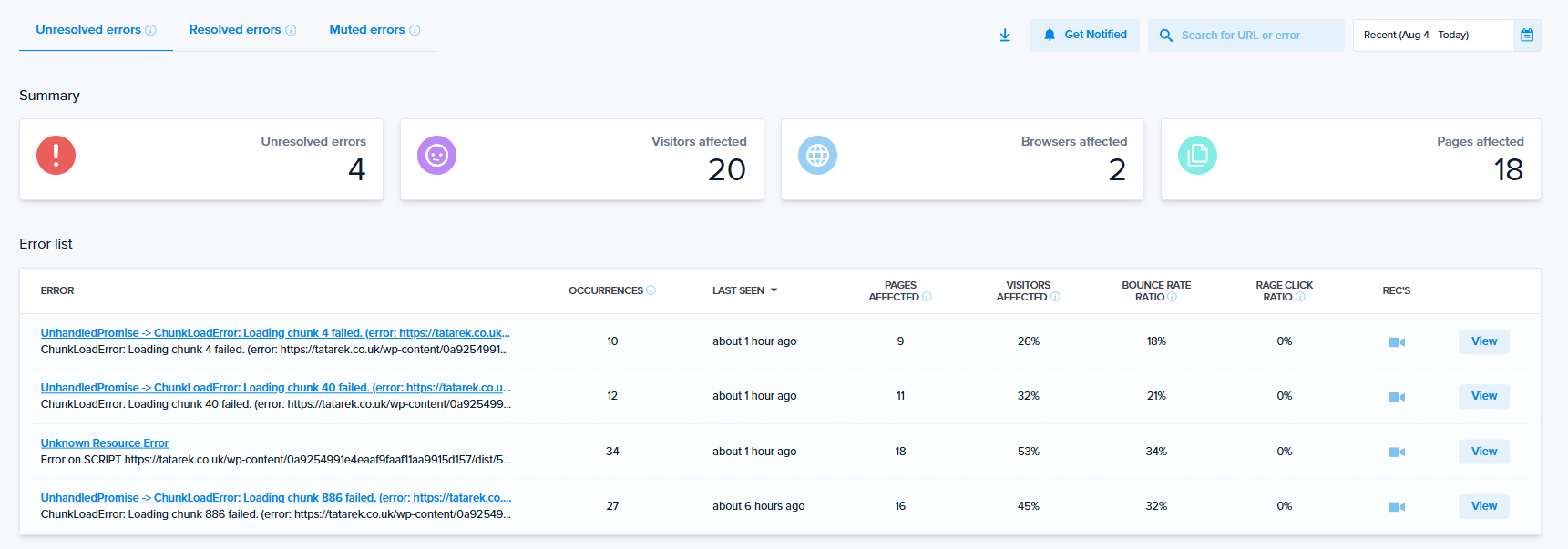
Each error links to the session recording where it happened, so you can watch the user experience the bug instead of just reading the trace.
There’s a triage workflow that lets you change error status (Resolved, Ignored), leave notes for teammates, and share error details, plus the video recording in one link. Makes debugging easier as you don’t have to leave the tool.
Contentsquare
Similar to Crazy Egg, Contentsquare captures JS errors with basic metrics and filtering.
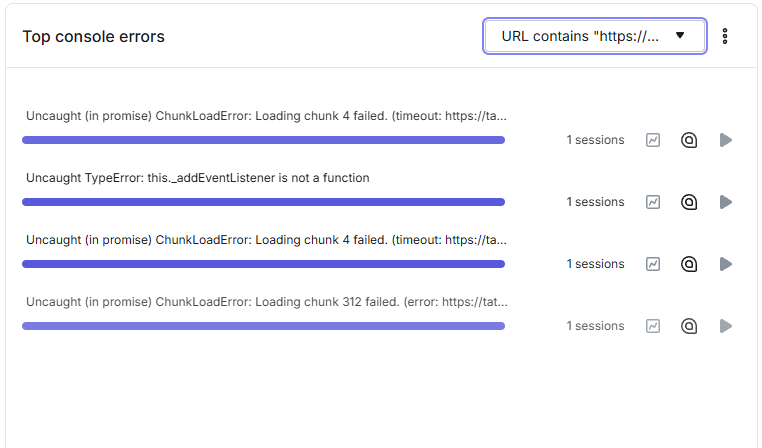
It also throws in Synthetic Performance Tests and Core Web Vitals, which Crazy Egg doesn’t include in its error layer.
The Pro and Enterprise plans also have the Error Analysis layer with steps-to-reproduce, “Quantify” to measure missed-revenue impact, “See in Journey Analysis” to compare paths of users who hit the error vs. those who didn’t, real-time alerts, and native Jira ticket creation.
7. AI Features
Crazy Egg runs AI analysis on every paid plan and connects your data to whichever AI tools your team uses. Contentsquare’s AI stack is wide, but split across tiers, with the headline agent sold as an add-on.
Crazy Egg
Crazy Egg AI analysis runs across all its tools and turns raw data into actionable insights.
What AI-powered features do you get?
- AI Top Insights: automatic summaries of heatmap, recording, survey, and web analytics data.
- AI flagging on session recordings: identifies the most insightful sessions.
- AI sentiment analysis of open-text survey answers.
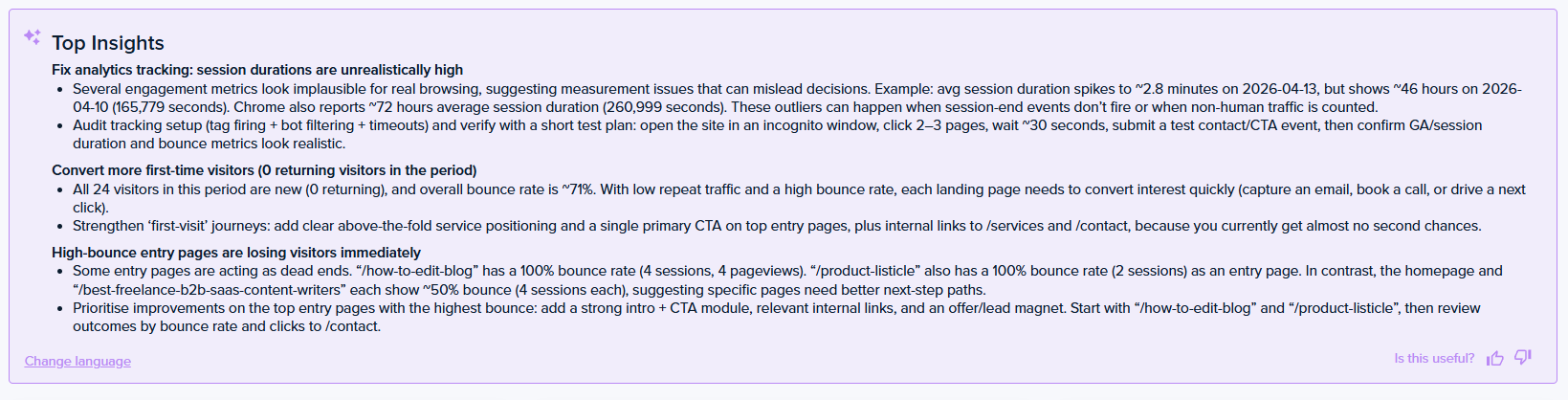
Pro and Enterprise users can also export heatmaps and recordings to ChatGPT, Gemini, Grok, or any other AI tool for further analysis.
Want to skip the export? Crazy Egg’s MCP connector links your account to Claude, ChatGPT, Cursor, or Copilot, where you query your data directly, run agentic workflows, and build page variants based on the insights.
Then there’s Tasks, available in early access. It handles the optimization routine end to end: sets up the reports, reads the results, drafts page variants, and delivers a summary with prioritized recommendations.

Contentsquare
Contentsquare’s stack is wider. In addition to automatic heatmap, session recording, and error summaries, you get:
- An in-app chatbot assistant: Ask for insights in plain language
- Sense Mapping Assistant: Automatically group and map pages for analysis.
- Sense Analyst (an autonomous analysis agent)
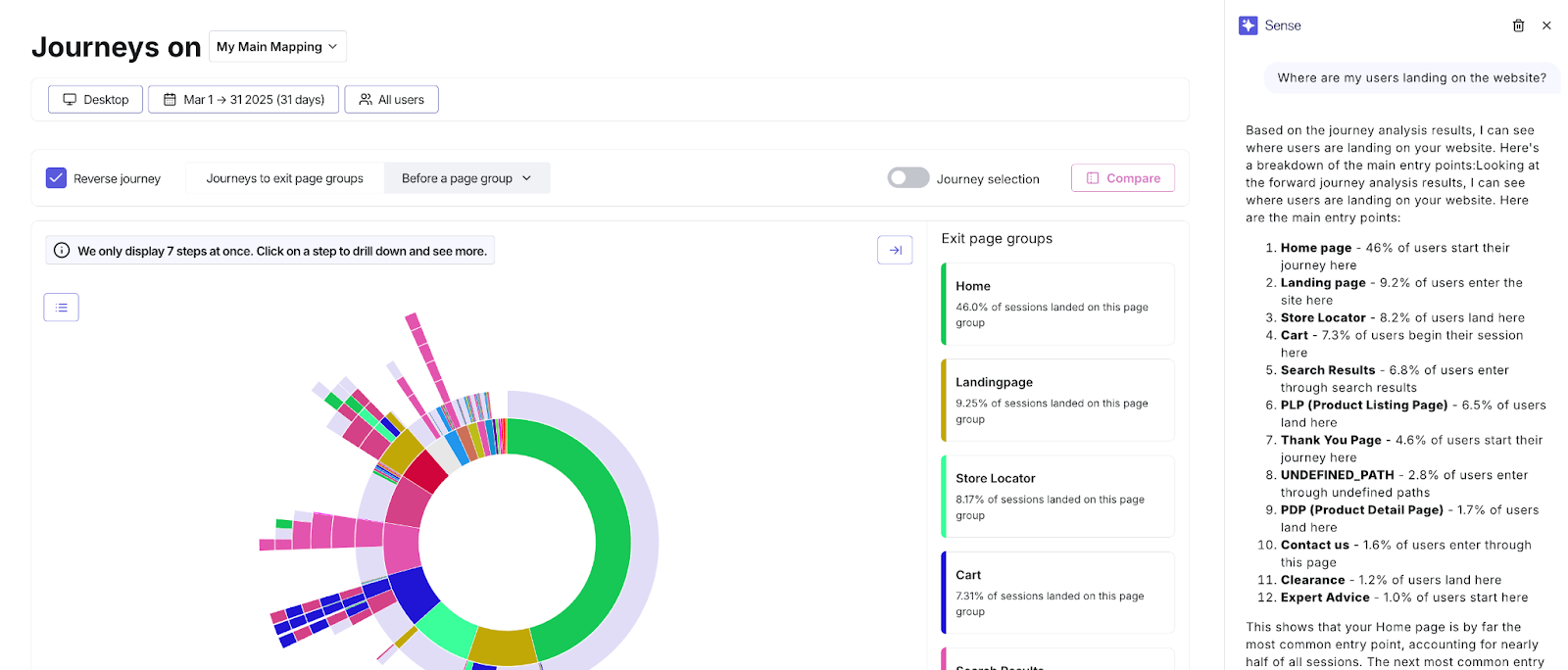
Contentsquare’s MCP usage is capped by plan (300 calls a month on Free, scaling by tier). Sense Analyst — Contentsquare’s headline AI agent — is a paid add-on even on Enterprise.
8. Security and Data Handling
Masking, privacy controls, and formal compliance are table stakes at this level, and both clear them.
Crazy Egg covers GDPR and CCPA compliance with a DPA available, data encrypted in transit and at rest, no data selling and no cross-site tracking.
Role-based access control comes on every plan; Enterprise adds SAML Single Sign-On and a Compliance Audit Log.
Contentsquare publishes SOC-2 Type 2 and ISO 2700x certifications across every tier, including Free, and runs a public Trust Center with dedicated security and privacy portals.
SSO comes on all plans, starting with Google OAuth and moving to SAML at Pro and above.
9. Support
Crazy Egg includes US-based priority support from the Plus plan (extended to agencies on any plan), plus live onboarding and training for Enterprise customers.
Contentsquare’s baseline is a help center, community, and AI chatbot; Growth adds standard team support, Pro brings priority support with customer-success onboarding, and a dedicated Customer Success Manager comes with Enterprise.
Pricing Breakdown: Which Has the Best Value?
| Crazy Egg | Contentsquare | |
|---|---|---|
| Enterprise | $599/mo — 1,000,000 tracked pageviews, 10,000 recordings/mo, SAML SSO, onboarding and training | Contact sales — Vendr: $200-500K+/yr at 5–20M+ sessions; SpendHound’s average across 30 real enterprise contracts: $154,400/yr |
| Pro | $249/mo — 500,000 tracked pageviews, 5,000 recordings/mo, adds AI-format exports | Contact sales — Vendr puts small-to-mid-size deployments at $30-200K/yr; several headline features sold as optional add-ons. |
| Lower plans | Plus $99/mo · Starter $29/mo · permanent Free plan | Free $0 (200K sessions/mo) · Growth $39/mo (promo pricing at the time of writing) · Voice of Customer separate, from $79/mo |
| Billing model | Tracked pageviews | Sessions / monthly active users |
| Trial | 30-day free trial, no credit card | 15-day Growth trial, then downgrade to Free |
Contentsquare Free is genuinely strong on session volume and is worth considering if you want to test the waters with no budget.
But at the top of the ladder, Crazy Egg wins hands down: a full year of Crazy Egg’s Enterprise tier is $7,188. Contentsquare’s real-world enterprise contracts average $154,400 a year, per SpendHound’s data on 30 enterprise deals, with Vendr’s ranges reaching $500K+ at high traffic.
What’s more, multi-year Contentsquare contracts also carry 3–5% annual price escalators.
In the middle of the ladder, Crazy Egg offers better value, too: Crazy Egg’s $99 plan includes A/B testing, error tracking, and surveys with unlimited responses. The equivalent Contentsquare setup means Growth plus a separate Voice of Customer subscription, about $120 a month combined, and still no native A/B testing.
Final Verdict: Is Crazy Egg or Contentsquare Right for You?
Choose Contentsquare Free or Growth if you specifically want zone-based heatmaps and journey analysis across multi-page flows. Just accept that A/B testing requires another tool, and meaningful surveys mean adding $79+ a month for Voice of Customer.
Choose Contentsquare Pro or Enterprise if your optimization program needs mobile and web apps instrumented together, warehouse-grade data exports, and journey analysis at scale — and a sales-led purchase with add-on layers fits how your organization buys.
Choose Crazy Egg if you want heatmaps, recordings, funnels, analytics, surveys, native A/B testing, error tracking, and popups in one competitively priced subscription
If a Contentsquare renewal is on your calendar, talk to Crazy Egg’s sales team. They’ll price against your current contract, set you up to try the platform first, and support the migration.