LinkedIn Post Examples to Inspire Your Business’s Strategy
B2B businesses often struggle with developing useful LinkedIn posts for specific audiences to achieve a particular goal. LinkedIn remains one of the best platforms for B2B marketing, with over 1.3 billion active users and plenty of opportunities to connect with audiences.
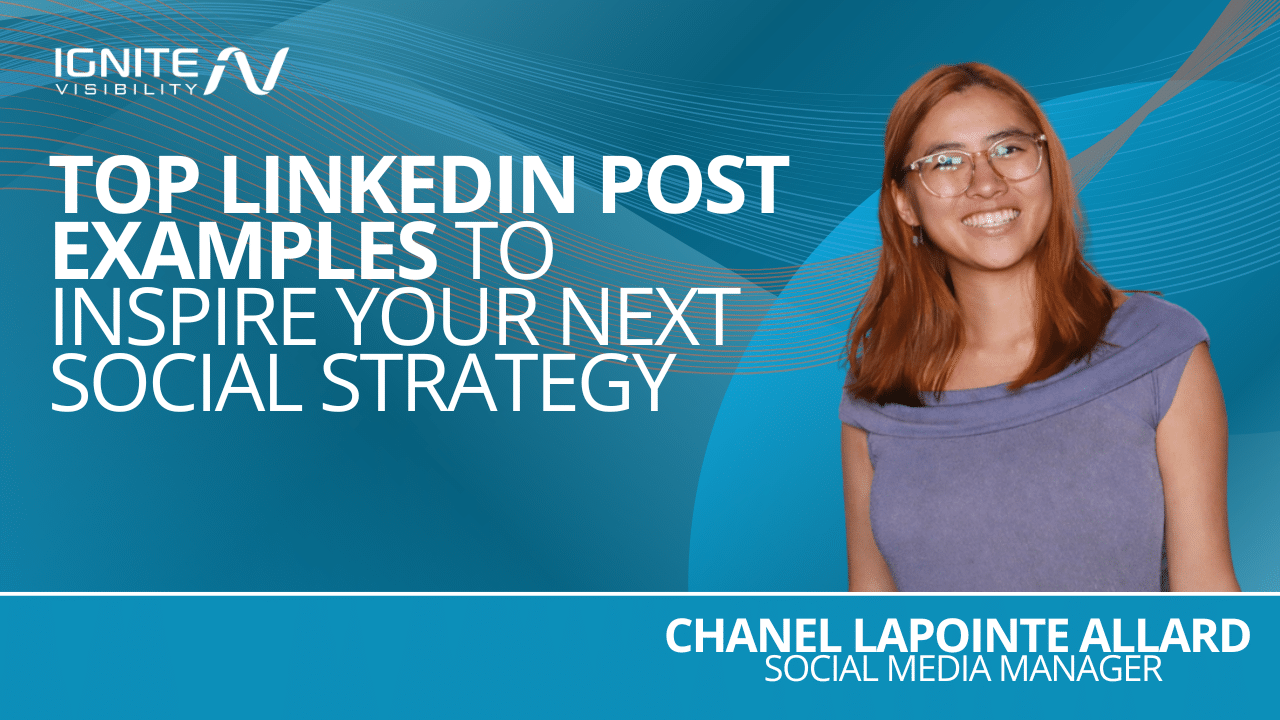
In this blog, Chanel Lapointe Allard, Social Media Manager, shares some tips and tricks, as well as 31 LinkedIn post examples to turn you into a LinkedIn pro.
What You’ll Learn
Key Takeaways
In this guide on how to post on LinkedIn, we’ll cover the following main points:
- Select your goals and what you want your post to achieve
- Make your profile stand out
- Aim for creating useful posts over trying to game the algorithm
- Choose the right format for LinkedIn social posts
- Measure performance for continual optimization
Which LinkedIn Post Idea Should You Use?
To help you determine precisely what to post on LinkedIn, let’s take a brief look at the different post ideas and when and how to use them:
| Objective | Suitable Idea | Recommended Publisher | Format | Call to Action | Primary Key Performance Indicator (KPI) |
| Awareness | Industry trend posts, predictions, or infographics | Company Page or top-level executive | Single image, blog post, or carousel | “Read the full report” | Impressions and reach |
| Authority | Extensive case study or unique expert insight | Company founder, another leader, or a subject matter expert | Long-form blog posts | “What is your experience with this?” | Comments and profile views |
| Engagement | Poll on a common industry topic or a quick tip | Mid-level managers or team members | Poll or short-form video | “Vote and share your thoughts” | Engagement rate |
| Traffic | Behind-the-scenes look with a link to a new tool or blog | Company Page | Link post with custom preview | “Click the link below to learn more” | Click-through rate |
| Leads | Action-oriented post with a free lead magnet | Marketers or sales leaders | Carousel document | “Sign up with us to get your digital copy” | Lead form submissions |
| Hiring/Recruitment | Day-in-the-life employee highlight or company culture post | HR or team leader | Native video, perspective blog post, or image collage | “Check our careers page to apply today” | Job post views and applications |
| Customer Trust | Client testimonial or public customer success celebration | Company Page | Single image with a quote | “Learn how we achieved X with [customer]” | Brand mentions and shares |
What Makes a Strong LinkedIn Post in 2026?
Today, knowing how to post on LinkedIn entails giving your audiences high-quality content that’s useful and actionable. Strong LinkedIn posts are relevant, specific, supported by evidence, demonstrate first-hand expertise, are readable, and offer a clear benefit.
In this way, they’re a lot like helpful content as Google defines it in its E-E-A-T guidelines, which prioritize content showcasing experience, expertise, authority, and trustworthiness.
Like many other platforms, LinkedIn is using AI to identify and promote content that’s highly relevant, readable, and compelling. LinkedIn discussed this in detail in its paper, “Large Scale Retrieval for the LinkedIn Feed using Causal Language Models.”
Additionally, the Edelman–LinkedIn B2B Thought Leadership Impact Report found that 73% of decision-makers find an organization’s thought-leadership content is more trustworthy than marketing materials and product sheets when evaluating brands and their offerings.
Personal Profile, Company Page, or Paid Post?
Knowing what to post on LinkedIn will partially depend on where the post is coming from, be it a personal profile, Company Page, or a sponsored post.
Consider the differences between each:
- Personal Profile: These posts will come off as the most conversational and human, with the ability to reach each person’s individual audience and network as employees share their personal stories and lessons. One real person manages these accounts, and they could have the goal of building trust and authority among audiences, including prospective hires, clients, and partners.
- Company Page: Posts coming from a Company Page will be more formal and carry a unique brand voice. While these posts tend to reach fewer individuals and require active followers to gain traction, they can be effective for building brand awareness, sharing company updates, and posting open job listings. A designated executive or team leader should take on the admin role for a Company Page and be responsible for publishing posts.
- Paid Post: Also referred to as Sponsored Content, paid posts are simply organic posts that you can turn into paid promotions. These posts can match the voice of either the person or Company Page promoting them, with a clear offer and a sales-focused tone. Paid posts allow for more targeted reach with scalability based on budget, and they require a connected billing card and management in LinkedIn Campaign Manager, as well as a linked Company Page. They work well for generating leads, getting more website traffic, and promoting specific events.
Current LinkedIn Content Formats
Choose from several formats for LinkedIn posts, including:
Text
Text posts feature only text content, often with the purpose of driving engagement. Companies and individuals might use these posts to ask a question to which people can respond in comments or encourage audiences to take a specific action, such as clicking a link to learn more.
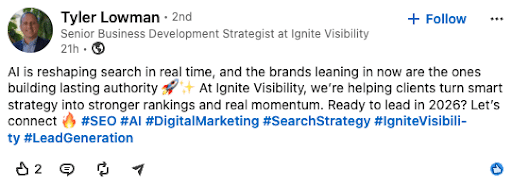
Single Image
Another option is the single-image post, which can feature a photo, infographic, screenshot, or graphic to accompany text. Visual posts like these can quickly grab audiences’ attention and enrich a post to help tell a story or make a point.
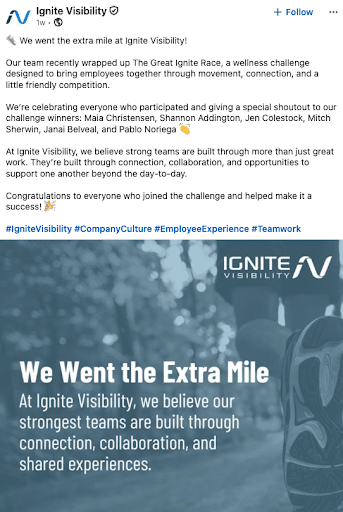
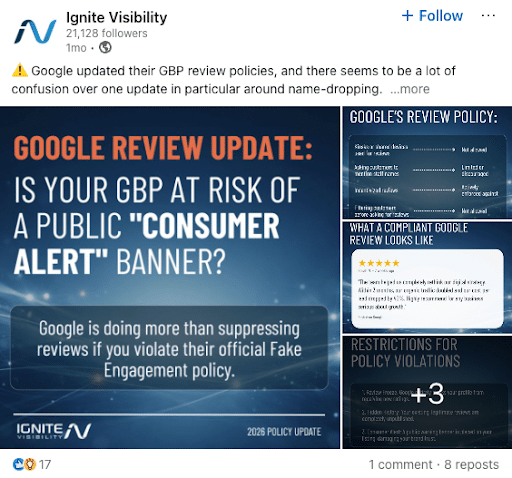
Multi-Image
You can also create LinkedIn posts with multiple images together in a collage, allowing users to click on each image to see more detail. Adding two or more images to a post can give people more context while capturing more attention and engagement.
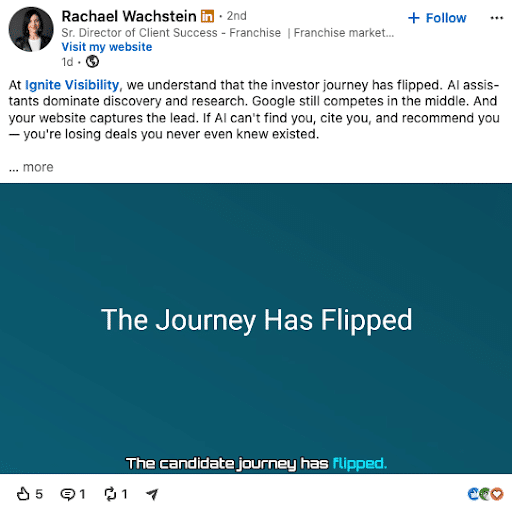
Native Video
Native video posts incorporate an embedded video that supplements text content. Video marketing is particularly effective at building an emotional relationship with audiences and boosting engagement, with anywhere from short clips to longer-form videos that expand on a certain topic.
Document/PDF
LinkedIn also allows individuals and companies to upload and share various documents, including PowerPoint presentations in carousel form, Microsoft Word documents, and PDFs. This content is great for sharing reports, proprietary research, and other exclusive documents that help build authority.
You can also create Document Ads on LinkedIn that promote a particular document, often with a preview and a link to unlock the full document or download it.
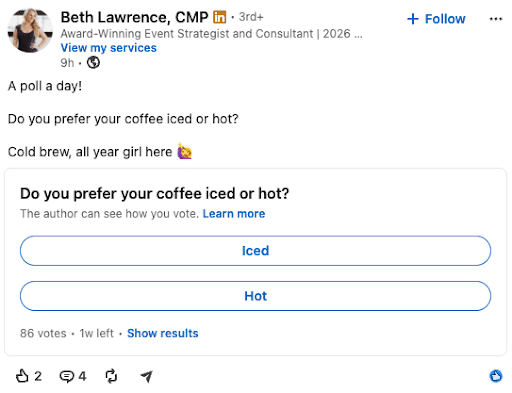
Poll
LinkedIn allows users to post polls with up to four options, and they can remain open for a day, three days, one week, or two weeks. Use polls to generate engagement and show your audience that you value their input. You can also use them for industry-related quizzes.
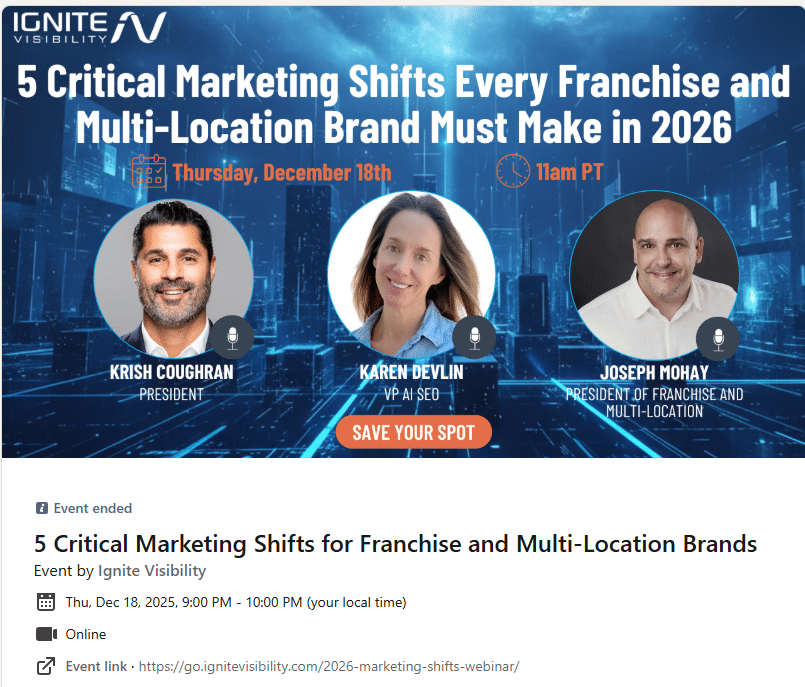
Event
Promote events like expos, webinars, and interviews with a specific date and time, complete with an accompanying image.
Article
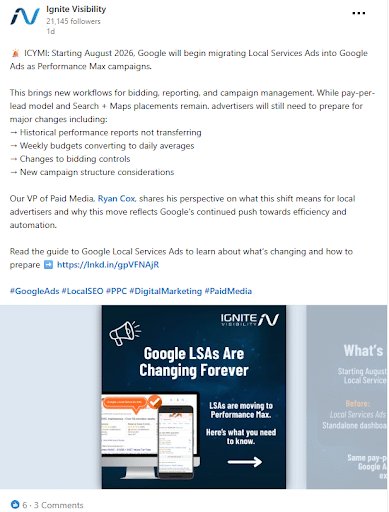
If you want to share more long-form content as an article, LinkedIn makes it easy to put together article posts that go beyond basic text and image posts.
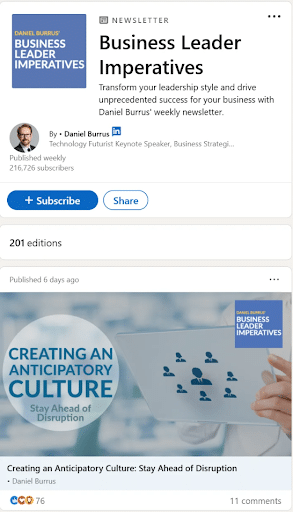
Newsletter
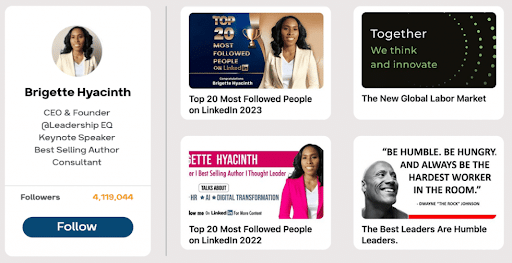
Go outside of B2B email marketing with your newsletters by publishing a dedicated LinkedIn newsletter series.
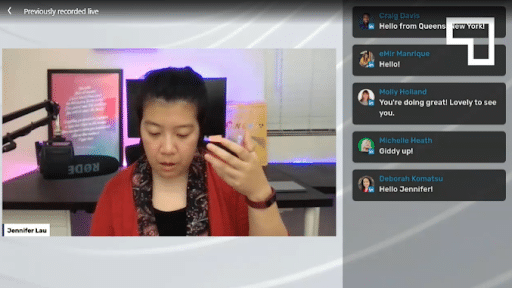
Live Content
Conduct interviews, Q&A sessions, and engage your audiences in other ways with live posts. These posts can create a sense of urgency and fear of missing out (FOMO) while driving more meaningful engagement among your audiences.
My Expert Insight on LinkedIn Posts
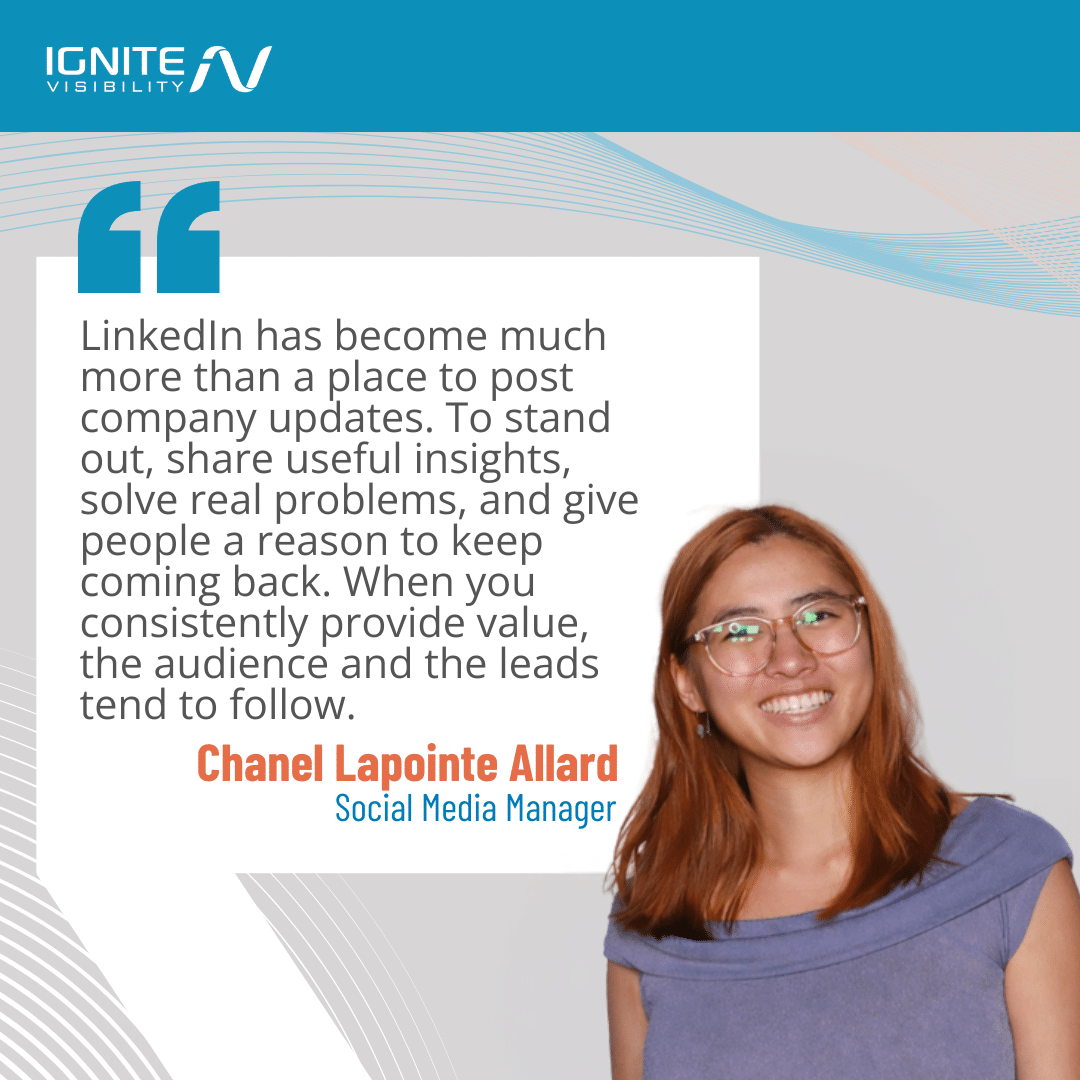
As a social media manager, I know LinkedIn posts are a powerful tool. They’ve transformed from simple status updates to strategic content that can position you as an industry thought leader, build brand awareness and even drive leads. In short, LinkedIn has become essential for businesses.
Many people use LinkedIn just for that, with nearly 70% of users engaging with brand content weekly. If you can bring real value to your followers, you’ll be able to drive more conversions and grow your audience even more.
Let’s get into how to make a LinkedIn post and look at some examples of LinkedIn posts that can supercharge your campaigns.
Choose a Goal and KPI Before Choosing a Post
The very first step of any social media marketing strategy is to set a clear goal. The right goals will help you pinpoint specific KPIs to help you measure the success of your LinkedIn social posts.
Here are some examples of goals and their corresponding KPIs:
- Awareness: Qualified reach involving people who fall under your target audience or ideal customer profile (ICP).
- Engagement: Relevant comments and reposts showing that people are invested in the content.
- Traffic: Click-through rates (CTRs) for links with unique UTM tags that help you attribute website traffic to each post.
- Leads: Conversion rates based on a specific conversion event, such as an email newsletter signup, document download, or booking.
- Hiring: Qualified applicants who are the right fit for your company.
- Video: Watch-time indicating the level of engagement people have with video content.
Try to avoid focusing too much on likes and other vanity metrics, as they may not indicate the true performance of your posts.
31 LinkedIn Post Examples, Organized by Goal
If you spend any time at all on LinkedIn, you’ll notice a variety of posts and content. And if you pay careful attention, you’ll also notice a method for driving engagement–and even going “viral” on the platform.
Let’s take a look at some LinkedIn post examples you can replicate to drive even more engagement, according to the goal you want to achieve.
Increased Awareness
#1: Personal Profiles
Although LinkedIn hasn’t always been the platform to share details about your personal life, the status quo has changed. These posts can be honest and personable to connect with others who may relate to your background or interests.
The next time you’re unsure of what to post on LinkedIn, open up a bit and share what makes you tick. You never know who the message could resonate with.
| Best for | Awareness |
| Profile/Page/Paid | Profile |
| Audience Need | A personal connection with a brand |
| Angle or Formula | Personal stories and insights that lend a human face to a company |
| Suitable Format | Image and text posts |
| Evidence Needed | Genuine personal experience from a real profile |
| CTA Type | Encouraging engagement with the post in the comments |
| KPI | Impressions, profile views, follower growth, engagement rates |
| Potential Pitfall | Stories could come across as inauthentic or AI-written with the wrong approach |

#2: Behind the Scenes
A “behind the scenes” post is another way to share a personal story or anecdote. Offer a glimpse into the positive and supportive company culture or the day-to-day tasks your employees accomplish.
Behind the scenes posts are a great opportunity to get creative. Experiment with a mix of media formats, like photos, videos, timelapse clips, and more.
| Best for | Awareness |
| Profile/Page/Paid | Profile or Page |
| Audience Need | To see people at work behind the brand and understand the process |
| Angle or Formula | Personal stories from employees or footage of teams at work |
| Suitable Format | Image and video posts |
| Evidence Needed | Real-world experience backed by genuine footage and stories |
| CTA Type | Encouraging engagement in comments, e.g., asking audiences to share similar experiences or cultures at work |
| KPI | Comments, profile views, shares, engagement rate |
| Potential Pitfall | Stories or footage could appear too casual/unprofessional |

#3: Gratitude
Just as you would in your in-personal professional circles, don’t shy away from sharing praise on LinkedIn. Show appreciation for colleagues, partners, or clients. It’s a great way to build positive connections.
| Best for | Awareness |
| Profile/Page/Paid | Page |
| Audience Need | To see that a company values its relationships and employees |
| Angle or Formula | Highlighting |
| Suitable Format | Image posts |
| Evidence Needed | Quotes from others, genuine testimony, documented proof of achievement |
| CTA Type | N/A |
| KPI | Impressions, engagement, and shares |
| Potential Pitfall | Disguising a boast as a thank-you post |

#4: Recognition and Appreciation
Celebrate milestones like work anniversaries and promotions. Stay connected with your network!
| Best for | Awareness |
| Profile/Page/Paid | Page or Profile |
| Audience Need | To see how brands recognize and reward their employees |
| Angle or Formula | Celebration posts congratulating individuals or teams on achievements |
| Suitable Format | Image post |
| Evidence Needed | N/A |
| CTA Type | N/A |
| KPI | Impressions, shares, comments, and engagement rate |
| Potential Pitfall | Perceived favoritism when focused on a small number of employees |
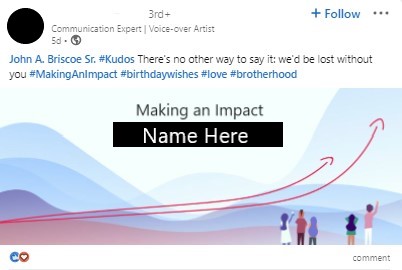
#5: Milestones and Accomplishments
LinkedIn is the perfect place for discussing corporate and personal accomplishments. Use the platform to celebrate the journey, and encourage others to do the same.
Make sure you are tagging the right accounts to maximize your network connections.
| Best for | Awareness |
| Profile/Page/Paid | Page or Profile |
| Audience Need | To see brands’ achievements and their recognition of employees’ |
| Angle or Formula | Post celebrating a particular milestone, partnership, result that the company or an individual has achieved |
| Suitable Format | Image post |
| Evidence Needed | Proof of achievement if corporate |
| CTA Type | N/A |
| KPI | Impressions, shares, engagement rate |
| Potential Pitfall | Perceived favoritism or a “humblebrag” |

#6: Share Key Takeaways
If your company sends employees to attend events, speak at conferences or host trade shows, you’ll want to be sure to share. Post photos, quotes, or ask your employees for a quote about their key takeaways.
| Best for | Awareness |
| Profile/Page/Paid | Profile or Page |
| Audience Need | Unique insights into industry events for more valuable information |
| Angle or Formula | Personal insights from events and summaries that help build authority |
| Suitable Format | Text, image, or video posts |
| Evidence Needed | Proof of attending or hosting an event |
| CTA Type | N/A |
| KPI | Impressions, shares, comments |
| Potential Pitfall | Sharing generic takeaways that don’t give any valuable insight |

#7: Thought Leadership
On LinkedIn, thought leadership content should position you as the expert in your field, niche, or industry. Draw from personal experience and offer an educational point of view that others may not have encountered. Although this isn’t a blog post, you have a chance to be succinct yet detailed, direct, and authoritative.
| Best for | Awareness |
| Profile/Page/Paid | All |
| Audience Need | To come to trust a brand or individual as an industry authority |
| Angle or Formula | Expert insights into a particular industry topic or unique data or reports |
| Suitable Format | Text, image, or article posts |
| Evidence Needed | Expressed industry expertise, reports, and statistics |
| CTA Type | Encourage audiences to read more with a link to an article or blog post |
| KPI | Impressions, profile views, engagement, and click-through rate |
| Potential Pitfall | A lack of proven expertise or data could weaken apparent authority |

#8: Cross-Social Recap Post
Repurpose content from other platforms to reach a wider audience on LinkedIn. There are two ways to do this: via screenshot or by directly linking to the other platform. Resharing other social content is an easy way to repurpose your thoughts for a new context and with a new audience.
| Best for | Awareness |
| Profile/Page/Paid | Profile or Page |
| Audience Need | Insights into a specific topic they might not come across on other platforms |
| Angle or Formula | Unique industry insights and expertise from other platforms in the form of a screenshot or a link |
| Suitable Format | Text or image posts |
| Evidence Needed | N/A |
| CTA Type | Encourage audiences to learn more with a link to your website or the original post on another platform |
| KPI | Impressions, profile views, comments, shares |
| Potential Pitfall | Lack of context in linked posts could prevent people from clicking to learn more |
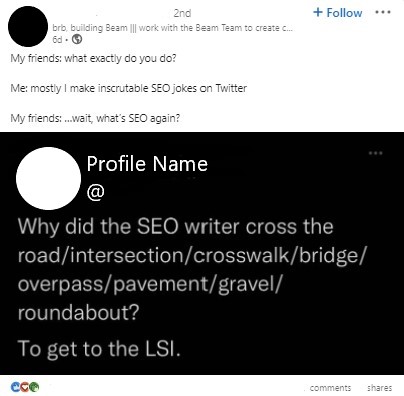
#9: Personal Branding
Establish yourself as a thought leader with unique skills and expertise. Building a personal brand on LinkedIn can be powerful for generating mobility and creating new professional relationships.
| Best for | Awareness |
| Profile/Page/Paid | Profile or Paid |
| Audience Need | Original insights from individual experts |
| Angle or Formula | Thoughts, experiences, or data that set an individual expert apart as an authority |
| Suitable Format | Text, image, or video post |
| Evidence Needed | Credentials and demonstrated expertise, potentially with supporting data |
| CTA Type | Link to more details in a blog post, article, or document |
| KPI | Impressions, profile views, shares, comments, and click-through rates |
| Potential Pitfall | Generic advice or insights could fail to set individuals apart as experts |

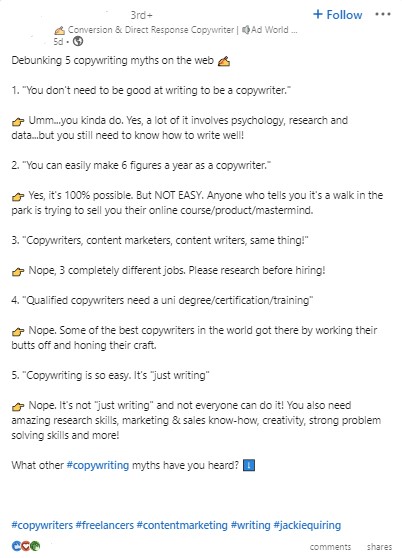
#10: Break Down Industry Misconceptions
Debunking common myths with clear, factual explanations will build you a n audience. Start by using simple language to make the content comprehensible by all. Try out a question-answer format to address myths, calling on the audience to share their own experiences or questions in the comments.
| Best for | Awareness |
| Profile/Page/Paid | Profile or Page |
| Audience Need | Clarification of certain ideas and the reality behind industry myths |
| Angle or Formula | Q&As or lengthy posts discussing common misconceptions or myths around a certain industry topic |
| Suitable Format | Text, image, article, or document posts |
| Evidence Needed | Supporting data and insights to reinforce claims |
| CTA Type | Include a link to an article or blog post to learn more, or request audiences to share their thoughts or questions |
| KPI | Impressions, shares, comments, click-through rates |
| Potential Pitfall | Unsupported claims could fail to build trust among audiences |
Boosted Engagement
#11: Reposting Content
One of the most basic ways to use LinkedIn is to share a link to another post, article, or website.
For this to be most effective, explain why this content matters to you or how it resonates with the work you do. Incorporate a personal story so that other users are more likely to click, read, and explore the content you’re sharing.
Pro-Tip: Add your own unique perspective to spark discussion. Try tagging an industry influencer who could add valuable insight.
| Best for | Engagement |
| Profile/Page/Paid | Profile or Page |
| Audience Need | Insights on LinkedIn that they might not locate on other platforms |
| Angle or Formula | Share links to posts on other platforms or blog posts on your website |
| Suitable Format | Text or image posts with a link to content on other platforms |
| Evidence Needed | Unique insights, key takeaways, and expertise to encourage people to click to the other platform |
| CTA Type | A link to content on external platforms to encourage people to learn more |
| KPI | Click-through rate and engagement rate |
| Potential Pitfall | Generic content could fail to gain traction and clicks |

#12: GIFs and Memes
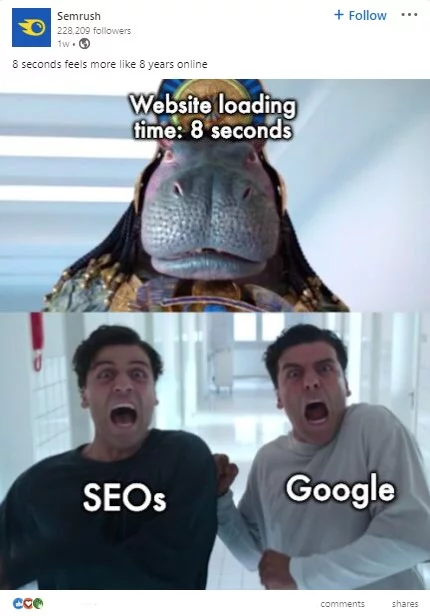
LinkedIn might be a professional platform, but it’s still designed to offer fun and entertainment (it is a social network, after all).
Within reason, incorporate funny GIFs, memes, cartoons, or other illustrations. These graphics capture interest (since they’re different from basic text) and help the algorithm recognize the value of your content.
Pro-Tip: Get creative by designing customized GIFs or memes that are tailored to your industry. Use tools like Canva or Giphy to help you reinforce your brand identity in a fun, memorable way.
| Best for | Engagement |
| Profile/Page/Paid | Profile or Page |
| Audience Need | Engaging content that entertains and illustrates a point in an amusing or relatable way |
| Angle or Formula | Images that put a fun spin on a popular industry topic using a familiar format |
| Suitable Format | Image posts |
| Evidence Needed | Supporting data or insights that enhance the image’s point |
| CTA Type | Potential request for people to share their opinions about a particular topic |
| KPI | Engagement rate and comment sentiment |
| Potential Pitfall | Unpopular opinions or inappropriate humor could alienate rather than engage audiences |
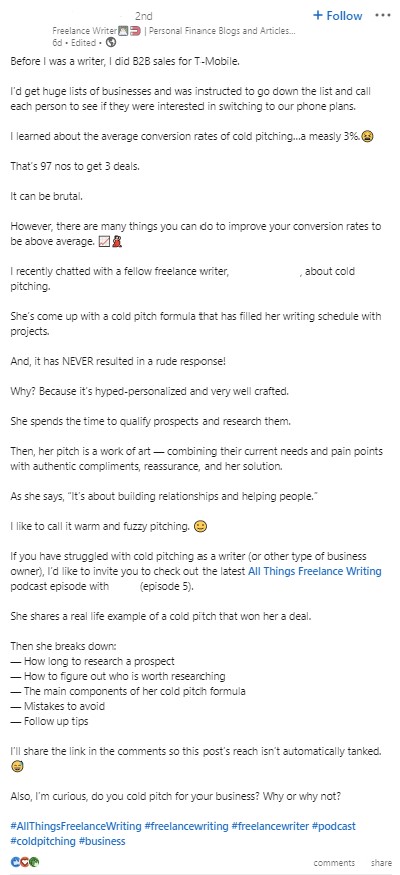
#13: Storytelling
A story-based post is usually one that offers a longer narrative. These posts often have a clear introduction, body, and conclusion. Some users may even share in Content Creator mode in order to expand the post’s reach.
With longer text-based posts, include emojis and use short paragraphs. These tricks make the posts easier to read and more conducive to users who are scrolling through the feed.
| Best for | Engagement |
| Profile/Page/Paid | Profile or Page |
| Audience Need | Emotional connection with brands or people through relatable, human stories |
| Angle or Formula | Story of the “why” behind what you do, including your experience, mission, and values |
| Suitable Format | Text, image, or video posts |
| Evidence Needed | Authentic personal experience and a sense of purpose behind the story |
| CTA Type | Question asking people to share similar stories, values, or experiences |
| KPI | Engagement rate, shares, and comments |
| Potential Pitfall | A lack of personal experience or authentic storytelling could ring hollow among audiences |
#14: Polls or Vote-Based Posts
Ask questions to gather audience insights and boost engagement. Share the results for maximum impact!
Use LinkedIn Polls to gather quantitative insights from your audience. They are easy to fill out and they provide marketers with valuable data that can be shared in multiple ways.
| Best for | Engagement |
| Profile/Page/Paid | Profile or Page |
| Audience Need | To share their personal opinion on a topic and have it heard in return |
| Angle or Formula | A poll asking audiences to vote for two to four options in a list |
| Suitable Format | Poll posts |
| Evidence Needed | N/A |
| CTA Type | Ask people to vote for a specific option in your poll |
| KPI | Comments and votes |
| Potential Pitfall | Confusing, uninteresting, or controversial polls could discourage engagement |

#15: Promote Interaction
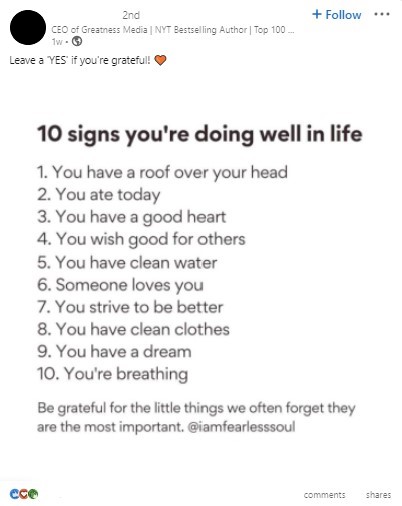
Many well-known LinkedIn content creators use short and simple posts to gather quick responses from followers. Sometimes, these are thought-provoking questions that allow readers to reflect and see how others are reacting. These posts take minimal effort but can create a big ripple, especially in terms of visibility and shareability.
| Best for | Engagement |
| Profile/Page/Paid | Profile or Page |
| Audience Need | To share their thoughts on a particular topic with a brand encouraging engagement |
| Angle or Formula | Sharing a particular thought or opinion asking for people’s responses |
| Suitable Format | Text, image, or poll posts |
| Evidence Needed | Supporting data or demonstrated expertise, if making a statement establishing thought leadership and to come across as worthy of engagement |
| CTA Type | Requests for comments from people for their takes |
| KPI | Comments, votes, and engagement rate |
| Potential Pitfall | Less popular profiles may struggle to gain traction with these posts at first |
#16: Go Back In Time
Share your organization’s story to build brand loyalty and connect with potential customers.
This strategy allows new followers or customers the chance to learn more about your business, mission, and overall vision. Forge a personal connection and create increased brand loyalty.
| Best for | Engagement |
| Profile/Page/Paid | Profile or Page |
| Audience Need | To connect with brands or individuals on an emotional level |
| Angle or Formula | A “throwback Thursday” or similar post looking back at a particular point in your personal, company, or industry’s history |
| Suitable Format | Image post |
| Evidence Needed | Visuals can help drive an emotional connection and prove personal or customer history |
| CTA Type | Ask people to share their thoughts on a particular historical event or their personal stories |
| KPI | Impressions, engagement rate, comments, shares |
| Potential Pitfall | Impersonal stories could fail to connect or spark conversation |

#17: Shareable Infographic
Eye-catching visuals can break through text-heavy feeds, sparking conversations. Not only do these convey a powerful message, but they’re also extremely popular ways to get people talking.
Pro-Tip: Optimize your infographic for LinkedIn by using a vertical format. Vertical images take up more space on the feed, making them automatically more eye-catching.
| Best for | Engagement |
| Profile/Page/Paid | All |
| Audience Need | Insights and information presented in an engaging and digestible format |
| Angle or Formula | A single-image infographic exploring specific statistics in an appealing, flowing layout |
| Suitable Format | Image post |
| Evidence Needed | Data or personal experience to support the infographic, potentially with a linked blog post or article |
| CTA Type | Asking to share thoughts or click a link to learn more |
| KPI | Impressions, shares, engagement rate, and click-through rate |
| Potential Pitfall | Large infographics could become unintelligible on mobile devices, or data could be oversimplified and misleading |
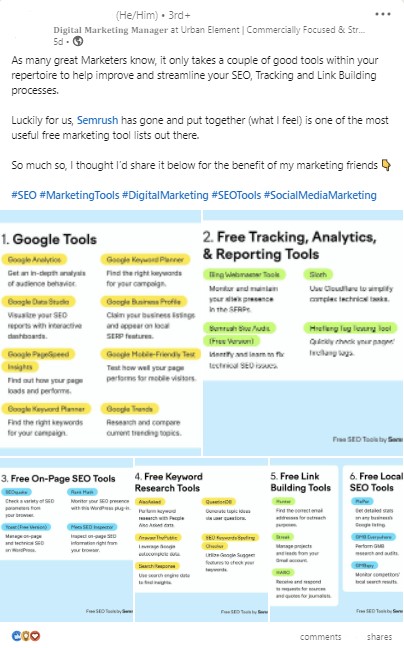
#18: The “Listicle”
Craft engaging lists that your audience can relate to. This can increase content reach and shares.
| Best for | Engagement |
| Profile/Page/Paid | All |
| Audience Need | Information presented in an organized, scannable list |
| Angle or Formula | “Top X” posts listing multiple items in a given topic |
| Suitable Format | Text and article posts |
| Evidence Needed | Data to support factual items in lists |
| CTA Type | Encourage people to comment their thoughts or click a link for a more extensive breakdown |
| KPI | Impressions, shares, comments, and click-through rate |
| Potential Pitfall | Unoriginal or vague lists could fail to attract engagement |
#19: Share Professional Habits
When you share professional habits on LinkedIn, make sure to share those that have directly contributed to your success or productivity. Be specific about the habits you’ve created and how they’ve made a difference in your personal life.
| Best for | Engagement |
| Profile/Page/Paid | Profile |
| Audience Need | To connect with other professionals on a more personal level |
| Angle or Formula | Personal experience that illustrates how your habits have led to success |
| Suitable Format | Text, image, article, or video post |
| Evidence Needed | Authentic experiences discussing specific habits and how they contributed to success |
| CTA Type | Requesting audiences to share their own habits and experiences |
| KPI | Engagement rate |
| Potential Pitfall | Boasting too much about success could be off-putting to audiences |
More Website Traffic
#20: News and Industry Insights
Many LinkedIn members are active in current events and like to keep a pulse on the big news in their industries.
Share relevant news stories and offer your perspective. Stay on top of industry trends!
| Best for | Website Traffic |
| Profile/Page/Paid | All |
| Audience Need | Unique insights and news from credible, well-researched sources |
| Angle or Formula | Data- and source-enriched posts covering one or more industry news topics or insights |
| Suitable Format | Text or article posts |
| Evidence Needed | Cited sources for news items and expertise backing your insights |
| CTA Type | A link to a longer content piece |
| KPI | Reach, click-through rates and traffic |
| Potential Pitfall | News without reputable sources could make you appear unreliable |

#21: Podcast Promotional Posts
Does your company host a podcast? Do you produce one as an individual content creator? Talk about it on LinkedIn. Advertise your podcast and connect with potential listeners.
| Best for | Website Traffic |
| Profile/Page/Paid | All |
| Audience Need | Insights from experts and interviews in an engaging podcast format |
| Angle or Formula | Advertise your podcast in organic or paid posts, including your general podcast and specific upcoming episodes |
| Suitable Format | Image or event posts, Sponsored Content |
| Evidence Needed | Industry expertise and enticing topics that encourage people to listen in |
| CTA Type | A link for people to visit the podcast website |
| KPI | Reach, click-through rate, traffic, and podcast listens/downloads |
| Potential Pitfall | People who are unfamiliar with the personalities involved may be less interested in listening |

#22: Tools and Software Reviews
Is there something going on in your industry that you feel others should know about? Share it on LinkedIn! Get people talking about the latest happenings and legal impacts that could change the way you work.
Depending on the topic, you can share it in a serious way, full of facts and data, or in a video-first way like the post example below.
| Best for | Website Traffic |
| Profile/Page/Paid | Profile or Page |
| Audience Need | Authentic reviews of tools or software they’re considering using |
| Angle or Formula | A post discussing specific tools or products that you used with honest, nuanced opinions |
| Suitable Format | Text, article, or video posts |
| Evidence Needed | Experience in the relevant industry that would have use cases for particular tools or software, along with a lack of apparent bias |
| CTA Type | A link to a website or video for more detailed reviews |
| KPI | Reach, click-through rates, website traffic, video completion rates |
| Potential Pitfall | Being too positive or contrarian could make your reviews come off as inauthentic or incentivized |

#23: Educational Resources
The more educational content you share, the more people will turn to you for accurate information and the more you will build yourself up as an authority in your field.
| Best for | Website Traffic |
| Profile/Page/Paid | Page or Paid |
| Audience Need | To learn more about a particular topic from industry authorities |
| Angle or Formula | A preview of a specific type of educational resource, such as a whitepaper or ebook |
| Suitable Format | Image, document, or Sponsored Content post |
| Evidence Needed | Proven expertise and supporting data to come across as an authority and encourage engagement |
| CTA Type | A link to your web page with the resource, or a downloadable document within the post |
| KPI | Website traffic, conversion rate, and click-through rate |
| Potential Pitfall | Educational resources might not have sufficient apparent supporting information or expertise to encourage engagement |

More Conversions
#24: Customer Testimonial and Review
As a business platform, don’t forget to leverage the power of LinkedIn for powerful customer testimonials and experiences.
You can feature customer case studies, share quotes, or highlight a success story. You can even tag the customer and ask that they share the post for even greater engagement and reach.
Pro-Tip: To boost your engagement, pair testimonials with relevant visuals or data that specifically highlight the impact of your solution.
| Best for | Conversions |
| Profile/Page/Paid | Page |
| Audience Need | To see proof of success from a brand |
| Angle or Formula | Case studies, quotes, or success stories in image, text, and video form |
| Suitable Format | Text, image, and video posts |
| Evidence Needed | Visuals and data that lend authenticity while showing how you achieved success |
| CTA Type | Link to a client-specific or general case study page |
| KPI | Video completions, website traffic, conversion rate |
| Potential Pitfall | Vague or seemingly inauthentic testimony could lead to distrust |

#25: Results-Based Post
If you post on behalf of your team or company, results-based posts can be extremely interesting. Showcase how your work generates positive outcomes for clients. Use visuals to highlight your impact.
| Best for | Conversion |
| Profile/Page/Paid | Page or Paid |
| Audience Need | To see real results from past work |
| Angle or Formula | Statistics-heavy success stories that highlight impact |
| Suitable Format | Text or image posts |
| Evidence Needed | Detailed statistics and visuals backing claimed results |
| CTA Type | A link to a relevant service page detailing how the company can help readers succeed |
| KPI | Click-through rate and conversions |
| Potential Pitfall | Claims of success with no real data to support them could lose trust among prospects |

More Leads
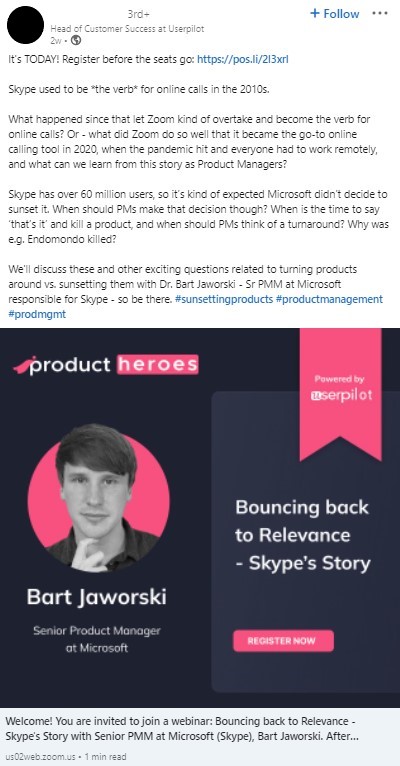
#26: Virtual Event Invitations
Are you hosting a webinar or virtual event? LinkedIn is the perfect way to advertise it. Inform your audience what type of event it is and why they should attend. Include a direct link for sign-ups, especially if the event is being hosted on another platform.
If you want to measure webinar or event traffic that comes directly from LinkedIn, create trackable links that can help you analyze and attribute the source later on.
| Best for | Leads |
| Profile/Page/Paid | All |
| Audience Need | Insights and education from reputable experts in a worthwhile online event |
| Angle or Formula | Promoting a webinar or another type of virtual event with a summary of what the event will entail and the personalities involved |
| Suitable Format | Image post, Sponsored Content |
| Evidence Needed | Demonstrable expertise among hosts and speakers |
| CTA Type | A link to the website to sign up for the event |
| KPI | Signups and attendance |
| Potential Pitfall | A lack of proven expertise could discourage attendance |
#27: Before and After
If you represent a business, this allows users to see the power of a solution or service with a before and after photo series. When speaking from personal experience, before and after stories represent growth and development.
Regardless of which context you choose or need, before and after LinkedIn posts capture interest and illustrate growth.
| Best for | Leads |
| Profile/Page/Paid | Profile or Page |
| Audience Need | To further see companies’ work in action or the growth of another relatable individual |
| Angle or Formula | A post with a clear before/after image or image carousel, with an explanation to support the visual |
| Suitable Format | Image or video post |
| Evidence Needed | High-quality, well-defined visuals and the explanation of the process |
| CTA Type | A link to a case study/results page or a relevant service page |
| KPI | Click-through rate and conversions |
| Potential Pitfall | Simple visuals with no explanation could make content look inauthentic |
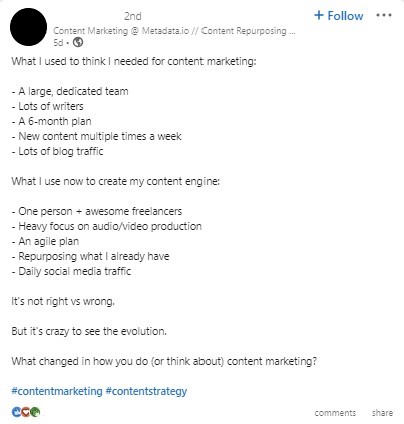
#28: Data-Driven Content:
Back up your claims with facts and figures to build trust and establish yourself as an authority. Use the data to make predictions and discuss what trends could impact the future of the industry.
| Best for | Leads |
| Profile/Page/Paid | Profile or Page |
| Audience Need | Real data-driven facts and insights |
| Angle or Formula | A list of statistics, trends, or predictions with supporting data for each item |
| Suitable Format | Text, article, or image post |
| Evidence Needed | Data from credible sources to back all claims |
| CTA Type | A link to a longer content piece discussing topics in greater depth |
| KPI | Click-through rate, conversions |
| Potential Pitfall | Data without links or credible sources will hurt credibility |

Hiring Qualified Applicants
#29: Hiring & Recruitment Opportunities
LinkedIn has become one of the most popular platforms for recruitment and HR initiatives.
LinkedIn isn’t only for professional recruiters. If there’s an open role within your department or on your team, share it and encourage others to share it with their connections as well.
| Best for | Hiring |
| Profile/Page/Paid | Profile or Page |
| Audience Need | To find worthwhile employment opportunities |
| Angle or Formula | Employees or corporations share job openings and descriptions |
| Suitable Format | A text post relaying the opportunity and its basics, with a link to an application page |
| Evidence Needed | Details like roles and responsibilities, requirements, expected pay, benefits, and perks |
| CTA Type | A link to a job application page |
| KPI | Shares and qualified applicants |
| Potential Pitfall | Unclear job postings could deter prospective hires |
Video Engagement
#30: Video Posts
From the homepage, it’s easy to upload or link to a video. This LinkedIn feature embeds the video directly to your new post so anyone who views it can quickly hit ‘play’ to view.
Use this to share a video speaking directly to your audience, broadcast a newly produced video from your company, or share an engaging snippet to drive conversions.
Pro-Tip: Take advantage of LinkedIn’s autoplay feature by confirming the first frame of your video is visually appealing and encourages users to stop their scroll.
| Best for | Video engagement |
| Profile/Page/Paid | All |
| Audience Need | To gain information in convenient and engaging video format |
| Angle or Formula | A video covering an industry topic with visuals including slides, featuring an expert company representative |
| Suitable Format | Video post, Sponsored Content |
| Evidence Needed | Demonstrated expertise from individuals to show authority, with high-quality visual elements to reinforce talking points |
| CTA Type | A link to a company blog or video channel for more information |
| KPI | Video completion rates, engagement rate, shares, traffic, and click-through rate |
| Potential Pitfall | Low-quality video could make brands appear less reputable |
#31: Short-Form Video Content
LinkedIn is experimenting with short-form video content, just like any other social media platform. This type of content is a great way to try something new and reach your audience in a different way.
Consider posting how-to, behind-the-scenes, or other types of video content that will provide educational content to your audience. Just remember – this is LinkedIn, not TikTok, so keep it professional.
| Best for | Video engagement |
| Profile/Page/Paid | All |
| Audience Need | Bite-sized information in digestible video clips |
| Angle or Formula | A repurposed clip from a long-form video highlighting a specific point |
| Suitable Format | Video post, Sponsored Content |
| Evidence Needed | Supporting data and demonstrable expertise |
| CTA Type | A link to a blog or video channel to learn more |
| KPI | Video completion rates, engagement rate, shares, traffic, and click-through rate |
| Potential Pitfall | Unhelpful short-form videos could detract audiences |

When Should You Promote or Sponsor a Post?
If you want to bring more attention to a particular post and boost engagement, you can promote or sponsor a post in the following ways:
- Page Boosts: A Page Boost converts an existing organic post from a LinkedIn Company Page into a paid promotion. You can activate it by simply clicking the “Boost” button on a post and choose the specific criteria for targeting, budgeting, and goals. You may use these posts to showcase strong organic content to extend its reach.
- Sponsored Content: This refers to LinkedIn’s native advertising format, meaning they function as LinkedIn Ads vs. boosted organic posts. You can use LinkedIn’s Campaign Manager to create, target, bid on, and measure the performance of Sponsored Content. Ads are best for when you want to run image or video ads on the platform to supplement organic content.
- Member-Post Promotion: This paid media strategy involves providing individual member profile posts with a specific advertising budget, e.g., a company sponsors a post written by an employee to give it more attention. Use this form of paid promotion to help humanize your company by highlighting content your employees created.
Keep in mind LinkedIn’s current ad eligibility criteria to avoid rejections, and use the following specs to help you format Sponsored Content:
LinkedIn also provides specifications for each ad type, including single image ads, carousel image ads, and video ads.
How to Create a LinkedIn Post for Your Company Page
If you want to know how to make a post on LinkedIn, take the following basic steps:
1. Access your company page
You should have Super Admin or Content Admin rights assigned to your profile to allow posting. You can then post via the Page Admin View or Dashboard. LinkedIn Help can provide some additional guidance here.
2. Create and format your post
Click on “Start a post” or the “Create” button on your page’s feed. You can then type your text content, insert links, add hashtags, or use the “@” symbol to mention other pages or people.
Upload media files if needed, including images, videos, or documents, or turn it into a poll or event post.

3. Schedule and publish your post
Before publishing, adjust your audience settings (public or targeted) or set up comment controls.
When ready to publish, click “Post” for immediate posting, or click on the clock icon on the bottom right to post at another time.
LinkedIn Post Best Practices
The key to LinkedIn success is being prepared, proactive, and engaging. Here’s your game plan:
- Make posts accessible: Encourage more engagement with your LinkedIn social posts with a clear first line, scan-friendly structure, relevant context, useful evidence, and restrained tagging, while adding links corresponding to specific user intent and need.
- Use AI to enhance your content, not replace your perspective: AI can be a powerful tool for brainstorming, refining ideas, and improving efficiency, but the best content still comes from human expertise. Use AI to support your process while adding your own insights, experiences, and industry knowledge to create content that feels authentic and builds trust with your audience.
- Incorporate permissions, disclosure, and confidentiality: Make sure the right people have posting permission, disclose the use of AI content to users, and maintain and enforce confidentiality to secure your profile and account.
- Continue the conversation after publishing: Engagement doesn’t end after publishing. Respond to comments and consider following up your posts with more relevant ones exploring the same or related topics.
- Measure and improve LinkedIn post performance: Conduct audience-specific testing to gauge performance, measure performance based on your goals, and continually improve with further testing and optimization.
FAQs: How to Post On LinkedIn
1. What type of LinkedIn post gets the most engagement?
Generally, the LinkedIn posts that get the most engagement are those that offer helpful and compelling content, setting them apart from more generic posts. Technically, the specific type of post that sees the highest level engagement is the native document format, which can yield up to a 7% engagement rate.
2. Should I post from my profile or company page?
This will depend on whether you want to post as an employee or more broadly as an organization. If you want to share a more personal story or unique insight, you might opt to post with your personal profile. Conversely, company-wide announcements, event promotions, and other more formal content might benefit from Company Page posts.
3. How long should a LinkedIn post be?
The answer to this will largely depend on the content type and the topic you want to cover. Many text posts are short and sweet, asking a basic question with the goal of starting a discussion in the comments. Meanwhile, others, like article posts, might go into greater depth around a certain topic.
4. How often should I post?
If you want to keep your audience consistently engaged and build more traction on LinkedIn, it’s best to post around two to five times per week, but the frequency will depend on the types of content you want to post and the level of engagement you already get from your audience.
5. When is the best time to post?
Overall, LinkedIn posts tend to perform best when published early in the week during the morning. We’ve consistently seen stronger engagement on Mondays through Wednesdays as professionals check LinkedIn at the start of their workday. While results can vary by audience and industry, morning posting times have generally delivered the strongest performance.
6. Should LinkedIn posts include external links?
When appropriate, you should include external links to relevant content, such as a corresponding blog post on your website to explore a topic in more depth. However, some posts, like polls or video posts, might bypass external links in favor of on-platform engagement.
7. Do hashtags still help LinkedIn posts?
While hashtags won’t hurt your posts, they’re not as helpful as they once were when trying to maximize your visibility on LinkedIn. Today, LinkedIn primarily uses AI text scanning to gauge the helpfulness, relevance, and overall quality of a post to determine whether to show it to users.
8. What is the difference between a document post and a carousel ad?
Document posts are organic posts on LinkedIn that include an uploaded PDF or another file, which people can click through to view page-by-page. Meanwhile, LinkedIn carousel post examples are paid LinkedIn content that allows people to view multiple image or video cards, with each card featuring a unique headline, description, and link.
9. Can I use AI to write LinkedIn posts?
Yes, you can use AI to help write LinkedIn posts, and it can be a valuable tool for brainstorming ideas, improving clarity, refining messaging, and overcoming writer’s block. However, AI works best as an assistant, not a replacement for your expertise. The most effective LinkedIn posts combine AI-generated support with your own insights, experiences, and perspective. Adding a human touch helps your content feel more authentic, builds trust with your audience, and ensures your posts reflect the unique voice behind your brand..
10. How do I measure whether a LinkedIn post worked?
You can measure the performance of your posts on LinkedIn by looking at each posts’ LinkedIn Post Analytics to see metrics such as likes, comments, and reposts, or you may use third-party platforms like Google Analytics 4 to see whether your posts are bringing traffic to your site. Always measure performance based on specific goals.
11. How do I see my LinkedIn post?
You might ask about “how to see my LinkedIn posts” once you’ve published them. Simply open your profile on LinkedIn by clicking on your profile pic or the “Me” icon and scroll down your profile activity page until you see the post you made. You can also filter activity by “Post” to isolate your posts.
Level Up Your LinkedIn Marketing with Ignite Visibility
The opportunities on LinkedIn keep growing, making it an essential platform for businesses and marketers. Get a head start on your networking and content creation by implementing these fresh ideas and LinkedIn post examples into your LinkedIn strategy.
Need help? Ignite Visibility can help you with all your social media marketing needs including:
- Content creation
- Short and long-form video
- Social media advertising
- Influencer marketing
- And more!
Connect with Ignite Visibility on LinkedIn or take a look at our LinkedIn marketing services to see how we can help you elevate your digital marketing strategy this year.