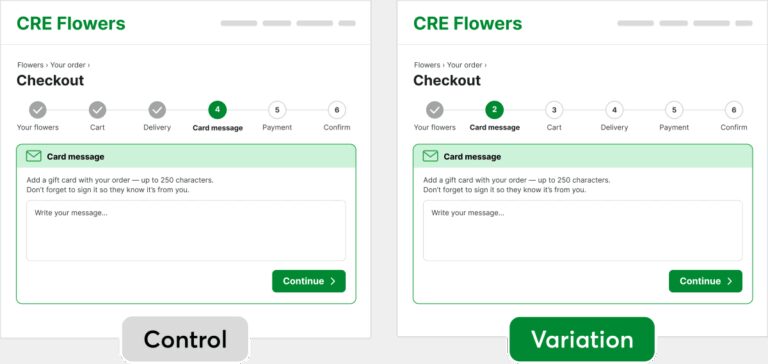
Manual A/B testing is more common than the industry conversation suggests. Teams with custom stacks, limited budgets, or compliance constraints run experiments without dedicated platforms every day, using feature flags, custom scripts, analytics tools, and ad-platform experiments to get the job done.
The appeal is obvious: more control, no additional platform costs, and the flexibility to run experiments on your existing stack. For teams running a handful of tests, these approaches can work well.
But as experimentation becomes a larger part of how the business makes decisions, the operational overhead begins to grow. Traffic management, tracking, statistical validation, reporting, and experiment governance all require additional effort to maintain accurately and consistently.
In this guide, we cover the full picture, including common ways teams implement A/B testing without a dedicated platform, how results are tracked and analyzed, the trade-offs involved, and when manual experimentation may no longer be the most efficient approach.
It refers to running experiments without using a specialized testing platform.
Instead of relying on a tool such as VWO, which provides built-in traffic allocation, statistical engines, and a drag-and-drop editor, teams handle everything manually:
Creating test variations (code or duplicate pages)
Splitting traffic using scripts, routing rules, or feature flags
Tracking performance through analytics tools
Analyzing results independently
This setup gives more control, but also means you’re responsible for getting everything right, from data accuracy to experiment reliability as you scale.
Why teams choose to run A/B tests without specialized software
Most teams don’t choose manual A/B testing because it’s easier. They choose it because it aligns better with their technical, operational, or budget constraints. Common reasons include:
1. Cost
For teams running only a handful of experiments each quarter, the cost of a dedicated experimentation platform can be difficult to justify. If the immediate need is simple traffic splitting and result tracking, building on top of existing tools may seem like the more economical option.
2. Need for greater engineering control
Some teams operate highly customized environments, such as headless frontends, server-side rendered applications, or native mobile apps. In these cases, technical teams may prefer to own the randomization logic, traffic allocation, data schema, and rollout process rather than work within the constraints of a third-party platform.
3. Compliance and data residency requirements
Organizations in regulated industries often need experimental data to remain within their own infrastructure. When data handling policies restrict the use of external platforms, self-built or self-hosted experimentation systems become a practical alternative.
4. Growing tech stack investments
Many organizations already have analytics platforms, feature flag systems, data warehouses, and internal reporting tools in place. Rather than introducing another platform, they attempt to extend these existing investments to support experimentation workflows.
5. Lack of experimentation maturity
Not every organization has a mature experimentation program. Organizations with basic testing needs often validate experimentation before investing in a dedicated platform. In the early stages, running a few manual experiments using existing analytics and engineering resources can feel like a lower-risk way to build internal confidence and prove value.
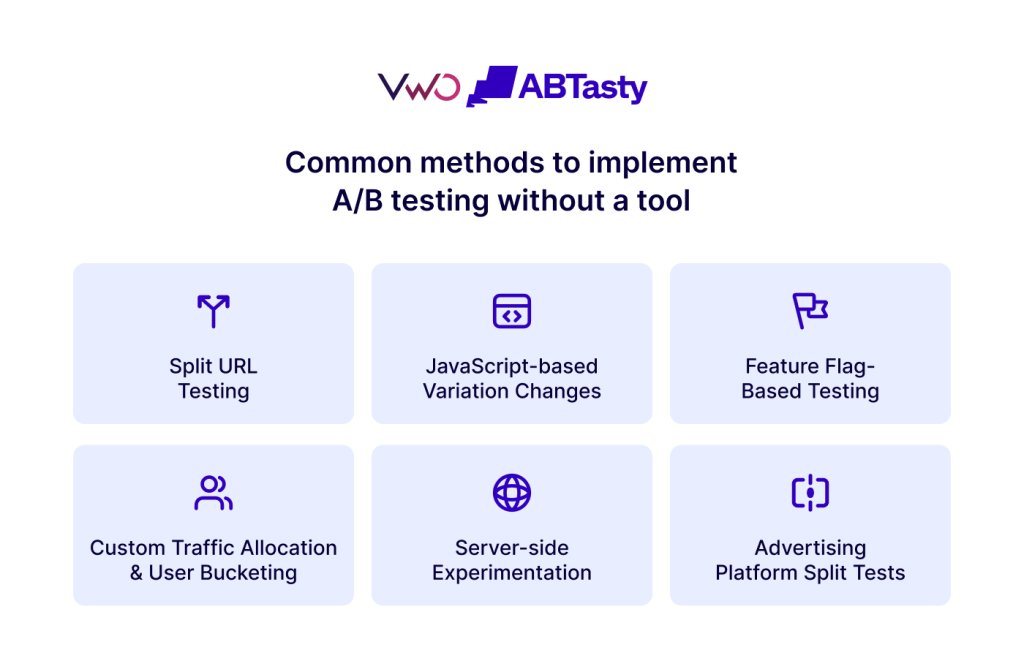
There’s no standard approach; most teams combine these methods based on their stack and what they’re trying to test.
1. Split URL testing
What it is: Create separate versions of a page and route traffic between them using redirects, routing rules, or your CMS.
Where it’s used: Landing pages, pricing pages, checkout flows, and complete page redesigns that directly impact the user experience.
Limitations:
SEO management overhead
Engineering dependency
Difficult QA across multiple URLs
Fragmented analytics
Slow iteration cycles
2. JavaScript-based variation changes
What it is: Modify page elements dynamically using JavaScript and deploy changes from a code editor, tag management system, or internal experimentation framework.
Where it’s used: Headlines, CTAs, images, layouts, and other front-end changes.
Limitations:
Page flicker and performance impact
Browser and device QA overhead
Frontend engineering dependency
Growing technical debt
Difficult experiment maintenance
3. Feature flag–based testing
What it is:
Use feature flags to expose different versions of a feature or experience to selected user groups without requiring new deployments.
Where it’s used:
Feature management, feature rollouts, beta programs, mobile applications, product experimentation, backend testing, and staged releases.
Limitations:
Engineering ownership required
Separate analytics needed
No built-in analytics or statistical validation for measuring experiment outcomes
Feature flag cleanup and governance
Complex experiment management at scale
4. Custom traffic allocation and user bucketing
What it is:
Assign users to variations using cookies, local storage, user IDs, or server-side assignment logic to maintain consistency across sessions.
Where it’s used:
Simple web experiments that require consistent user experiences.
Limitations:
Cross-device inconsistencies
Custom assignment logic
Additional tracking complexity
Difficult concurrent experiment management
Manual reporting setup
5. Server-side experimentation
What it is:
Assign users to variations on the server before content, functionality, or business logic is delivered. The server determines which variation a user sees and returns the appropriate experience.
Where it’s used:
Product experimentation, pricing logic, recommendation engines, search algorithms, onboarding flows, personalization, mobile applications, and other complex experiments involving backend functionality.
Limitations:
Significant engineering effort
Longer implementation cycles
No visual editor for marketers
Complex QA and debugging requirements
Custom reporting and analytics setup often required
Steep learning curve for non-technical users managing experiments independently
6. Advertising platform split tests
What it is: Run experiments using built-in testing capabilities within advertising platforms such as Google Ads and Meta Ads.
Where it’s used: Ad copy, creatives, audience targeting, and landing page testing for paid traffic.
Limitations:
Siloed reporting
Limited post-click visibility
No full-funnel insights
Channel-specific learnings
Fragmented optimization workflows
Tracking A/B test results without a dedicated platform
1. Google Analytics 4
Send variation assignment as a custom dimension or event parameter (e.g., experiment_id: checkout_v2, variant: B), then use GA4’s exploration reports to compare conversion rates and other key metrics between variants. The key requirement is that the same user must have the same variant associated across all sessions to avoid polluted conversion data.
Want to get more out of GA4 for experimentation? Download our eBook to learn how to track meaningful user interactions, connect customer journeys across devices, and use GA4’s advanced capabilities to make better optimization decisions.
2. Product Analytics (Eg, Mixpanel or Amplitude)
Send experiment assignment as a property on all events (or as a dedicated assignment event), then build funnels or conversion reports filtered by variant and compare user behavior across groups. You’re constructing the analysis manually, without automatic significance calculations, CUPED variance reduction, or guardrail metric monitoring that experimentation platforms provide.
3. Data warehouses (BigQuery, Snowflake)
Route all experiment events to a data warehouse and run statistical analysis in SQL or Python. Log the assignment event (user_id, experiment_id, variant, timestamp) and join it with conversion events to compute uplift and statistical significance. This offers complete flexibility but requires you to build or adopt a statistical analysis framework yourself.
A quick summary:
Tracking Method
Statistical Analysis
Setup Effort
Best For
Google Analytics 4
Basic (Manual exploration)
Low
Simple front-end tests, GA4-native teams
Product Analytics
Manual (Funnels + Cohorts)
Medium
Product teams with existing event tracking
Data Warehouse
Full control (SQL/Python)
High
Data-engineering-led teams
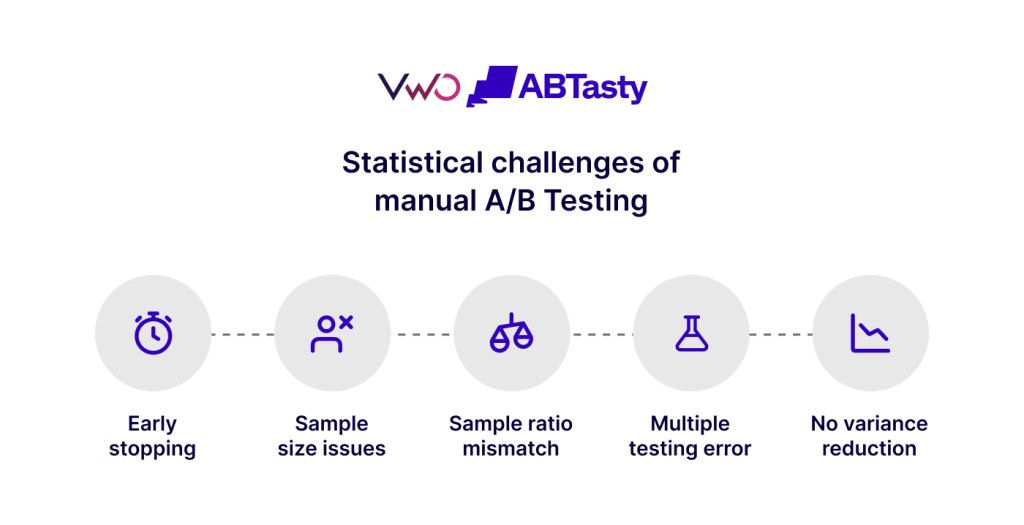
Statistical challenges of manual A/B testing
Manual A/B testing doesn’t fail at execution; it fails at accuracy. Without a built-in statistical engine, manual setups remove the guardrails that keep experiment results trustworthy, so even well-run experiments can lead to misleading conclusions.
1. Peeking and early stopping
Without automated controls, teams check results too early and stop tests when they look promising. This inflates false positives. A result that hits 95% confidence on Day 4 is not the same as one that holds after a full business cycle. Early stopping is one of the most common reasons “winning” variants fail post-launch.
2. No sample size enforcement
Most manual setups don’t enforce minimum sample sizes or predefined stopping rules. Underpowered tests rarely collect enough data to produce reliable results, no matter what the confidence percentage says. Without a predefined stopping point, there’s no clear signal for when a test is actually complete.
3. Multiple testing errors
Running concurrent experiments without accounting for multiple comparisons inflates the chance of false positives across your program. Without mutual exclusion or statistical corrections, overlapping tests can silently contaminate results.
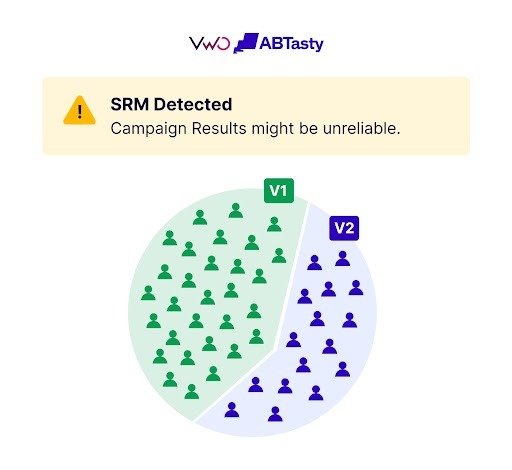
4. Sample ratio mismatch (SRM)
SRM occurs when actual traffic split deviates from the intended split, often due to bots, caching, or flawed assignment logic. When SRM is present, results are invalid regardless of significance. Dedicated platforms automatically detect and flag this. Manual setups don’t, unless you build checks yourself.
5. No variance reduction
Advanced techniques like CUPED reduce the required sample size and improve accuracy. Most experimentation platforms include this by default. Manual setups rarely do so, leading to longer test durations and higher traffic requirements for the same level of confidence.
Pro Tip!
Even if you’re running A/B tests manually without a dedicated experimentation platform, decide upfront how long the test will run. Without a predefined end date, teams often declare winners too early. This test duration calculator can help you estimate an appropriate runtime based on your traffic levels and set a clear stopping point before the experiment begins.
Manual A/B testing can create SEO issues when search engines aren’t clearly guided on which version of a page to crawl, index, and rank. Without built-in safeguards, even small implementation missteps can affect visibility.
1. Cloaking
Cloaking occurs when search engines and users see different versions of a web page. In manual setups, this can happen unintentionally due to flawed routing logic or script-based variation delivery.
Why it matters: Google treats cloaking as manipulative regardless of intent, and a penalty can undo months of SEO work.
2. Duplicate content and URL fragmentation
Split URL tests without correct canonical tags create multiple versions of the same web page that search engines treat independently.
Why it matters: Ranking signals and link equity get split across URLs that were never meant to compete, weakening the authority of your primary page.
3. Indexing conflicts
Without “noindex” tags or controlled crawl behavior, test-variation URLs can get indexed and appear in search results instead of the original page.
Why it matters: You lose control over which version ranks, and visitors landing on an unintended variant get an inconsistent user experience.
4. Core web vitals impact
Client-side variation delivery that manipulates the DOM post-render introduces layout shifts and slower load times.
Why it matters: CLS and page speed are direct ranking factors; a poorly implemented test can actively hurt organic visibility while it’s running.
5. Diluted ranking signals
Splitting traffic across variations also splits engagement signals, CTR, dwell time, and scroll depth. Without consolidating these back to a primary version, overall SEO performance weakens even if one variant is clearly winning.
Why it matters: Search engines interpret lower aggregate engagement as a signal of reduced page quality.
Note: Google’s official guidance recommends using rel=canonical on variant pages, avoiding cloaking, and running tests for a defined duration. Purpose-built platforms handle most of these concerns automatically.
Best practices for manual A/B testing
Running A/B tests manually means taking on responsibilities that platforms handle automatically, from test creation and traffic allocation to statistical validation, placing greater demands on the team’s technical expertise. Getting reliable results depends entirely on how disciplined your setup is before the test launches.
Use a deterministic assignment function: Hash(user_id + experiment_id) ensures the same user consistently sees the same variant across sessions and devices. Random number generation on each page load breaks consistency and corrupts your data.
Log exposure at assignment, not conversion: Record that a user entered the experiment the moment they’re assigned to a variant, not when they convert. If you log at conversion, users who were assigned but never saw the variant are still counted, which artificially inflates your results.
Always run an SRM check before reading results: Unlike dedicated platforms, manual setups won’t alert you if your traffic split is off. Before drawing any conclusions, verify that the actual split matches the intended one. A deviation of more than 1–2% means the result is invalid.
Keep experiment code separate from production code: Use feature flags or clearly scoped functions to isolate test logic. Once a test ends, clean it up immediately; residual code, cookies, and redirect rules left behind create silent conflicts in future experiments.
Document everything in a shared repository: Record hypothesis, implementation details, results, and what was shipped for every test, in a place the whole team can access. Learning that isn’t visible to the team is repeated as failed experiments months later.
Unlocking ROI from a dedicated experimentation platform like VWO AB Tasty
The challenge with manual experimentation isn’t running a single test; it’s maintaining accuracy, speed, and consistency as experimentation becomes a larger part of how the business makes decisions and grows. A dedicated experimentation platform, such as VWO, removes much of the operational overhead associated with A/B testing and multivariate testingthat teams would otherwise have to build and maintain themselves, delivering measurable ROI.
1. Connect experimentation with behavior
Most testing programs are constrained by the quality of their hypotheses. Before teams can design a test worth running, they need to understand what’s actually driving the problem, and that requires behavioral evidence.
Insights, through heatmaps, session recordings, funnels, and form analytics, provides teams with the behavioral layer that surfaces friction before it appears in conversion data. Instead of guessing what to test, teams identify exactly where users drop off or hesitate and use those signals to build precise, evidence-based hypotheses.
Vandebron used Insights (clickmaps, form analysis, and session recordings) to identify a friction point in their sign-up form’s date-of-birth field, a technical limitation invisible in conversion data alone. Fixing and validating that single friction point with A/B testing improved their form sign-up rate by 16.3%. Read the full story here.
Having near real-time access to customer behavior and event data is crucial- not just for evaluating the success of products and experiments but also for developing a deeper, data-driven understanding of your customers, often beyond what they consciously recognize about themselves.
2. Reduce engineering dependency
Manual experimentation often requires engineering support for traffic allocation, variation deployment, tracking, and cleanup.
Testing tools enables growth, marketing, and product teams to test images, headlines, layouts, and other front-end changes through a visual editor, with no coding required for routine visual changes. This reduces the time spent building experimental infrastructure and allows engineering teams to move from idea to launch much faster, focusing on product development instead.
Explore these real-world web A/B testing examples to see how simple changes led to conversion gains across industries.
3. Improve result reliability
Statistical validation is one of the most difficult parts of manual experimentation, as covered earlier in this guide.
SmartStats engine is designed to reduce false positives from continuous monitoring, while automated Sample Ratio Mismatch (SRM) detection helps identify traffic allocation issues before they compromise results. This gives teams greater confidence when making rollout decisions.
4. Simplify feature rollouts and server-side experimentation
Many teams use feature flags or custom server-side testing frameworks to control feature releases and deliver experiment variations. However, they often need separate systems for experiment analysis, statistical validation, and rollout decisions.
With Feature Experimentation, teams can run server-side experiments, measure success against business and product metrics, and progressively roll out winning experiences to larger user segments from the same workflow. This reduces the need to stitch together multiple tools and helps teams move from testing to rollout with greater confidence.
Meliá Hotels used Feature Experimentation to test, measure, and progressively roll out a booking-funnel change, increasing traffic exposure from 5% to 100% in one week, achieving a 1.85% uplift in revenue per visitor while maintaining funnel stability.
5. Scale experimentation across teams
As organizations grow, experimentation extends beyond a single CRO or product team. Marketing teams, product managers, UX researchers, and engineers need to collaborate on experiments without duplicating effort or running conflicting tests.
Program management module helps growing and enterpriseteams centralize hypotheses, prioritize opportunities, and maintain visibility into active and completed experiments. Further, role-based access and permissions ensure each team member has the appropriate level of access while maintaining governance and security.
6. Move from testing to continuous optimization
Identifying a winning variation is only part of the optimization process. In many cases, different audience segments respond differently, creating opportunities for more targeted experiences.
Personalize allows teams to apply insights from experimentation to targeted audience segments using the same targeting logic used during testing. This helps turn successful experiments into ongoing optimization programs rather than one-off wins.
For example, Orascom Hotels used Personalize to turn insights from visitor behavior into targeted experiences for returning guests, increasing booking conversions by 25% and generating $74,674 in revenue within 25 days.
Conclusion: From manual experiments to a scalable experimentation program
Manual experimentation is a valid starting point, and for teams with the right technical expertise and low testing volume, it works. But once experimentation becomes a growth function, the infrastructure requirements change. Dedicated platforms help teams run more reliable tests, eliminate engineering bottlenecks, make data-driven decisions with greater confidence, and scale optimization systematically. The right time to make that shift is before manual limitations start costing you results you can trust.
Ready to move beyond manual testing? Request a demo to see how VWO AB Tasty maps to your existing setup.
FAQs:
How much does server-side A/B testing cost per month?
Server-side A/B testing costs vary widely depending on traffic volume, feature requirements (such as feature flags and advanced targeting), and data infrastructure. While entry-level plans are relatively affordable, costs increase significantly as you scale experimentation across products and teams.
Are there free server-side A/B testing tools?
Yes, some open-source tools offer free server-side A/B testing, such as GrowthBook or PostHog. However, they require engineering effort for setup, maintenance, and statistical validation.
Which server-side A/B testing tool is the cheapest?
Open-source tools are the cheapest in terms of licensing cost. However, the total cost is often higher due to development effort, infrastructure, and ongoing maintenance. Some dedicated experimentation platforms also offer free plans or trials, but these usually come with limitations on traffic, features, or advanced capabilities like targeting and statistical analysis. For most teams, the right choice depends on how much engineering effort they can support versus how quickly they need reliable results.
Search, recommendations, and merchandising have always been treated as separate problems. That assumption is costing teams more than they realize. Most eCommerce teams don’t have a discovery problem. They have…
Interview with Katie Faulkner There’s the experimentation everyone talks about. And then there’s how it actually happens. We’re hunting for signals in the noise to bring you conversations with people…
Win Reports help you grow your business by showing our methodology at work. Each Win Report showcases a real-world test, sharing the research, insights, and techniques that led to the…
Wingify is the Digital Experience Optimization (DXO) suite behind VWO and AB Tasty. It brings together experimentation, personalization, feature management, customer insights, and AI into one suite. Existing VWO and…
You’ve picked your A/B testing tool. But can it talk to the rest of your stack? For experimentation teams, integration depth often separates a basic testing tool from a true…
The following is from our huge library of client successes—why not discover how we can help grow your business? AutoTune is the vocal-processing software that changed the sound of modern music. Made…