Which Tool Is Better For You?
Should you choose Crazy Egg or Hotjar?
Crazy Egg is the better pick if you want behavioral analytics, A/B testing, surveys, and web analytics in one subscription with transparent pricing.
Hotjar, now part of Contentsquare, gives you a strong behavioral analytics suite — heatmaps, recordings, funnels — and voice-of-customer tools, and works for teams already committed to a third-party experimentation tool.
Crazy Egg vs. Hotjar: A Quick Snapshot
Short on time? Here’s what you need to know.
| Feature | Crazy Egg | Hotjar |
|---|---|---|
| Heatmaps | ✅ 5 map types, including confetti maps for per-click segmentation ✅ 20+ audience filters ✅ Free Instant Heatmaps across all pages |
✅ Click, scroll, movement, and engagement maps ✅ Rage-click frustration maps ⚠️ No per-click segmentation equivalent to confetti maps |
| Session Recordings | ✅ Auto-tagged with behavioral, ecommerce, and form events ✅ 6 months to 2 years retention ⚠️ Capped by plan (50–10,000/mo) |
✅ Generous session volumes (200K sessions/mo on Free) ✅ Strong filtering by behavior and frustration signals |
| Surveys & Feedback | ✅ Surveys on every plan, unlimited responses ✅ 50+ templates, branching, behavioral targeting ✅ AI sentiment analysis on responses |
✅ Voice of Customer line: advanced survey logic, feedback widgets, user interviews ⚠️ Separate subscription from $99/mo (free tier: 100 responses/mo) |
| A/B Testing & Personalization | ✅ Native A/B testing with visual editor ✅ Audience targeting by device, country, UTM and more (by plan) ✅ Personalization available as an add-on |
⚠️ No native experimentation engine — A/B testing runs through third-party integrations (AB Tasty, Optimizely, Kameleoon, Adobe Target) ✅ Sense AI analyzes test results from integrated tools |
| Web Analytics | ✅ Standalone analytics — works with or without GA4 ✅ Conversion tracking with ad pixel support (Google, Meta, TikTok) ✅ Retroactive multi-step funnels |
⚠️ Behavioral focus; traffic analytics assumes GA4 alongside ✅ Funnels and trend dashboards ⚠️ Product Analytics (Heap) is sales-contact only, even for the free tier |
| AI | ✅ AI Analysis on heatmaps, recordings, surveys, and web analytics ✅ Export data in AI-ready format to any tool (Pro and above) ✅ MCP connector for Claude, ChatGPT, Cursor, Copilot |
✅ Sense AI summaries and configurable Sense Analyst agent ✅ MCP access on every tier ⚠️ MCP calls metered by plan (300/mo on Free, up to 108K/yr on Enterprise) |
| Pricing | ✅ $29–$599/mo, all published, billed annually ✅ Unlimited domains and team members on every plan ✅ No overages, ever |
⚠️ Modular: Experience Analytics from $49/mo + Voice of Customer from $99/mo, Pro and Enterprise custom ⚠️ Product Analytics has no self-serve tier |
| Support | ✅ US-based priority support on Plus and above ✅ Priority support for agencies on any plan |
✅ Help center and community ⚠️ Some customers report difficulty reaching humans for account issues |
Feature Breakdown: Crazy Egg vs. Hotjar
1. Heatmaps
Both tools show you where visitors click, how far they scroll, and which elements pull attention, but Crazy Egg offers deeper segmentation.
Crazy Egg gives you five heatmap types: Click Maps, Scroll Maps, Confetti Maps, Overlay Maps, and List Maps. Once you set it up on a page, you can flip between views as necessary.
The Confetti map is the one Hotjar can’t match: every individual click, color-coded by traffic source, UTM parameter, device, conversion status, or any of 17 other attributes.
So if you want to see how paid visitors click differently from organic ones or mobile from desktop ones, it’s all on one page.
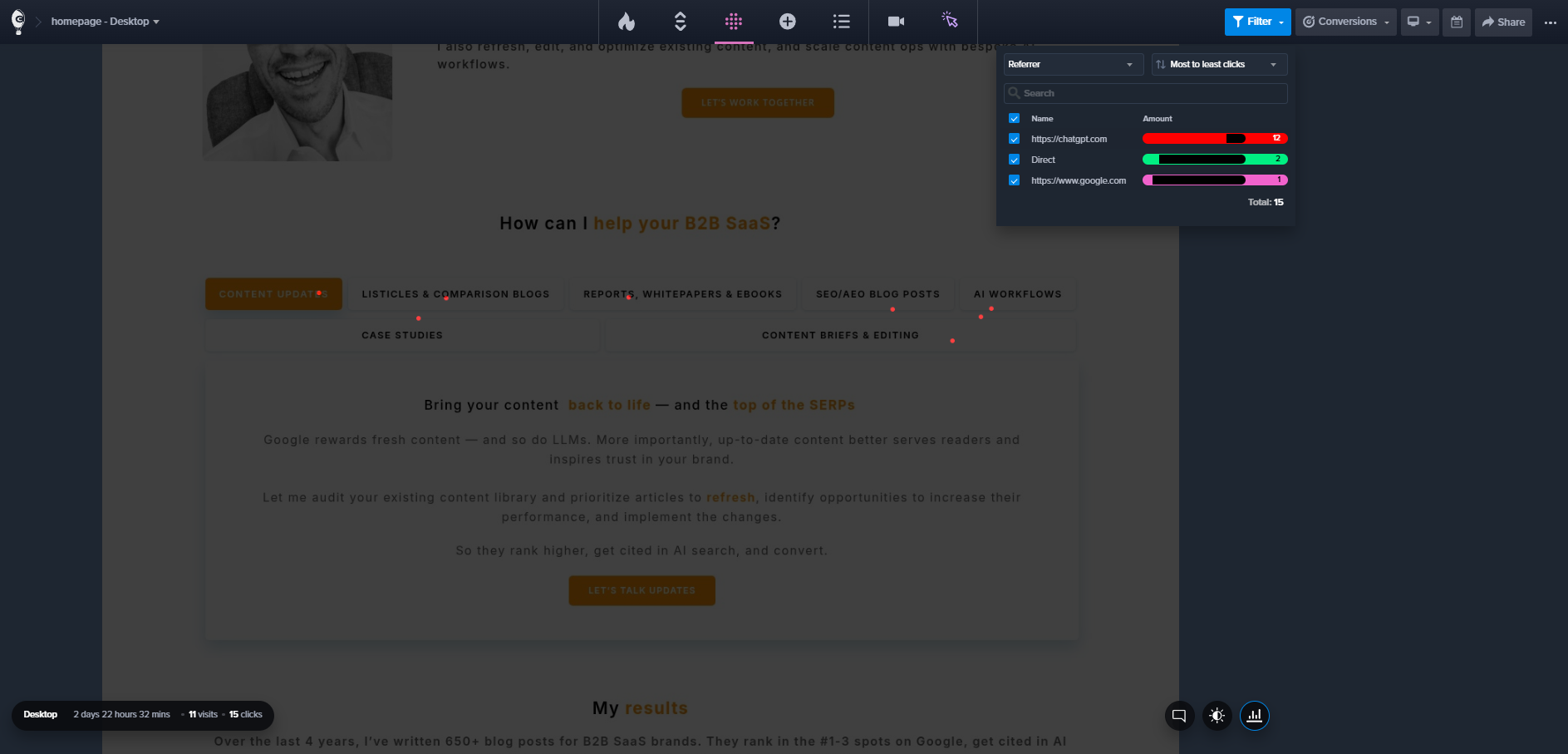
And 20+ audience filters work across all map types.
Hotjar covers click and scroll maps, plus engagement maps showing where on the page users interact most, movement maps, and rage-click maps that flag frustration points.
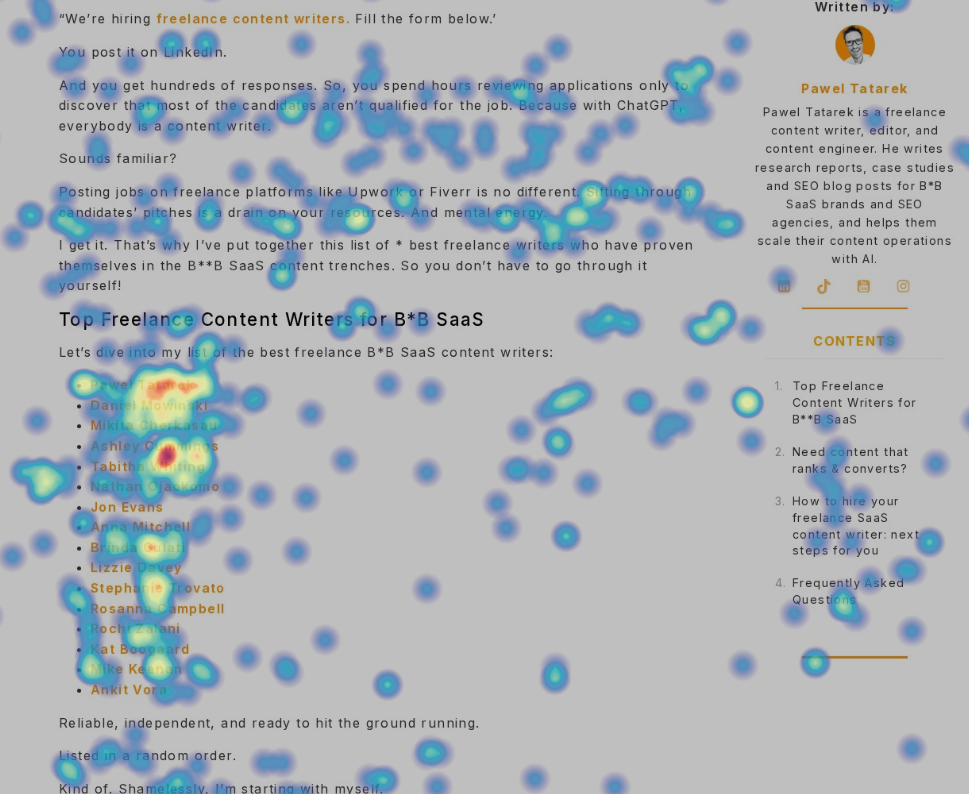
Crazy Egg has no dedicated rage-click map, but you can visualize them in Confetti maps.
2. Session Recordings
Both tools record real visitor sessions. Hotjar records more of them, while Crazy Egg keeps them longer and labels them better.
Crazy Egg automatically tags recordings with:
- Behavioral signals (rage clicks, dead clicks)
- E-commerce actions (add to cart, checkout start)
- Form interactions (submit, abandon, resubmit)
- Account events (signup, login, search).
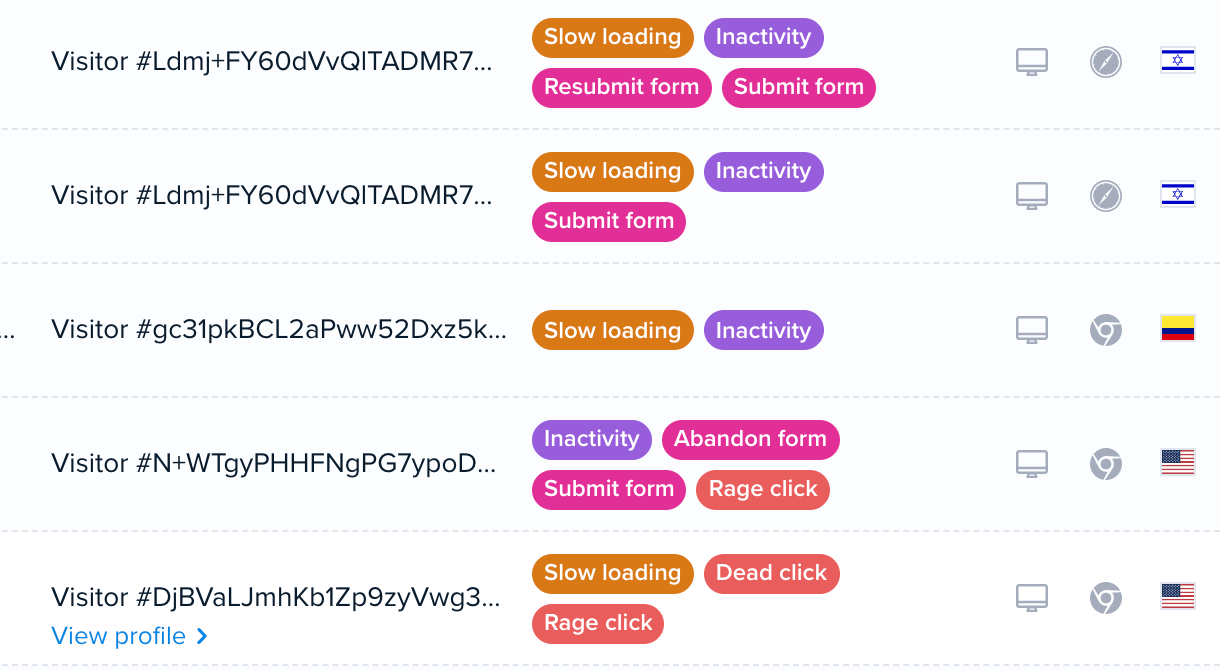
The tags work as filters, so you can jump straight to abandoned checkouts from mobile paid traffic.
Crazy Egg keeps recordings 6-24 months, depending on the plan. Each plan caps monthly volume, from 50 to 10,000 recordings.
Contentsquare’s free Experience Analytics captures 200,000 sessions a month and analyzes 5% of them, capped at 10,000.
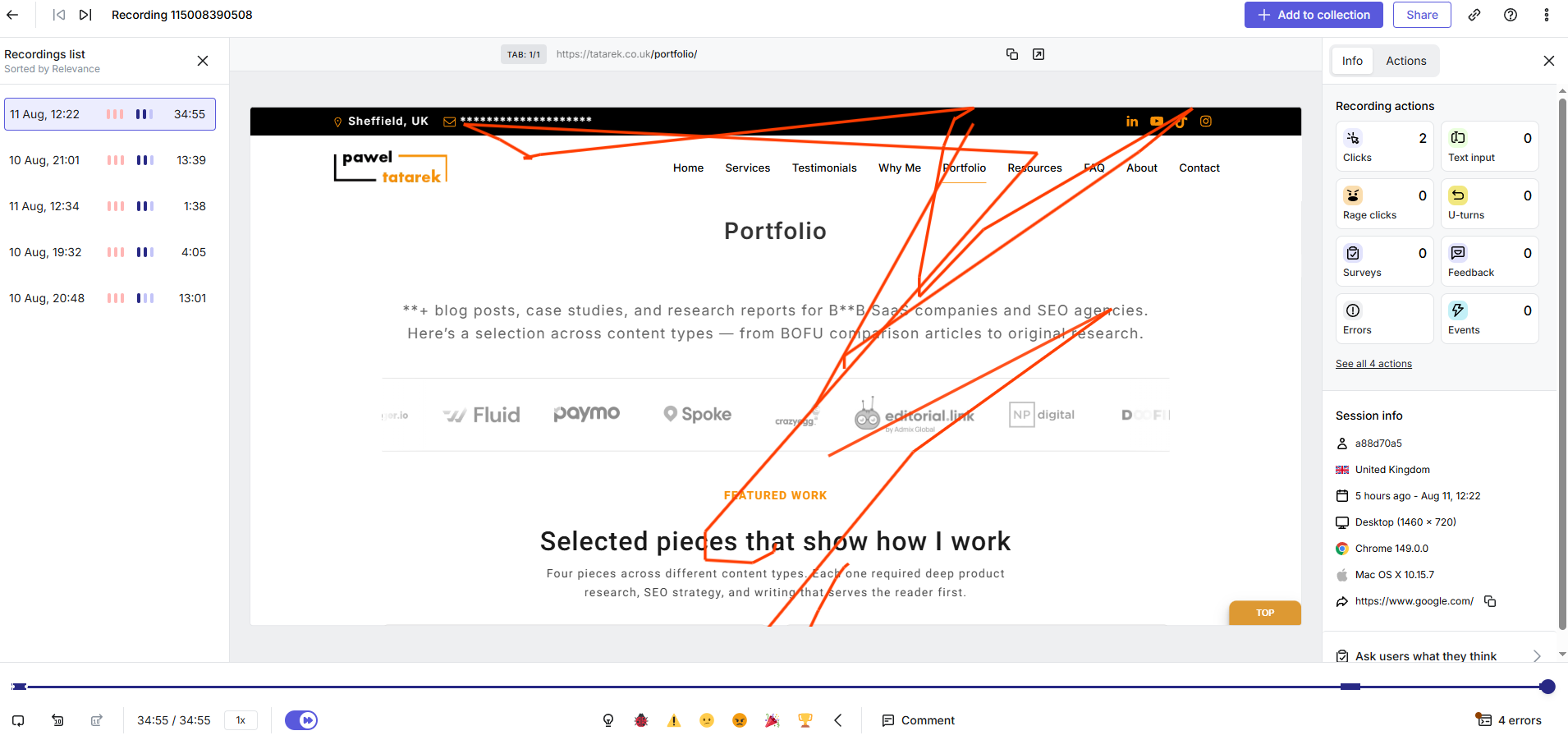
Just like in Crazy Egg, you can filter them by device, errors, new versus returning visitors, and frustration signals.
3. Surveys & Feedback
Both platforms let you collect direct user feedback. Hotjar’s features go deeper, but require an add-on subscription.
Crazy Egg’s surveys come with 50+ templates, conditional branching, and behavioral targeting. You can trigger a survey on page load, scroll depth, exit intent, or button click, so the question reaches visitors at the moment that prompted it.
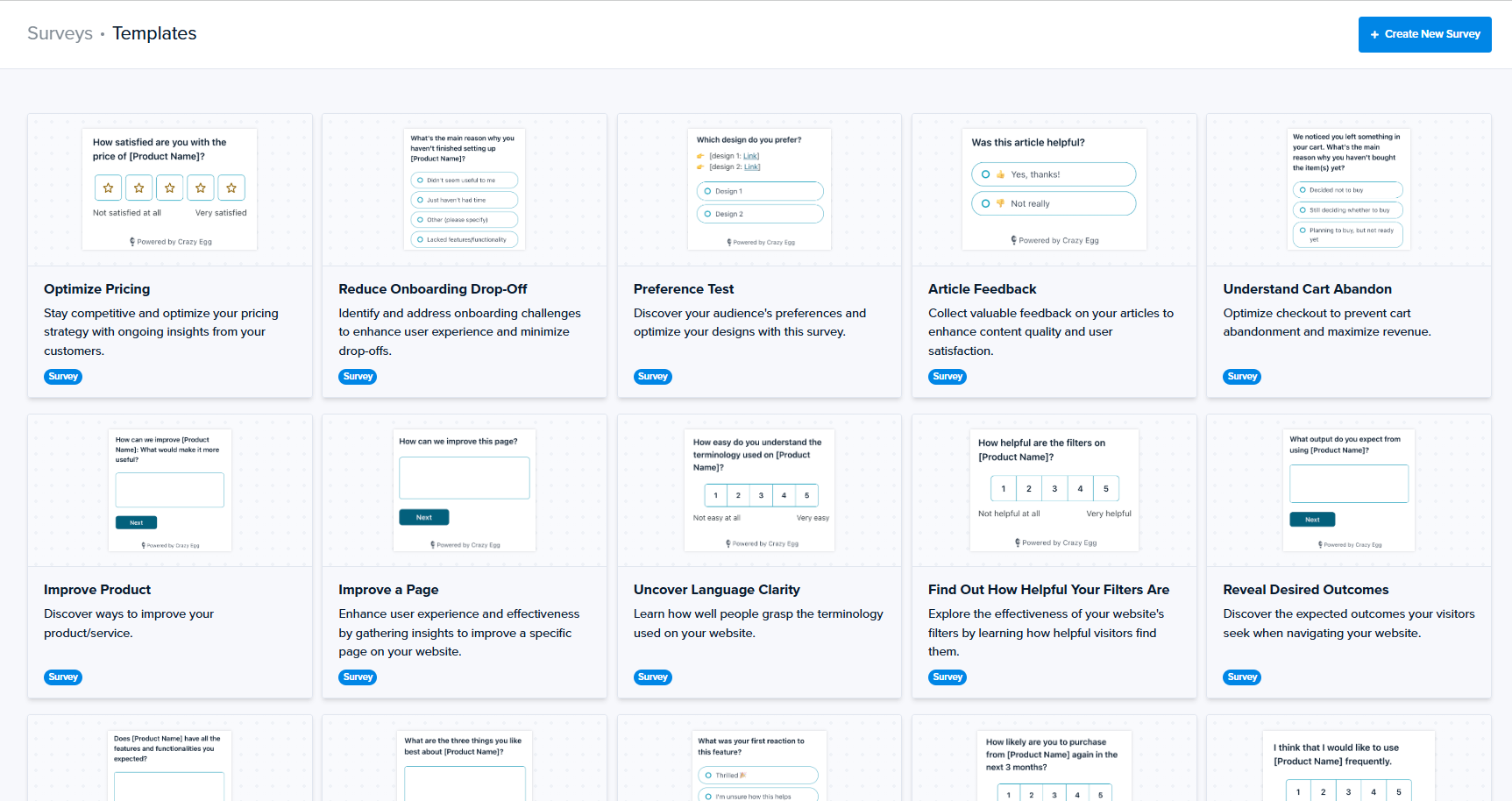
Crazy Egg’s AI reads open-text responses and detects sentiment, and you can jump from individual responses to their recordings and see what visitors did before they submitted the survey.
Every Crazy Egg plan includes surveys with unlimited responses, even the free one. That’s worth pausing on, because response caps are where survey pricing usually stings.
Hotjar’s Voice of Customer module comes with advanced survey logic, always-on feedback widgets, and user interview recruitment, so it’s a genuine user-research toolkit.
But it’s a separate product line and the middle plan, Growth, which costs $79 a month (on top of Experience Analytics), caps responses at 500.
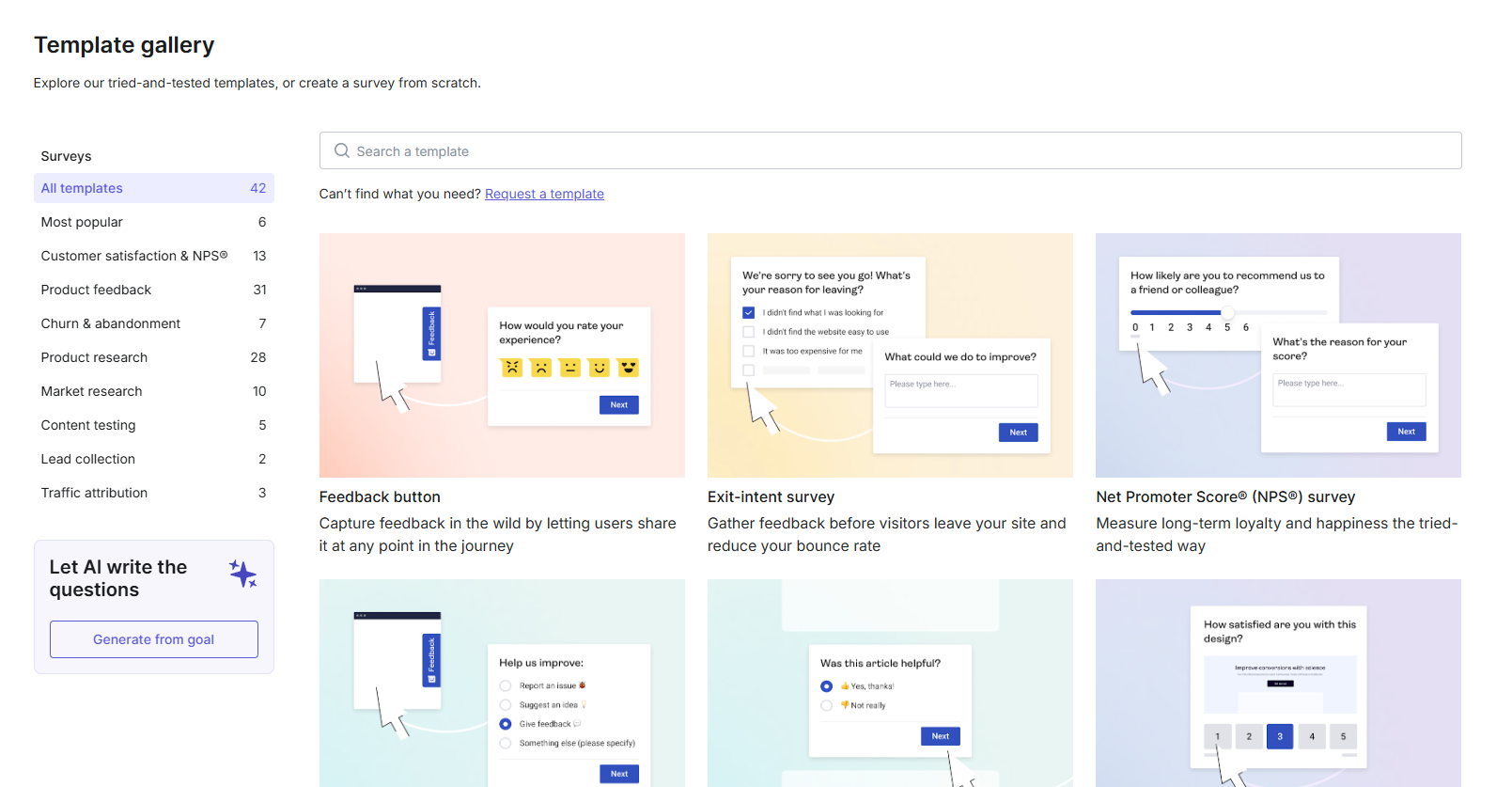
Overall, if user research is a dedicated function on your team — interviews, panels, continuous discovery — Hotjar’s VoC line is worth the extra bill. If feedback’s job is to explain what your heatmaps and funnels found, Crazy Egg includes everything you need, uncapped, on every plan.
4. Web and Conversion Analytics
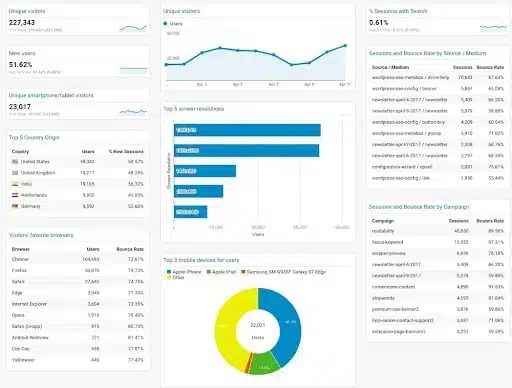
Both tools integrate with GA4 and can pull data from it, but Crazy Egg also works without it.
Crazy Egg’s Web Analytics runs standalone or alongside GA4. So, if you connect your GA4 account and your historical data backfills automatically, or let Crazy Egg’s own script track 8 core metrics with 15+ segmentation options.
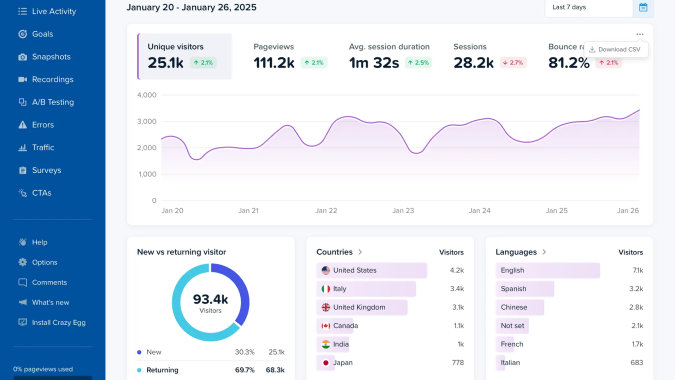
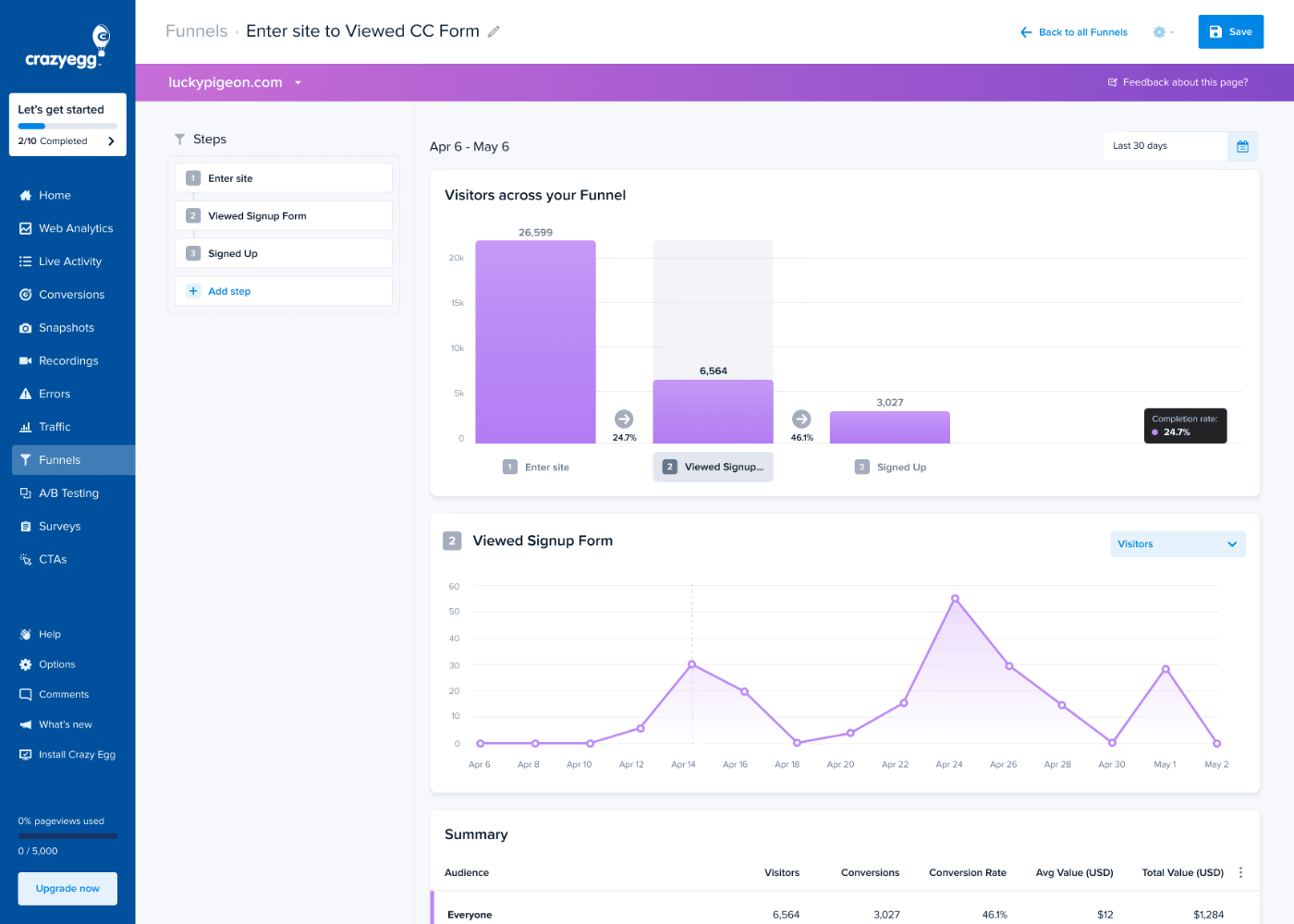
Conversion Funnels in Crazy Egg work retroactively: when you set up your conversion events, any funnel you build later already includes your historical data. If you add or remove steps, no data is lost.
Finally, Conversion Analytics tracks button clicks, form submissions, and ecommerce events, and supports ad pixels for Google, Meta, and TikTok.
Hotjar has funnels and trend dashboards too, and they also connect to recordings for drop-off investigation.
One feature that sets Hotjar apart is Journey analysis, which lets you view all user actions before or after a conversion event.
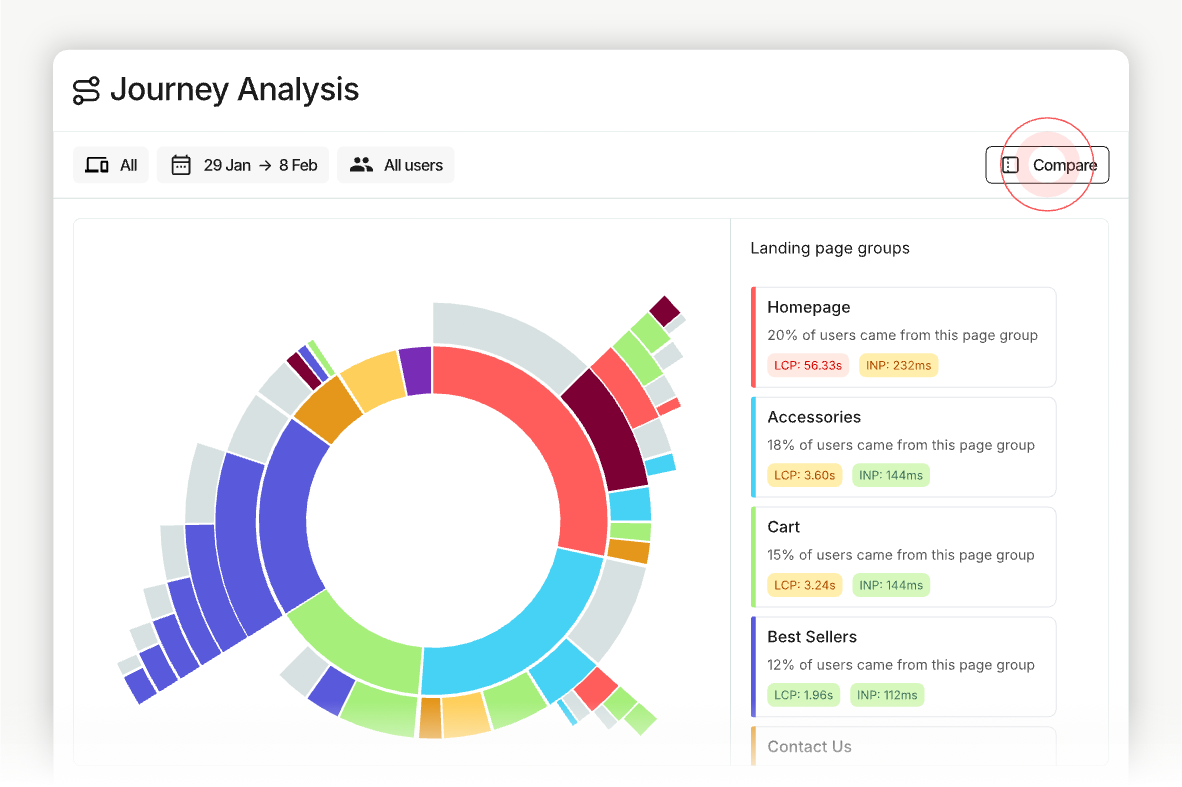
Overall, Hotjar’s analytics stay behavior-focused. I guess the assumption is that GA4 handles your traffic reporting, and Hotjar does behavior analysis.
Full product analytics lives in Contentsquare’s Product Analytics module (built on Heap), which as of August 2026 has no self-serve tier at all: every tier, including Free, starts with a sales conversation. But that’s not a category where Crazy Egg competes.
5. A/B Testing
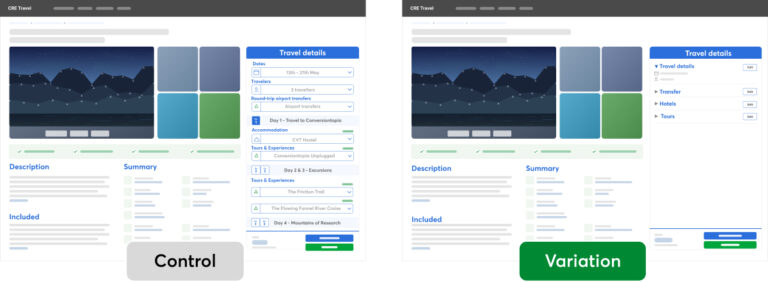
Crazy Egg has a native A/B testing engine. Hotjar requires third-party integrations for experiments, but its AI can analyze the results.
In Crazy Egg, you build variants in the visual editor with no code, split traffic (50/50 or multi-armed bandit), and track results against your conversion goals.
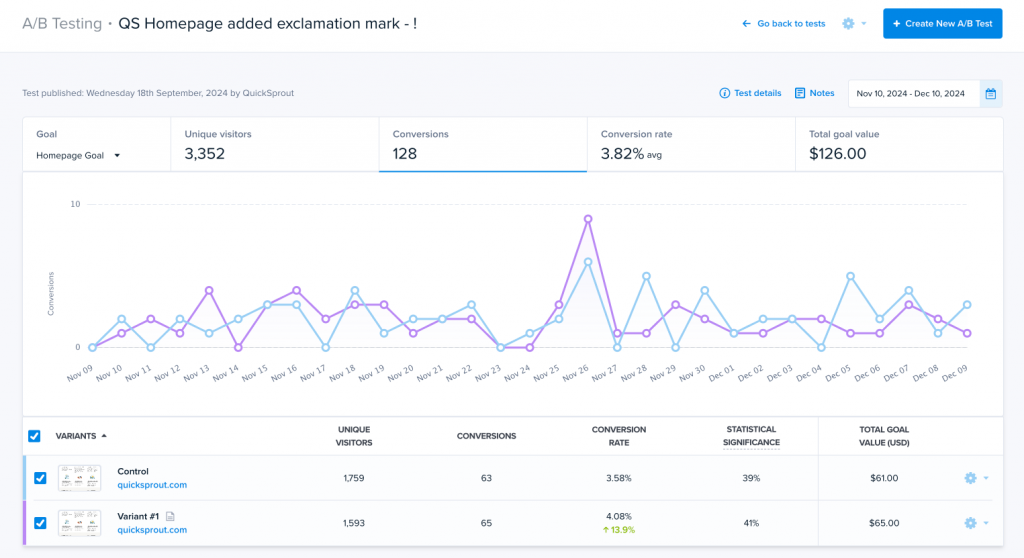
Every variant gets its own auto-generated heatmaps and recordings, so you see why a version won, and the data gets sent to GA4, where you can analyze it in more depth.
Crazy Egg’s test targeting varies by plan:
- Plus: device type
- Pro: device, country, UTMs, and conversion status
- Enterprise: all segments (full personalization available as an add-on.)
Contentsquare names built-in A/B testing as one of Crazy Egg’s standout strengths. That’s because Hotjar and Contentsquare have no native A/B testing.
You can run experiments through integrations with tools like AB Tasty, Optimizely, Kameleoon, or Adobe Target. However, Contentsquare does let you analyze A/B test results with Sense AI.
So, with Hotjar, insight and action live need different tools with different bills. You find the problem in Hotjar, then test the fix elsewhere (and pay another subscription).
With Crazy Egg, the analytics, heatmaps, and recordings that help you find and understand the issue and the test that fixes share the same login details. And the same invoice.
6. AI Features
Both platforms have real AI capabilities and let you analyze the data inside and outside the platform and automate complex multi-step analyses.
Crazy Egg’s AI Analysis reads heatmaps, recordings, surveys, and web analytics automatically and flags the most insightful sessions, surfaces traffic anomalies, writes specific recommendations, and more.

You can also analyze the data via external tools, like Claude, ChatGPT, or Cursor, by exporting it in an AI-ready format or connecting them via the MCP server.
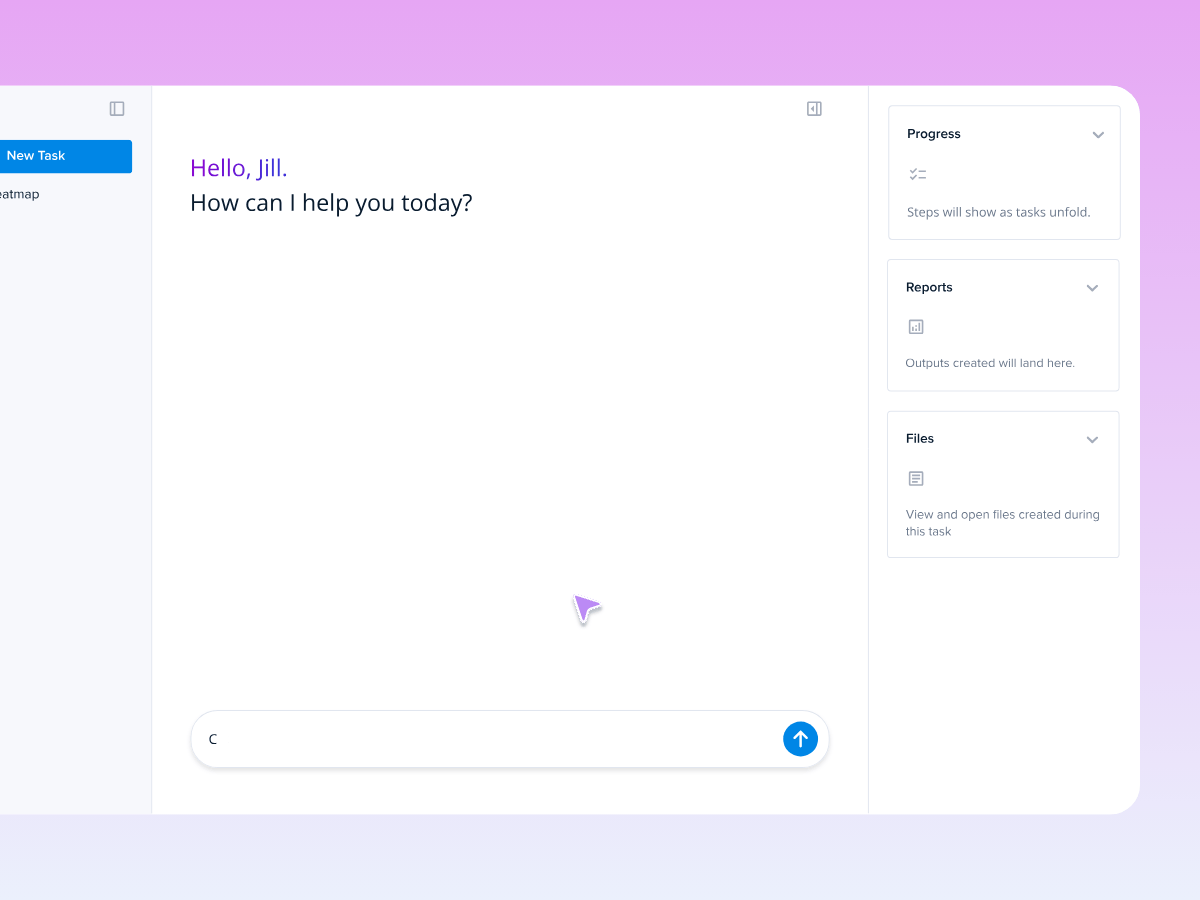
Finally, Crazy Egg’s Tasks, available in early access, fully automates the research. For example, it can set up a heatmap on a page that’s leaking conversions, read and analyze the data to create a new version, and run an A/B test.
Hotjar’s AI stack is strong.
Sense AI automatically generates summaries of session recordings and heatmaps, analyzes A/B test results, and design surveys, and the chat feature lets you ask for specific insights.
Hotjar’s Sense Analyst agent is somewhat similar to Tasks in that it can run multi-step analyses automatically, and the MCP server connects to AI chatbot tools just like in Crazy Egg, but there’s no data export in JSON for external analysis.
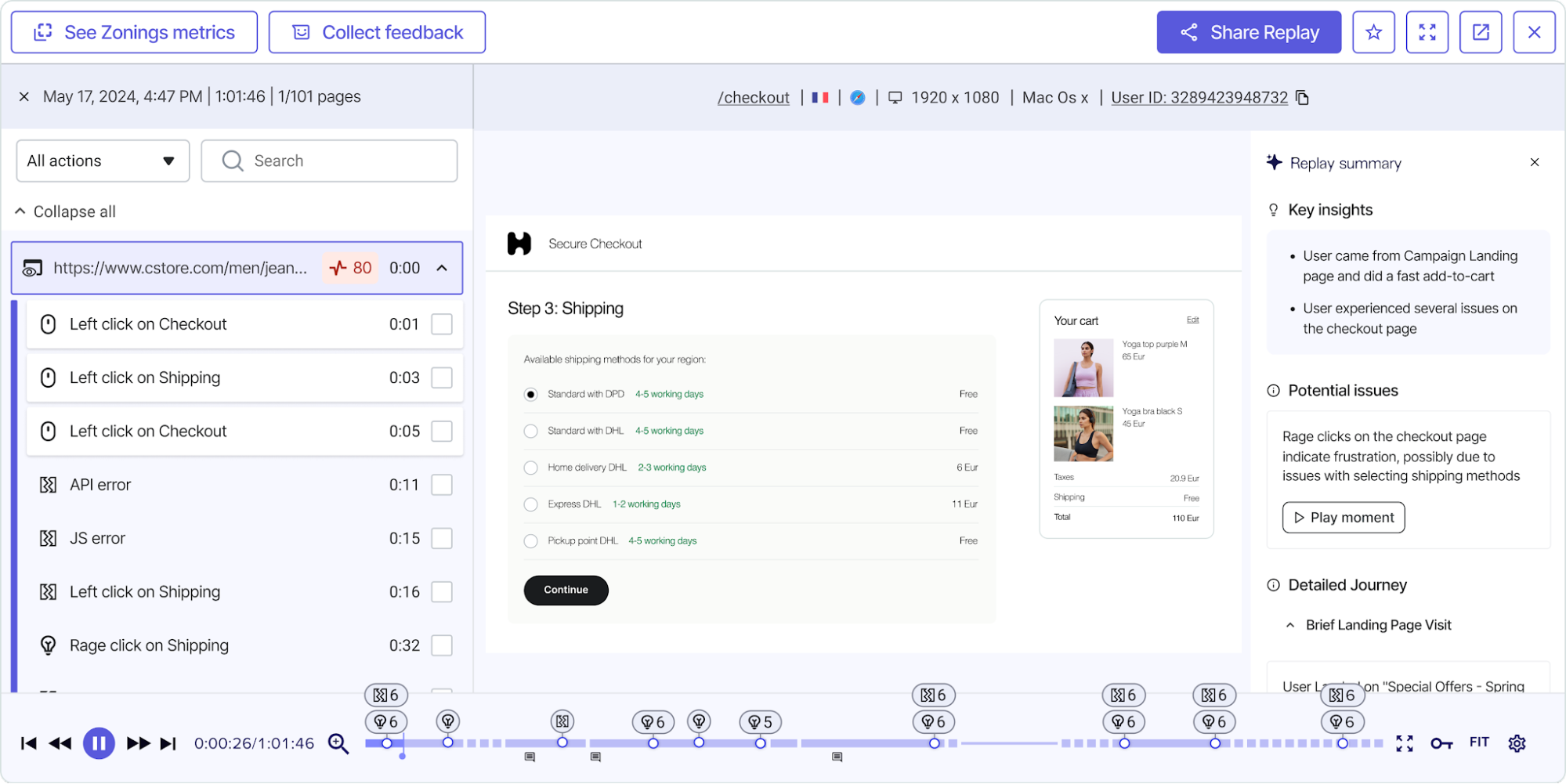
One thing to watch out for: Sense Analyst Advanced isn’t bundled in any plan, but as an add-on Pro or Enterprise.
7. What Crazy Egg Has That Hotjar Doesn’t
Apart from native A/B testing, Crazy Egg also offers Popup CTAs and Astro Map & Live Activity.
Crazy Egg has a built-in CTA builder with three formats: a button, a popup, and a sticky bar. Pick the type, set the text and colors, choose when it fires, and publish. No developer needed.
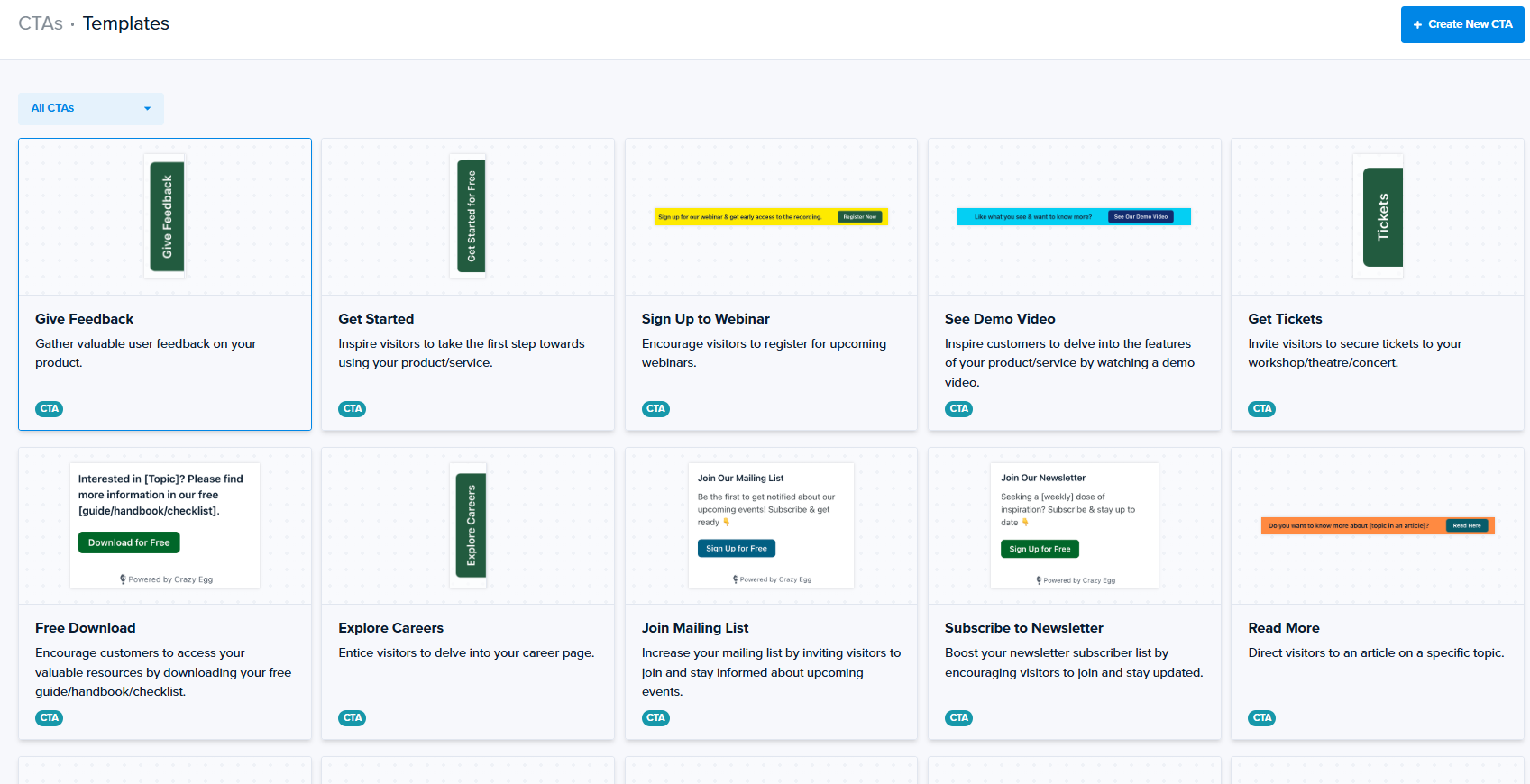
You control who sees each one and when, down to the referrer they arrived from. So paid traffic and organic traffic can get different messages on the same page.
Each CTA reports views, clicks, and impact on your conversion goals.
Live Activity is a real-time feed of what visitors are doing right now: country, referrer, pages viewed, and a running count of active visitors. You can filter by event type or follow a single visitor.
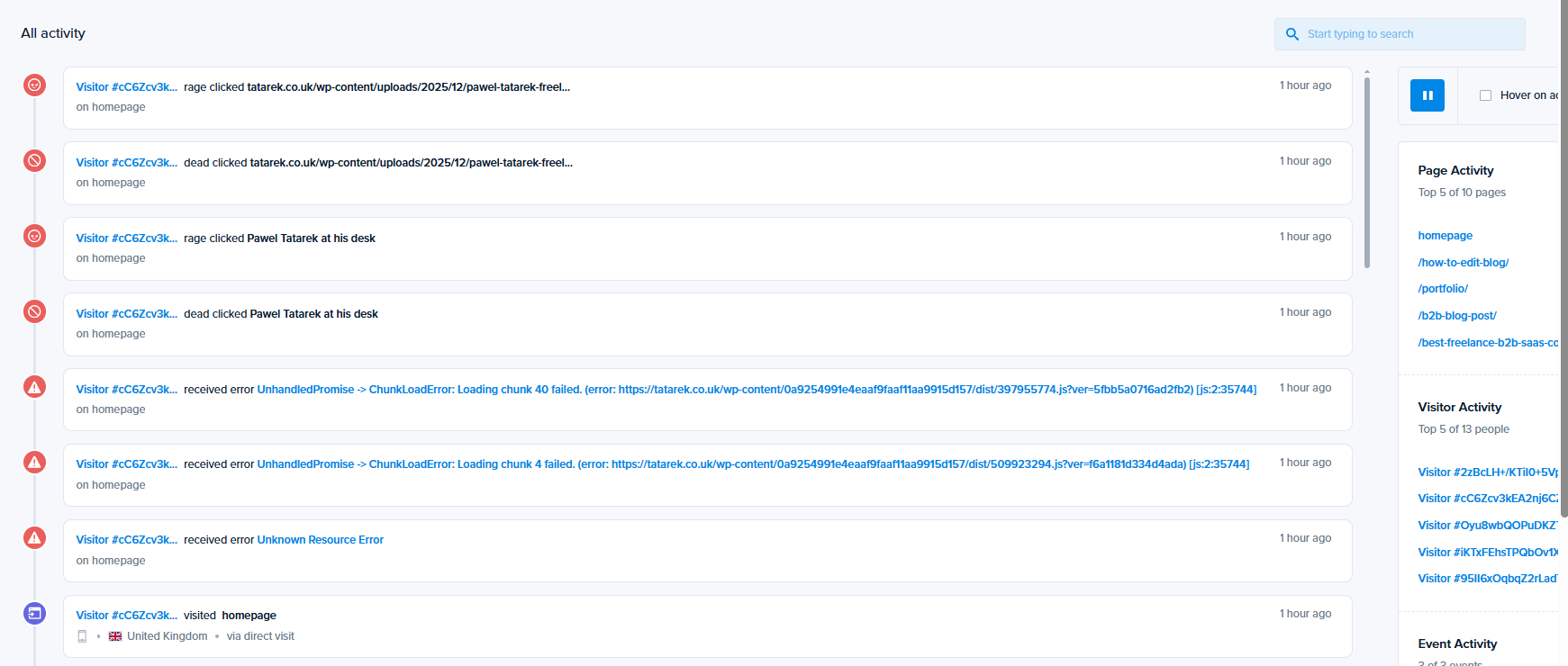
Astro Map is the same data as a picture. Current visitors appear grouped around the page they are on, referrers show up as rockets, and actions surface in speech bubbles: visit, scroll, click, conversion goal, error.
Useful when a campaign goes live, and you want to catch conversions or errors while you can still act.
8. Security and data handling
Both tools take visitor privacy seriously, and both give you user permissions and data privacy controls on every plan.
Crazy Egg keeps it simple at the point of capture: passwords, card numbers, and personal form entries are never recorded in the first place, with field masking and IP anonymization available.
Data is encrypted, Crazy Egg doesn’t sell customer data, and it doesn’t track visitors across websites. It’s GDPR and CCPA compliant, and you can sign a DPA. All plans include role-based access control, and Enterprise gives you Single Sign-On (SSO) and a Compliance Audit Log.
Contentsquare publishes SOC-2 Type 2 and ISO 2700x across every tier, including Free, and offers SSO on all plans, moving from Google OAuth to SAML at Pro and above.
9. Support
Crazy Egg includes US-based priority support on Plus and above, and agencies get priority support from the marketing strategy team on any plan, while Enterprise customers get live training and onboarding.
Hotjar’s baseline is a help center, community, and AI chatbot. The Growth plan gives you access to standard team support, while Pro & Enterprise customers get access to support and customer success specialists.
Pricing Breakdown: Which Has the Best Value?
| Crazy Egg | Hotjar (Contentsquare) | |
|---|---|---|
| Structure | One subscription, all features by tier | Modular: Experience Analytics + Voice of Customer + Product Analytics, priced separately |
| Published pricing | Starter $29/mo · Plus $99/mo · Pro $249/mo · Enterprise $599/mo (billed annually) | Experience Analytics from $49/mo; Voice of Customer from $99/mo; Pro and Enterprise tiers custom (“Let’s talk”) |
| Free tier | Instant Heatmaps, Surveys, Web Analytics, Conversion Analytics | Experience Analytics: 1 project; VoC: 100 responses/mo; Product Analytics: none — contact sales |
| Domains | Unlimited on every plan | Priced per project/site |
| Overages | None — collection pauses at the limit | Usage-based tiers |
The modular Hotjar pricing means that to match what Crazy Egg’s Plus plan bundles — behavior analytics, surveys, A/B testing, popup CTAs, web analytics — you’d stack Experience Analytics, Voice of Customer, and a third-party testing tool. Each with its own bill and renewal date.
And one more thought: Since the July 2025 merger, Hotjar’s own feature and comparison pages have gone offline, its changelog stopped updating in April 2025 with product news moving to Contentsquare’s release notes, its G2 listing now reads “Hotjar by Contentsquare,” and new accounts sign up through Contentsquare rather than Hotjar.
Nothing has been announced as discontinued, and existing accounts still work. But the product is being absorbed into a larger platform, and that’s something that can affect future renewal costs.
Final Verdict: Is Crazy Egg or Hotjar Right for You?
Choose Crazy Egg if you want behavioral analytics, A/B testing, surveys, and web analytics in one tool with a predictable price.
Choose Hotjar if you’re invested in the wider Contentsquare platform — enterprise journey analytics, Heap product analytics, dedicated user-research tooling — and a sales-led, modular purchase fits how your organization buys.
If your Hotjar subscription is up for renewal soon and you’d like to consolidate your web and behavior analytics, experimentation, and feedback in one subscription, contact Crazy Egg Sales to chat about your needs. Our team can price competitively and let you try the product before you fully commit. And we’ll help with implementation.